Actor Intelligence
What is Actor Intelligence?
Actor Intelligence provides a centralized view of an actor observed within the Flare platform. It helps analysts investigate behavior patterns, assess risk, and pivot across relevant activity.
It's designed to support a range of security workflows such as threat actor investigations, behavioral trend analysis, false positive validation, and pivoting between events tied to the same actor.
How Do I View Actor Intelligence?
Intelligence is accessible by clicking on any underlined actor name found within:
- Event Cards
⚠️ Important: Actors are scoped to the specific source and context in which they appear. Flare does not guarantee that a username or handle seen across multiple sources or platforms belongs to the same individual.
By default, all analysis is based on the Actor + Source combination from which you accessed the Intelligence. Proceed with caution when making cross-source attributions.
Tabs Overview
Actor Intelligence is organized into tabs. Each tab focuses on a different aspect of the actor's presence and behavior.
Activity Tab
This tab provides a visual breakdown of the actor’s timeline, volume, and behavior across supported sources.
Key Sections
- Actor Metadata: Shows the actor's source and the first and last observed timestamps.
- Activity Breakdown: A bar chart showing volume of posts or events over time. Filterable by category and date range. Annotated with first/last observed messages.
- Most Recent Events: A table view of the actor’s latest associated events, including:
- Date
- Category (e.g. forum_topic, forum_post, chat_message)
- Source (e.g. kiwi_farms, telegram)
- Severity (e.g. INFO, MEDIUM)
- The Direct link to view the full event
Activity Breakdown Chart
Visualizes the volume of activity over time (daily, weekly, or custom range). Helps identify spikes, drop-offs, or single-day bursts of activity.
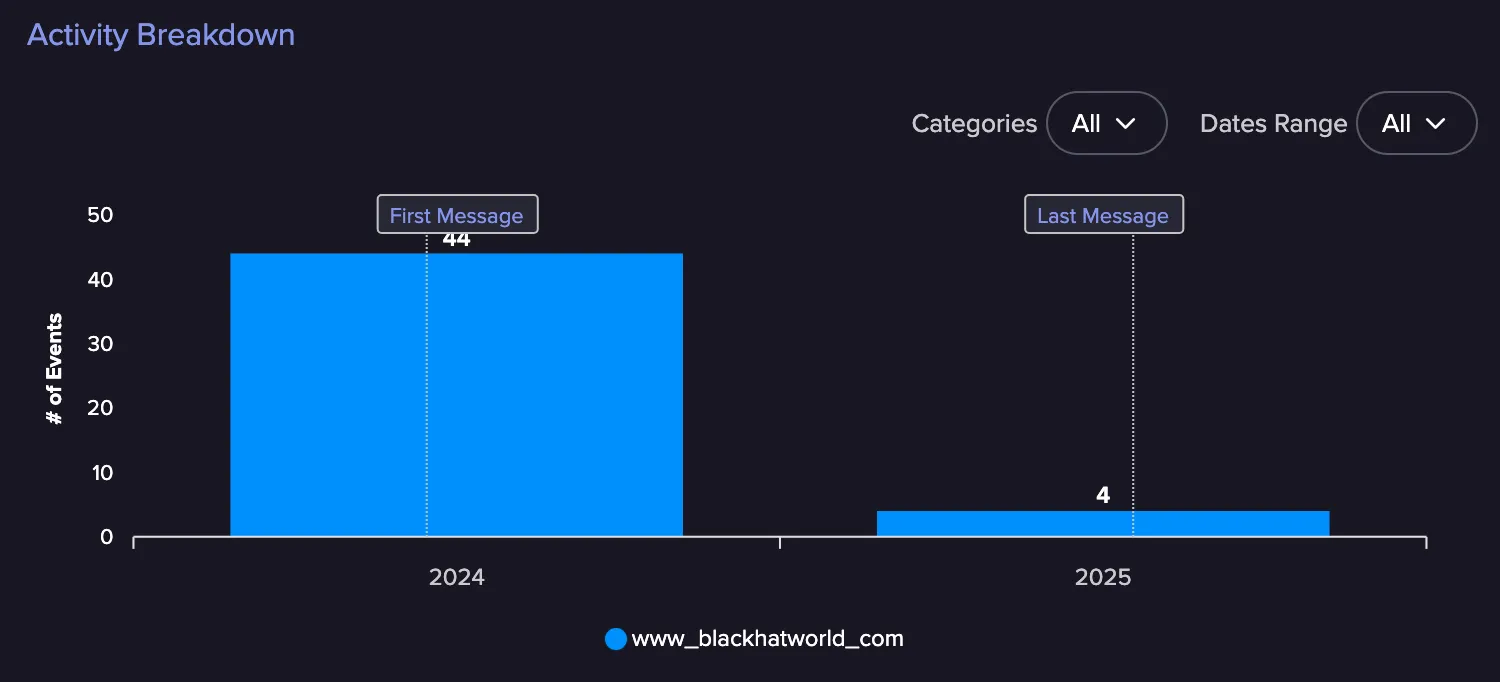
- Filterable by category and date range
- Annotated with first/last observed messages
Analysis Tab
This tab provides deeper insight into the actor's behavior, intent, and communication style. It is available for both forum-based and chat-based (e.g. Telegram) actors.
Key Sections
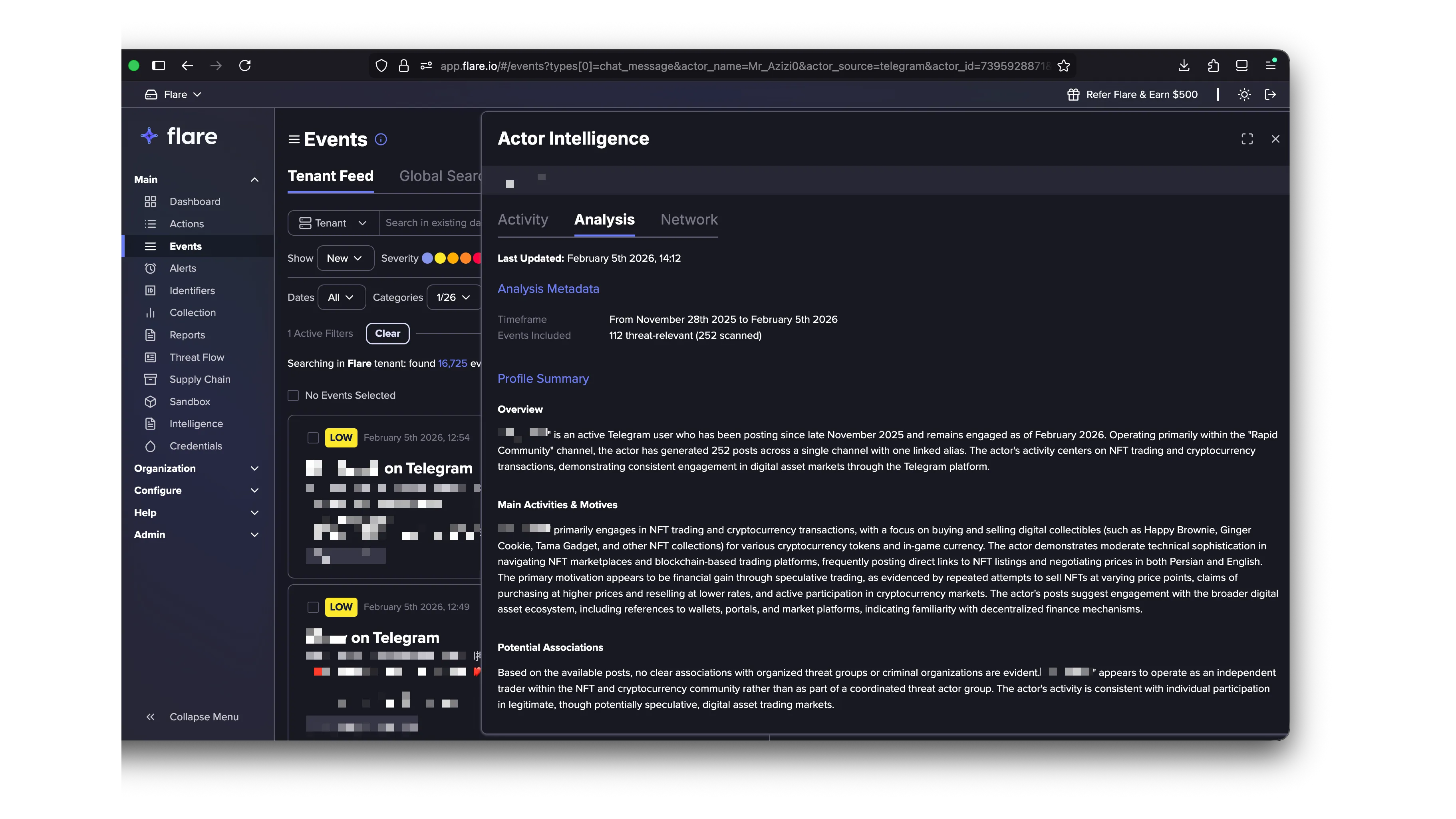
Analysis Metadata: Displays the timeframe covered by the analysis and the number of events included.
Profile Summary: Provides insight into the actor's behavior, tone, and intent based on their observed posts or messages.
- Overview: Displays the actor's handle and associated source. Activity is analyzed per actor + source combination.
- Main Activities & Motives: Describes the primary themes discussed by the actor and their recurring topics of interest. Outlines the actor's likely motivation — whether financial, ideological, social, or curiosity-driven — and helps assess whether the actor poses a credible threat.
- Potential Associations: Indicates whether there is any observed association with known threat groups, malware families, or criminal services. If no affiliations are detected, that is explicitly stated.
Weekly Discussion Heatmap
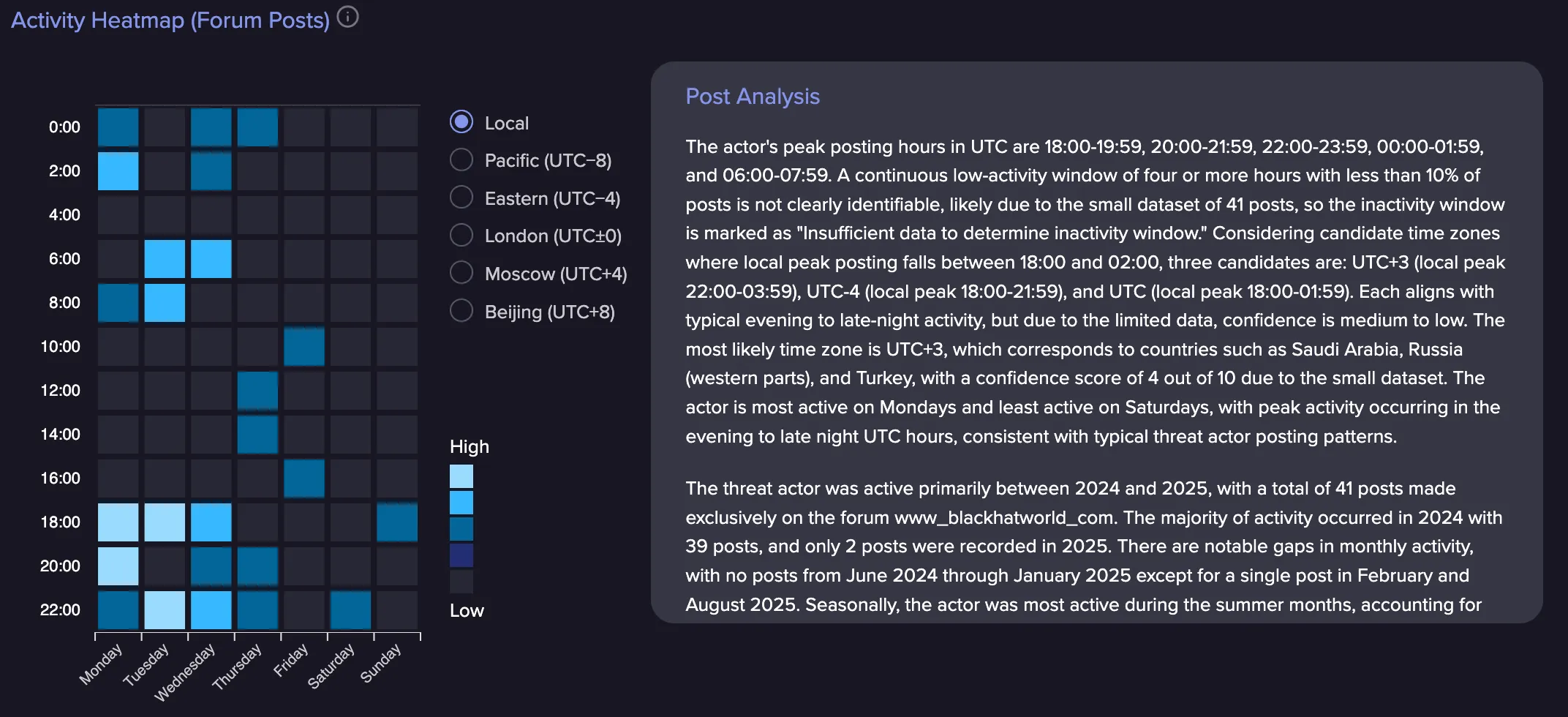
Displays posting behavior by hour and weekday. Analysts can toggle between timezones to normalize patterns across geographies. Darker blocks indicate higher message frequency.
- Helps assess timezone alignment, shift-based activity, or consistency
- Analysts can toggle timezones to normalize patterns across geographies
- Darker blocks = higher message frequency
Post Analysis: Interprets the actor's behavioral cadence, including:
- Peak activity windows and most active days/hours
- Timezone inference based on observed peaks, with candidate timezones and confidence levels
- Activity volume over time, including seasonal trends and escalation patterns
- Weekday vs. weekend distribution
Network Tab
We have detailed documentation for the Network tab herehere.