Notifications Center
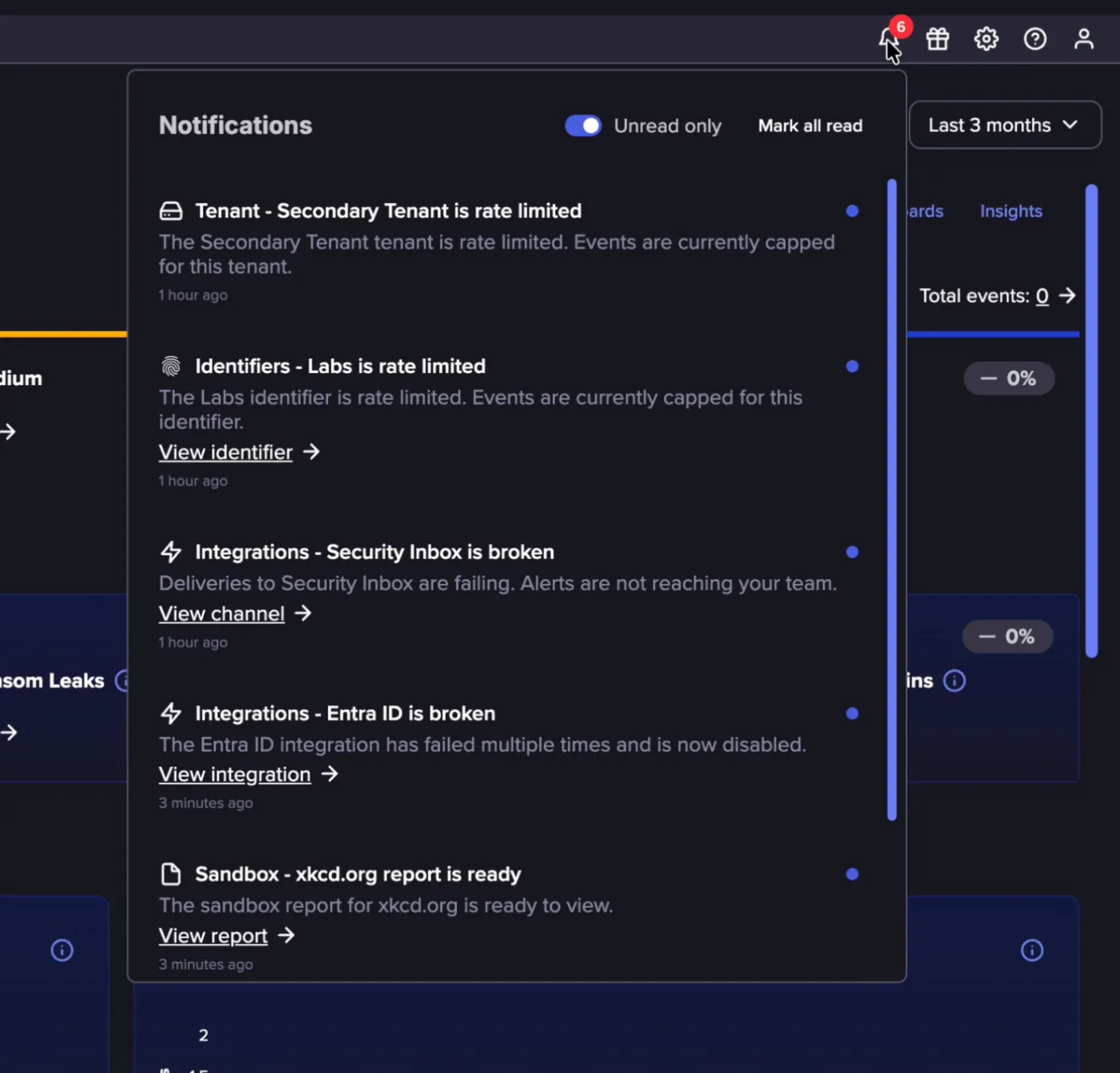
In-App Notifications are automatic, targeted messages that appear in the Notifications Center accessible from the top navigation bar. Each notification points you to an operational activity in the platform that needs attention, such as an Alert Channel that needs to be reconfigured, or a broken IdP integration.
Viewing In-App Notifications
You can view In-App Notifications by clicking the bell icon in the top navigation bar. From the notifications dropdown, you can:
- Select a notification to act on it. Depending on the notification, this takes you to the relevant location in the platform, for example an Identifier being rate-limited. Some notifications include a direct link, such as View identifier or View channel, that takes you straight to the item that needs attention.
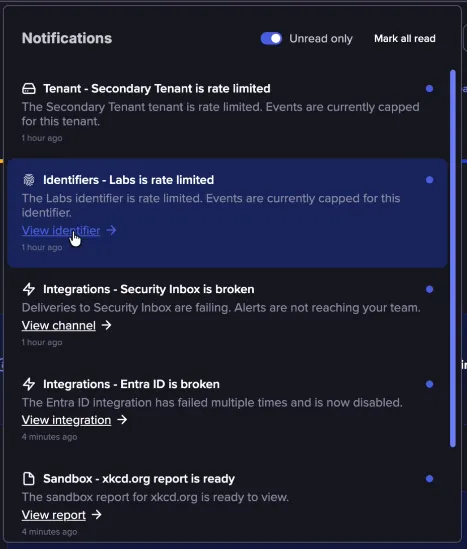
- Select Mark all read to clear them all at once.
- Use the Unread only toggle to filter the list to unread notifications.
Notifications and Audiences
Each notification is displayed only for the users who need to act on it. The table below lists the notifications sent, what each one means, and who receives it. Coverage will expand over time to include more operational activities.
Notification | What it means | Audience |
|---|---|---|
Alert ChannelAlert Channel is broken | A delivery channel, such as a Slack, email, or webhook channel, has stopped working and needs to be reconfigured | Tenant Admins |
Flare ReportFlare Repor is ready | A Flare Report has finished processing and can be viewed and downloaded. | The user who created the Report |
Identifier Events Rate-limitedIdentifier Events Rate-limited | Too many Events matched an Identifier in a short period, so its feed is temporarily capped | Tenant Admins |
IdP IntegrationIdP Integration is broken | An Entra ID or Okta integration is disabled or has stopped syncing identities | Tenant Admins |
SandboxSandbox submission report is ready | A file or URL submitted for analysis has finished processing and the report can be viewed | The user who submitted the file or URL |
Tenant Events Rate-limitedTenant Events Rate-limited | Too many Events were matched for the Tenant in a short period, so its feed is temporarily capped | Tenant Admins |
Threat Flow IntelThreat Intel report is ready | A report being generated in Threat Flow is ready for viewing | The user who requested the report |