Lookalike Domains Browser
The Lookalike Domains browser lists all lookalike domains detected for your organization in one place. Each domain is shown as a single record that brings together all its events, so instead of tracking individual events in your feed, you can view every detected domain and its relevant events in a single view.
You can browse, sort, filter, and search every detected domain, open a consolidated profile for any one of them, and act by viewing a site in the sandbox or submitting a takedown request.
Key Features
- Broad Detection Coverage: Lookalike domains are discovered from a broad set of sources, including open-source tooling and specialized external providers. Detected domains are enriched with additional attributes such as whois records, MX records, and DNS records, giving you more context on each domain. For more information on how domains are detected, see How Detection Worksas.
- Domain Intelligence Profile: Each lookalike domain has a Domain Intelligence Profile that gathers everything known about it in one place: the screenshot, favicon, and metadata, the enrichment collected from parent and update events, the full event history, and a severity timeline. From the profile you can see a timeline of how a domain's severity has changed over time and which events drove the change.
- Visual Similarity Detection: Lookalike domains are also detected by visual similarity, which finds sites that resemble your brand even when the domain name is not similar. This catches impersonation that text-based domain matching alone would miss.
- Managed Takedowns: When you confirm that a lookalike domain is malicious, you can submit a takedown request and track it through to resolution. For more information on takedowns, see Takedown ServicesTakedown services.
Using the Lookalike Domains Browser
Click through the following product tour to learn how to use the Lookalike Domains browser.
View Lookalike Domains
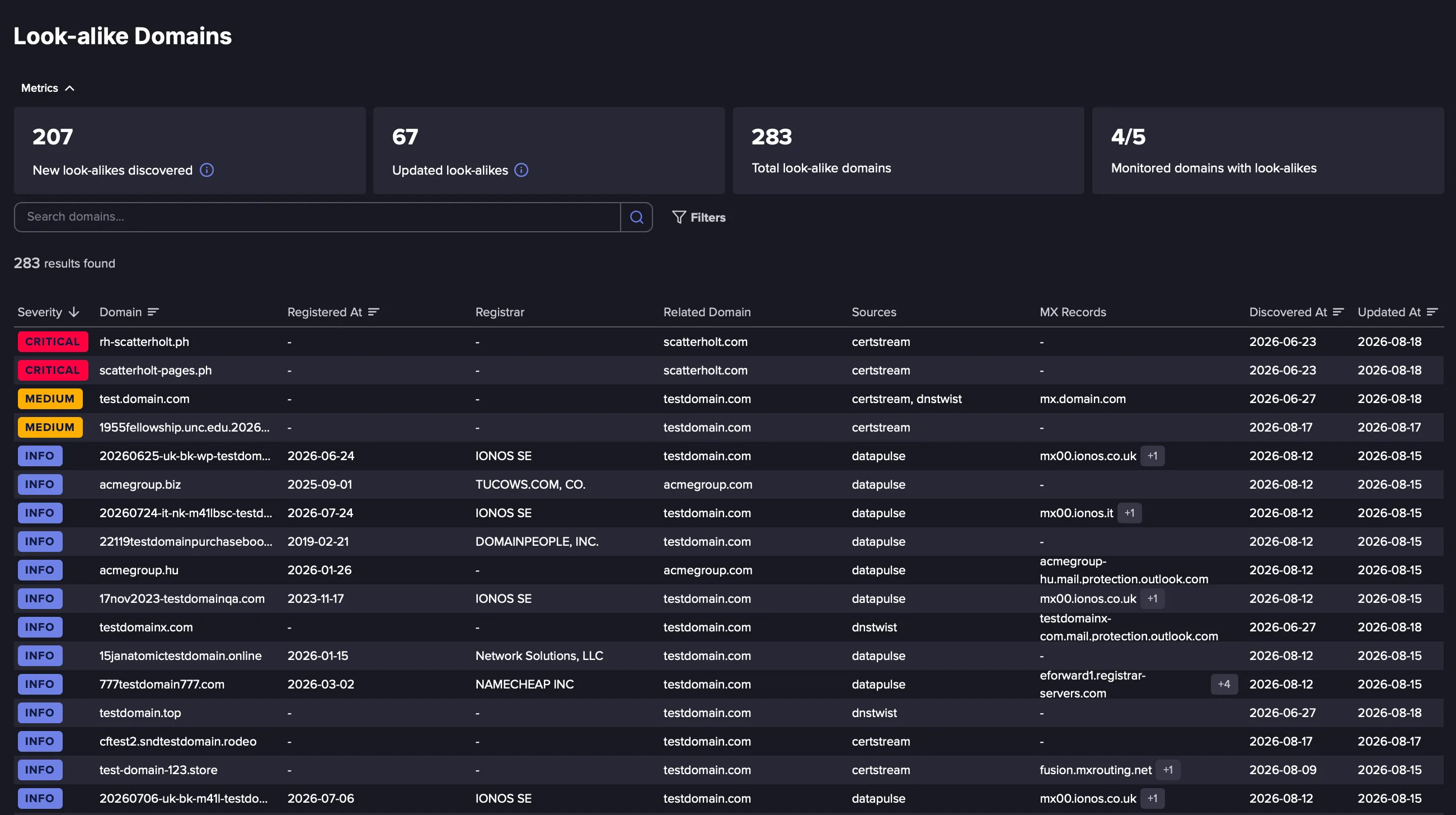
Navigate to the Lookalike Domains browser from the left navigation. Each row in the browser represents one lookalike domain, not a single event, and shows the following information:
- Severity: The severity assigned to the domain, from Info to Critical, reflecting how closely it resembles your domain and how likely it is to be a threat.
- Domain: The URL of the detected lookalike domain.
- Registered At: The date the domain was registered, where known.
- Registrar: The registrar the domain was registered through, where known.
- Related Domain: The Domain Identifier that the Lookalike domain resembles.
- Sources: The detection source or sources that surfaced the domain, such as certstream, dnstwist, or datapulse. A domain can be found by more than one.
- MX Records: The mail exchange records configured for the domain, where present. MX records indicate the domain is set up to send or receive mail.
- Discovered At: The date the domain was first detected for you.
- Updated At: The date of the most recent event on the domain.
Sort, Filter, and Search
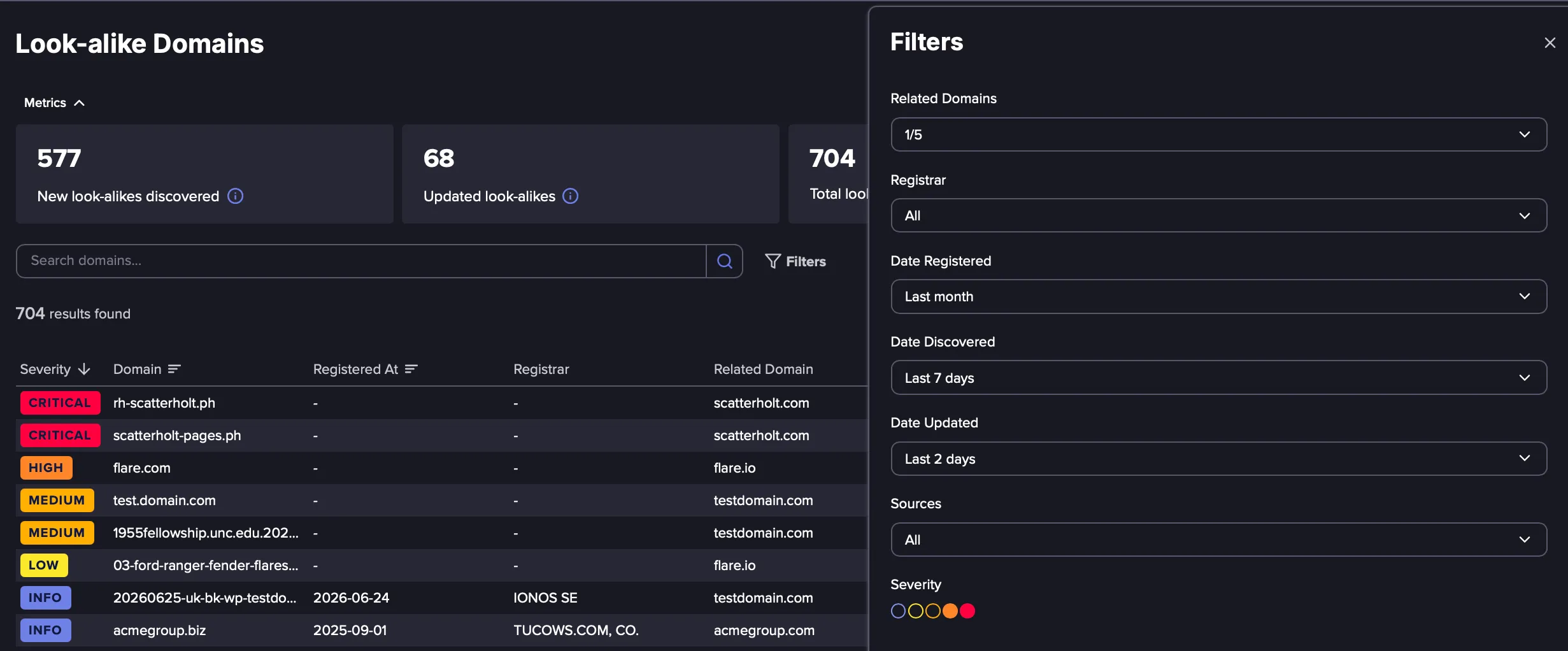
Use Filters to focus on the domains that matter to you, for example the most recently discovered domains, the domains updated most recently, or the domains registered within a recent time period. You can also search to find a specific lookalike domain.
View the Domain Intelligence profile
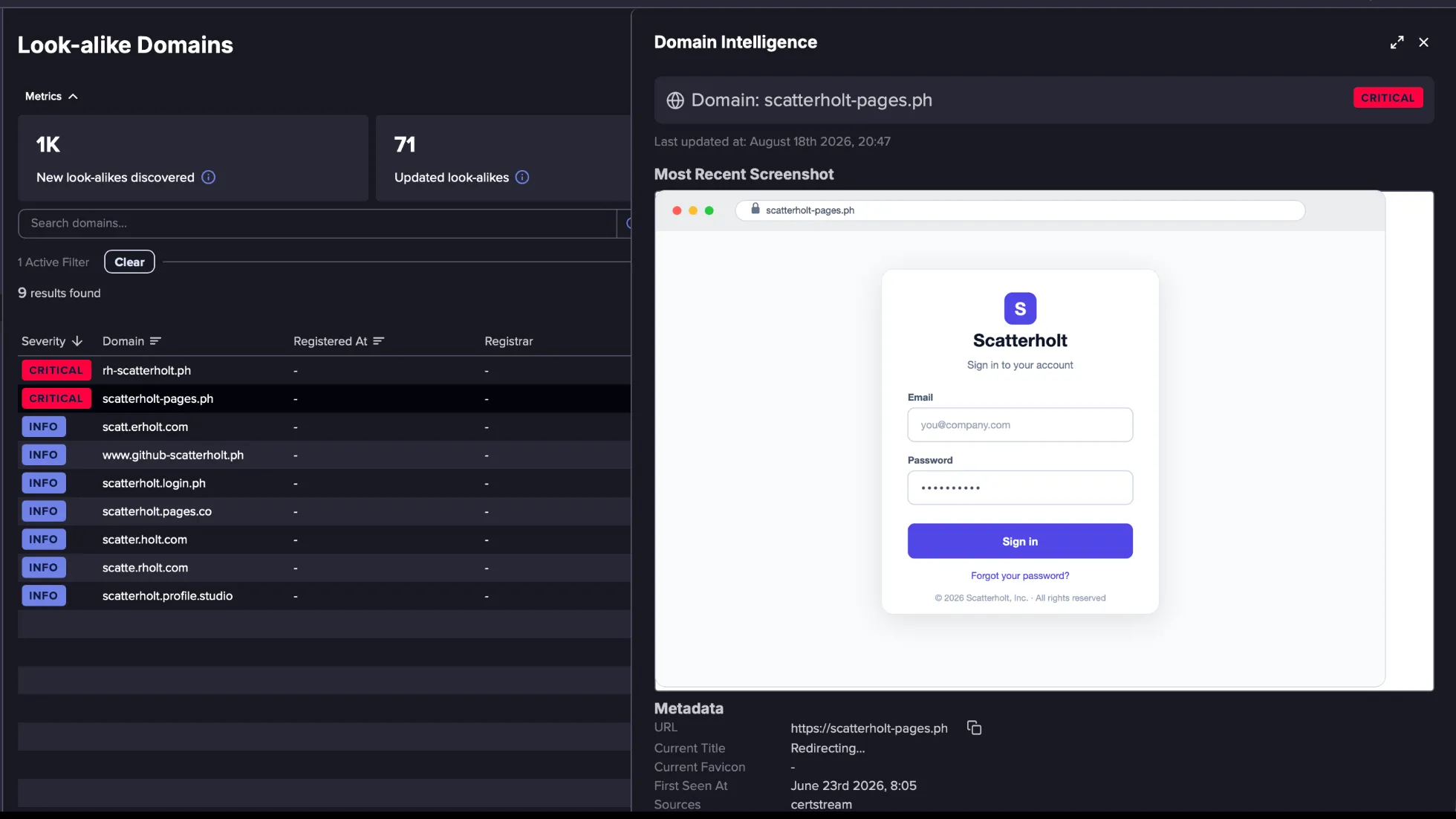
Select a lookalike domain to open its Domain Intelligence profile. The profile brings together the parent event and all related update events, along with any screenshots, its metadata, and its severity history.
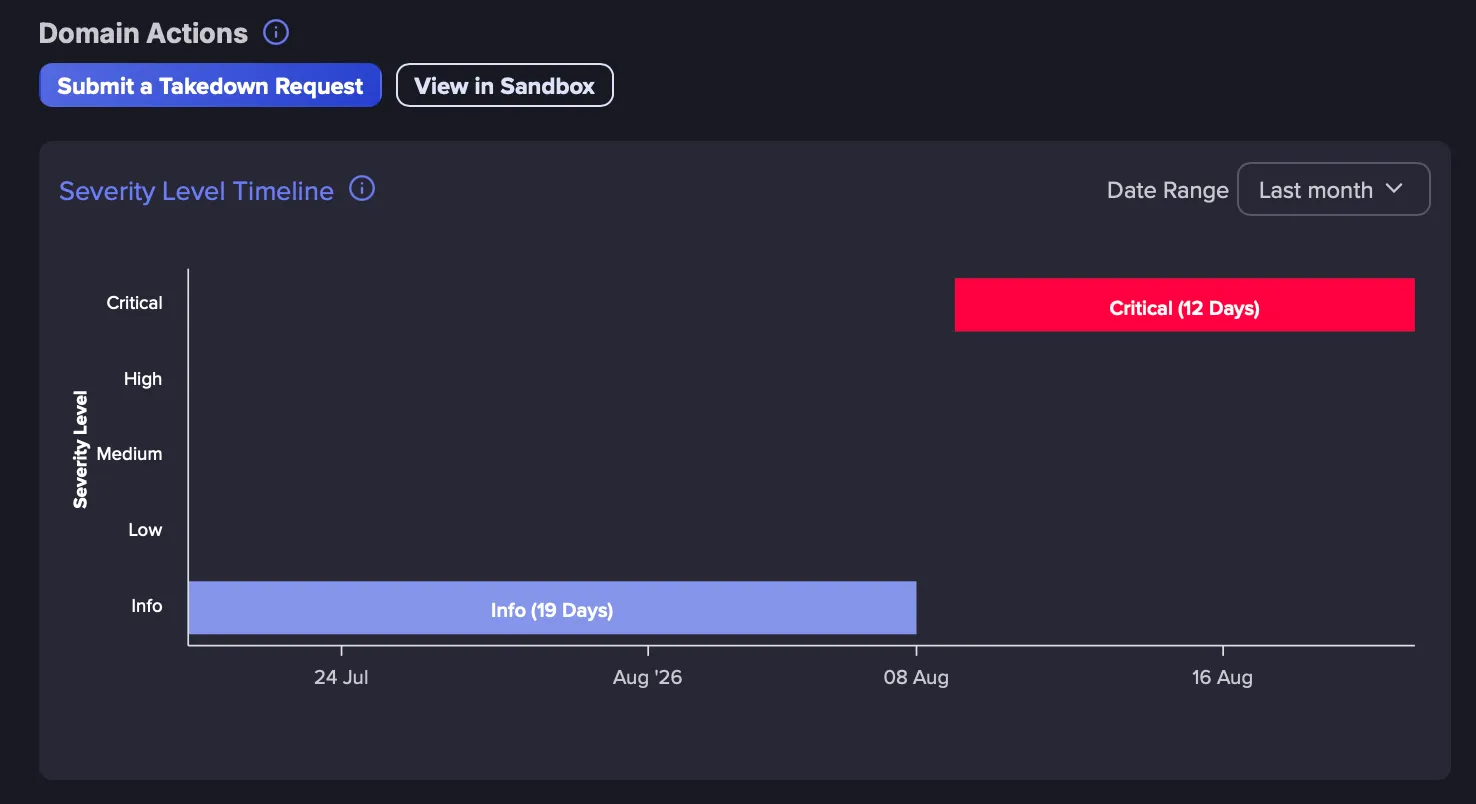
Take Action and View Severity Timeline
In the Domain Actions section, select Submit a Takedown Request to open a takedown request for the domain.
Select View in Sandbox to investigate the domain. Because a lookalike domain may host malicious content, this opens the site in an isolated environment so you can see how it looks and behaves without visiting it directly.
Takedown Services and Sandbox require an add-on. Please contact your CSM for more information.
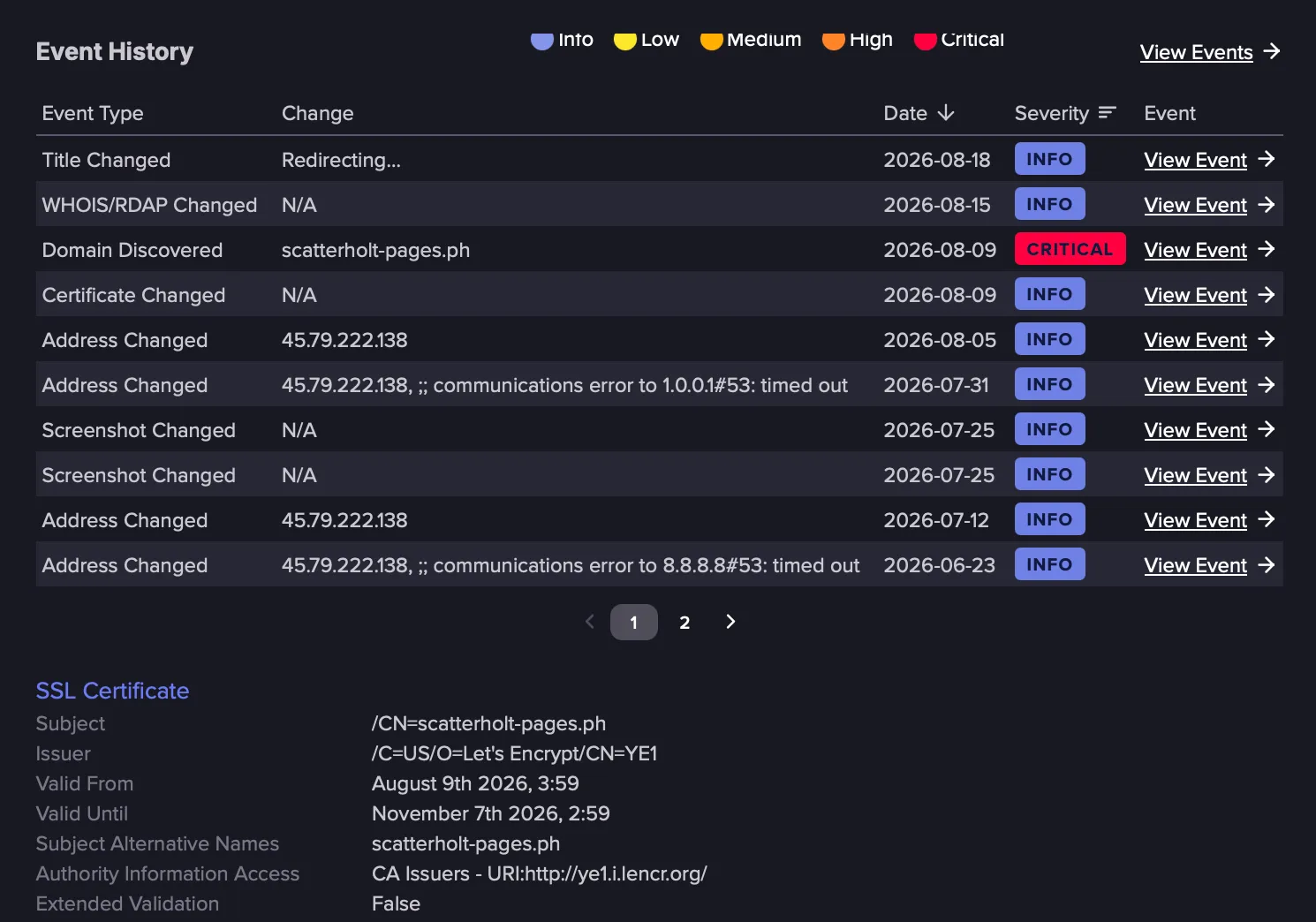
View Event History
In Event History, you can see all the events detected for this domain. Click View Event to see the details in the Events feed.
Ignoring a Lookalike Domain
To stop receiving events for a lookalike domain, ignore its Discovery Event. Future update events for that domain will no longer appear in your Events Feed. This is useful when a detected domain is legitimate or is not considered a threat.
Follow these steps to ignore a lookalike domain:
In the Lookalike Domains Browser, click a domain to open its Domain Intelligence profile.
In the Event History section, find the Domain Discovered event.
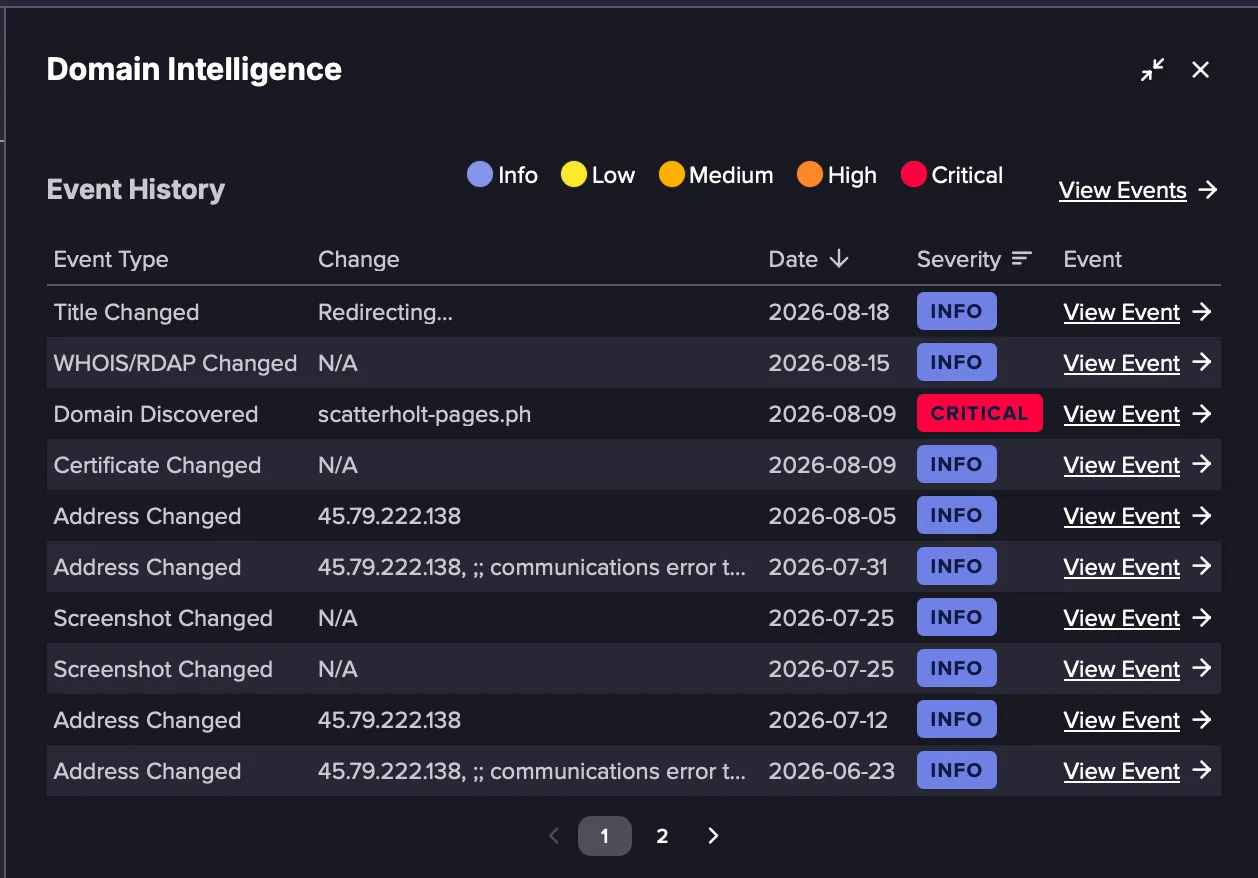
Click View Event to open the event in the Events feed.
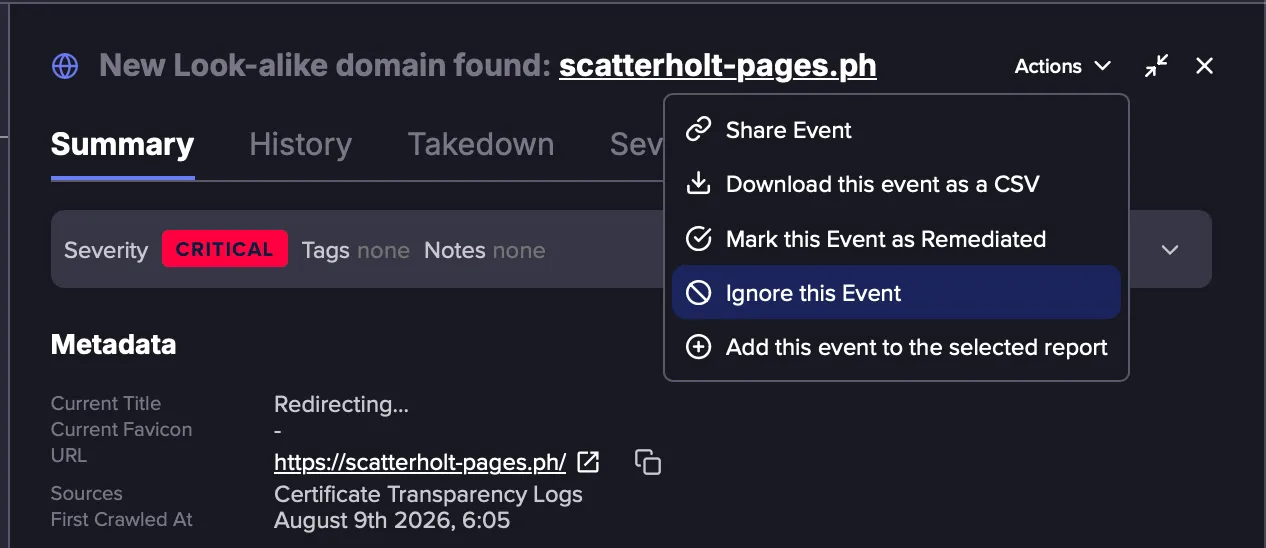
From the Actions menu, click Ignore this Event. Future update Events for this domain will no longer appear in your Events feed.
Best Practices
- Start from the browser to investigate lookalike domains
When you are reviewing lookalike domains, start from the Lookalike Domains Browser rather than the Events feed. The browser lets you work from the domain level down to individual changes. Identify the domains relevant to you, open the Domain Intelligence profile to see the summary, and drill into specific events when you need to view additional details. Before acting on a domain, review its metadata, such as the WHOIS contact and any MX records, to judge whether it represents a real threat.
- Exclude a legitimate lookalike domain
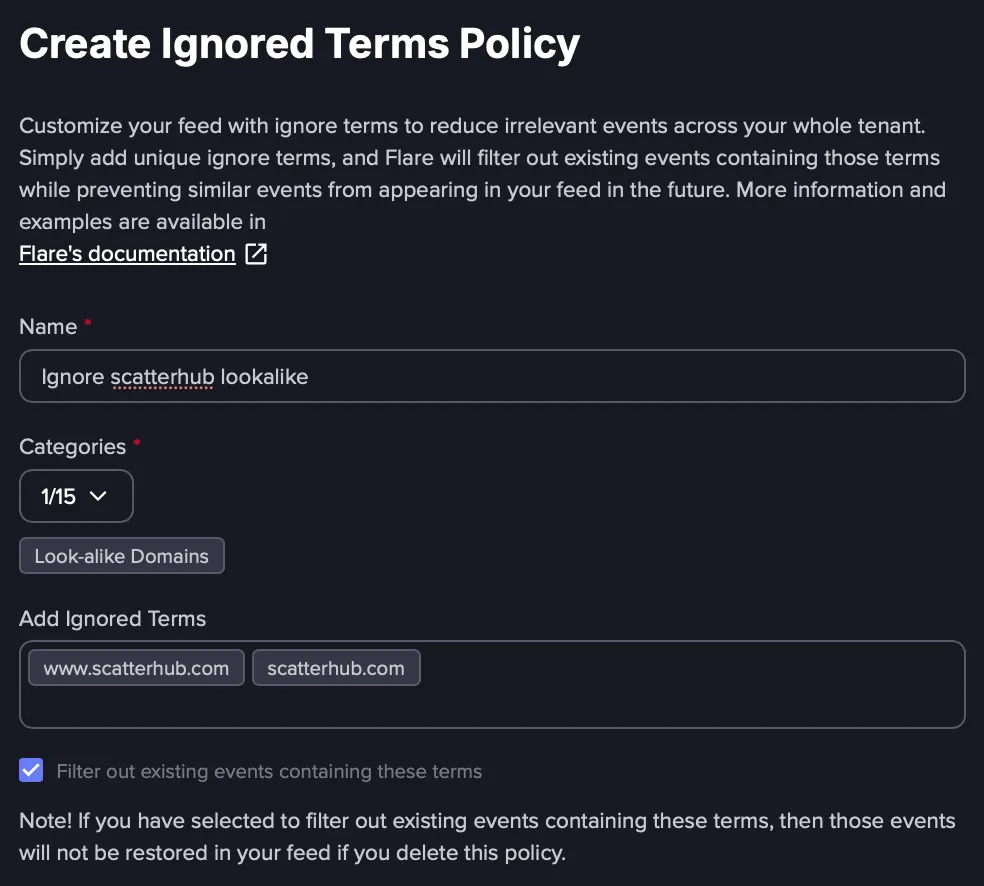
If a detected lookalike domain is legitimate and you do not want to receive further updates about it, create an Ignored Terms Tenant policyTenant Ignore Terms policy that excludes the domain and is restricted to the Lookalike Category. This stops future updates for that domain across the Tenant.
Ignoring or remediating a single update event affects only that event. It does not stop future updates for the domain. Please note that the ignore terms must exactly match the domain name for the policy to work.