September 2026
New Events Feed Layout
Release date: September 21, 2026
The Events Feed has a new layout that presents each Event with its full context, optimized for faster scanning with better information density. This release includes:
- Full-Context Event Previews: Expand an Event in the feed to see what was found, where it was found, and who is involved, without opening the full details panel. A content preview also shows the Event's details inline.
- Threat Cards: Threat Cards are displayed when hovering over an entity, providing quick pivoting across the whole threat landscape.
- Feed Customization: Control what each Event shows in the feed, such as toggling the content preview, creation date, source, and other fields on or off.
- Recent Events: The Recent panel tracks the Events you open during an investigation, so you can move between related items as you work. Actor profiles you open are added to it as well, making it easier to pivot across a chain of related Events.
Click the Try the New Events toggle to switch to the new layout. Toggle back to the old layout anytime until November 23rd, when the new feed becomes permanent.
Learn moreLearn more
Actions Page Retirement
Release date: September 21, 2026
The Actions page is being retired on November 23, 2026 as part of the ongoing consolidation of remediation functionality into more contextual interfaces. Equivalent actions are available through the Events feed and Alerts to triage and action exposures going forward.
Learn moreLearn more
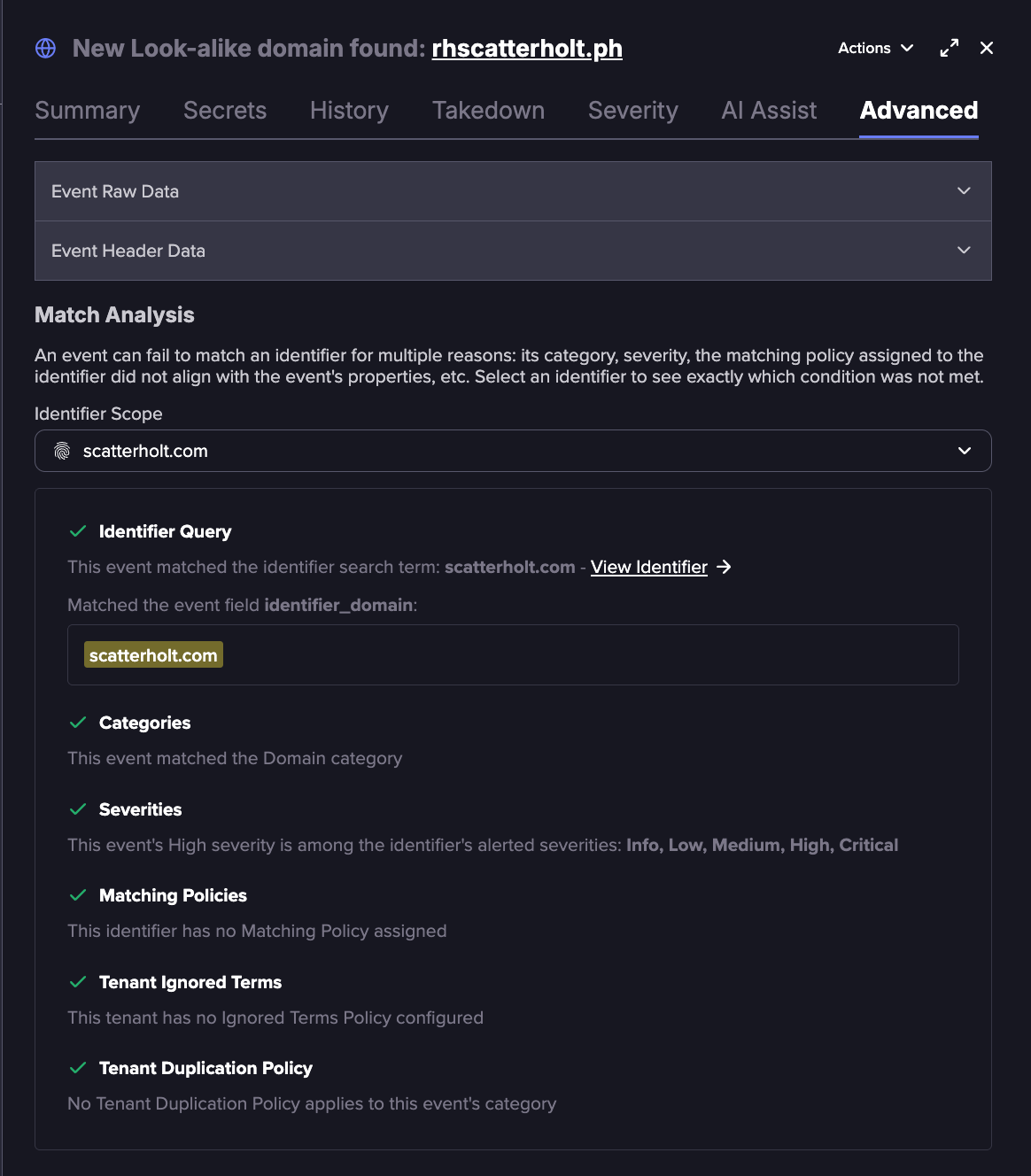
Match Analysis for Events
Release date: September 17, 2026
Match Analysis shows why an Event did or did not match a given Identifier, so you no longer have to guess how an Event ended up in your feed or why one is missing from it. Match Analysis is available on the Advanced tab of an Event's details. With Match Analysis, you can:
- Pinpoint why an Event you expected did not match, down to the exact condition that filtered it, so you can adjust your configuration accordingly.
- Confirm why an Event did match, so you can understand your coverage and refine your Identifiers to reduce noise, if needed.
Learn moreLearn more
New Emerging Data Source for Spam Emails
Release date: September 11, 2026
Spam Emails is a new emerging source containing spam messages collected from a spamtrap. Each message includes full headers, recipient list, sender address, and content, which can help you identify campaigns that reference your organization or abuse your domain. This source must be added as a category on an Identifier before related events are surfaced.
Learn moreLearn more
Automatic Severity Escalation for Risky IPs
Release date: September 11, 2026
A new Flare Severity Rule is now available. When the IP address in an Event's metadata matches an IP surfaced in the Intelligence Browser, the Event is marked High severity, flagging the host as potentially risky. Like all Flare Severity Rules, it is active by default and requires no configuration.
- Existing Events: The rule impacts only new Events coming into the platform. Historical Events are unaffected, so existing High severity Event counts on your dashboard remain unchanged. As new matching Events arrive, the number of High severity Events might increase gradually over time.
- Event volume: No new sources or event types are introduced, so no change in total Event volume is expected.
Threat Categories for Identifiers
Release date: September 9, 2026
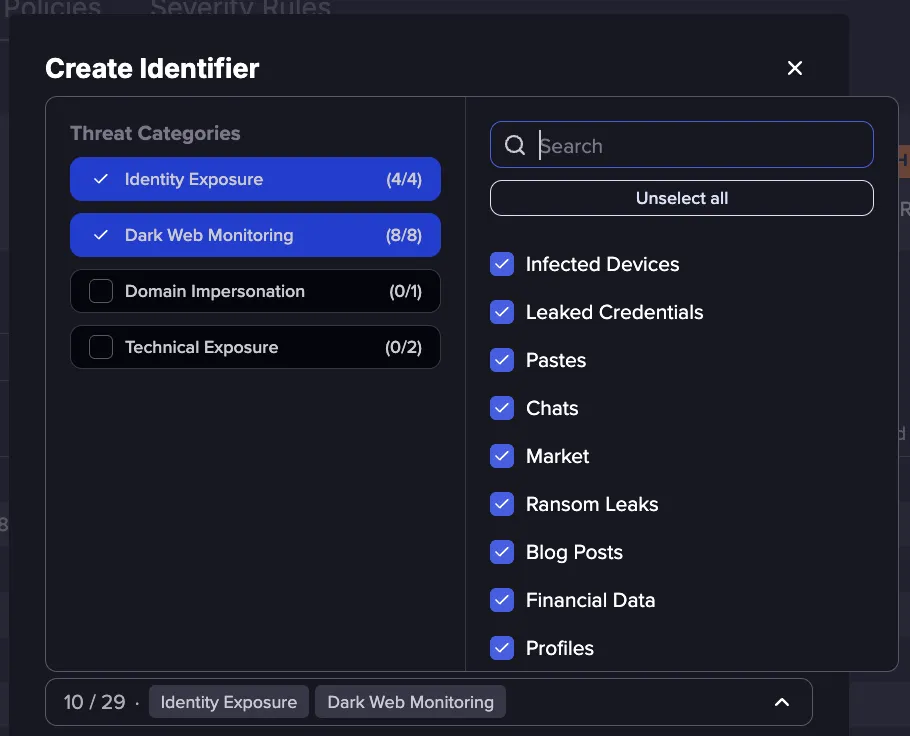
When creating an Identifier, you can now select one or more Threat Categories. A Threat Category is a predefined set of categories most relevant to a particular type of threat. Selecting one pre-selects its recommended categories as a starting point, which you can then customize.
The following Threat Categories are available, with more to be added over time:
- Identity Exposure: Surfaces compromised identity data such as Leaked Credentials and Infected Devices tied to your Identifiers.
- Dark Web Monitoring: Tracks mentions and leaked data across dark web sources, including marketplaces, ransom leak sites, and forums.
- Domain Impersonation: Detects Lookalike domains that imitate your legitimate domains.
- Technical Exposure: Finds exposed technical assets such as Buckets and Source Code.
These selections are recommendations rather than restrictions. You can select any combination of individual categories, choose multiple Threat Categories, or clear the selection before saving.
Learn moreLearn more
Filter the Intelligence Browser by IOC Type
Release date: September 4, 2026
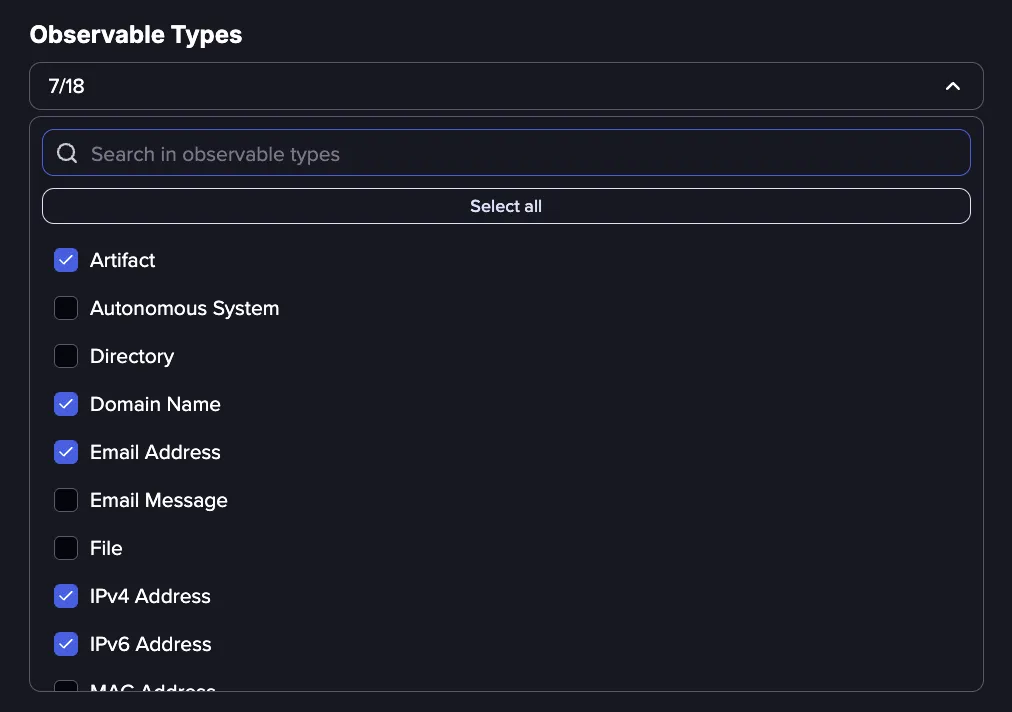
Intelligence Objects can now be filtered by specific IOC types in both the Intelligence Browser and the Entities API, making it easier to operationalize the data. The Observable Types filter lets you pull a targeted list of a one or more IOC types, such as IP addresses or file hashes, to feed directly into your detection and blocking tools.
Learn moreLearn more
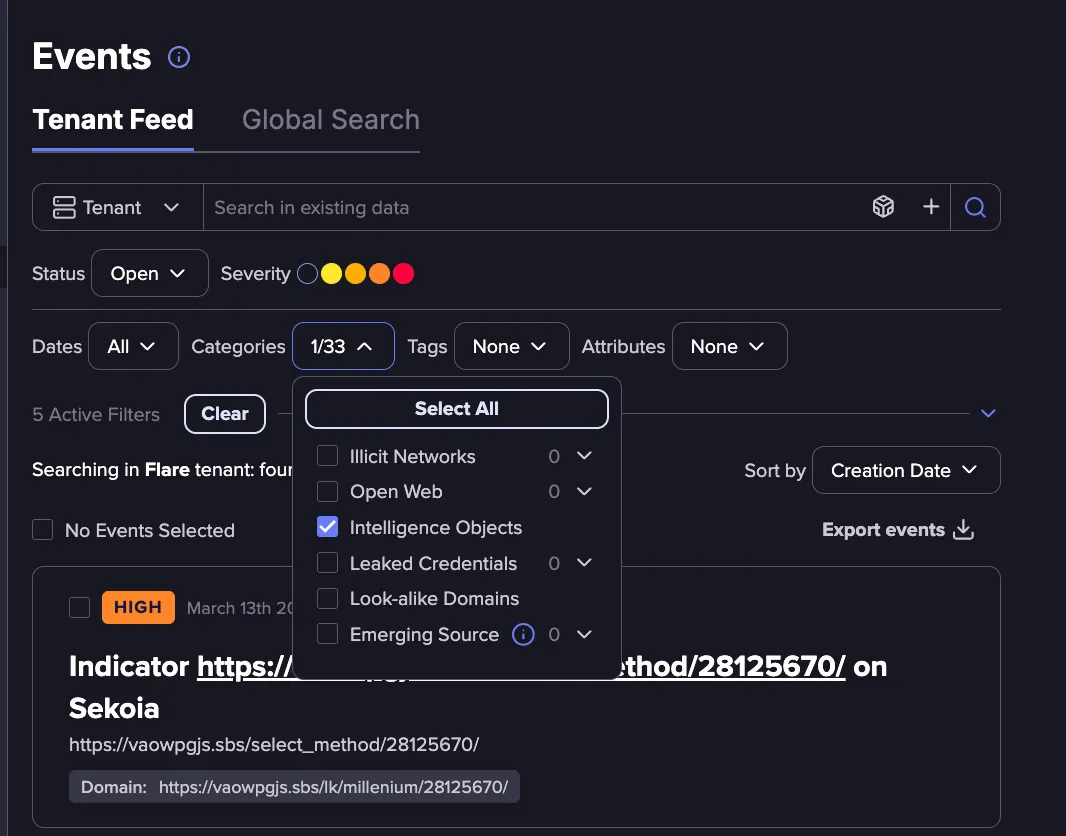
Intelligence Objects Event Category
Release date: September 1, 2026
The Intelligence Objects event category connects the entities surfaced in the Intelligence Browser to your Identifiers and your Tenant Feed. When enabled on an Identifier, a match against an Intelligence Object surfaces an event in your feed, so exposures flagged by third-party risk lists appear alongside your other events.
- Coverage: Intelligence Objects cover indicators of compromise, malware families, named campaigns, vulnerabilities, threat actors, and adversary infrastructure.
- Event details: Each event includes the object type, source, provider, and relevant dates, along with severity scoring and complete raw data.
- Configuration and alerting: The category can be enabled during Identifier configuration and used with Alert Central to route matches to the right stakeholders.
- API access: Intelligence Object events are available through the API using the intelligence_object event type on the Tenant, Identifier, and Identifier Group endpoints.
Learn moreLearn more