August 2026
Extended Lookalike Domain Monitoring
Release date: August 26, 2026
Extended Lookalike Domain Monitoring expands how lookalike domains are detected, tracked, and acted on.
- Lookalike Domains Browser: A new per-domain view of the lookalike domains detected for your organization. Browse, sort, filter, and search every detected lookalike domain, open a consolidated Domain Intelligence profile, and act by viewing a site in the Sandbox or submitting a Takedown Request. Learn moreLearn more
- Update Events in the Events feed: Update Events now appear in your Events feed when a change is detected on a known lookalike domain, surfacing how a domain evolves over time rather than only its initial detection. Because each change generates its own Event, you can configure Alerts on lookalike domain changes and apply Severity Rules to them. Learn moreLearn more
- Extended coverage and enrichment: Coverage is extended with domain intelligence through domain intelligence feeds and visual similarity detection, which surfaces sites resembling your own even when the domain name is not similar. As a result, you may see an increase in lookalike domain events in your Events feed as this broader coverage takes effect. Detected domains carry greater enrichment, including MX records, WHOIS data, SSL certificates, DNS records, EPP status, and registrar and registrant information. Learn moreLearn more
Identity Identifier Deletion
Release date: August 26, 2026
Identity Identifiers synced from an IdP integration are now automatically removed under the following circumstances:
- User deleted from the IdP: If a user is removed from your IdP, the corresponding Identity Identifier in Flare is deleted after two weeks.
- Integration downtime: If your IdP integration goes down, all Identity Identifiers synced from that integration are deleted after two weeks.
Restore a broken integration as soon as possible to avoid unintended deletion of Identity Identifiers. Tenant Admins receive in-app notifications of a broken IdP integration through the Notifications CenterNotifications Center.
Learn more about Okta integrationLearn more about Okta integration | Learn more about Entra ID integrationLearn more about Entra ID integration
Confidence Score in the Intelligence Browser
Release date: August 24, 2026
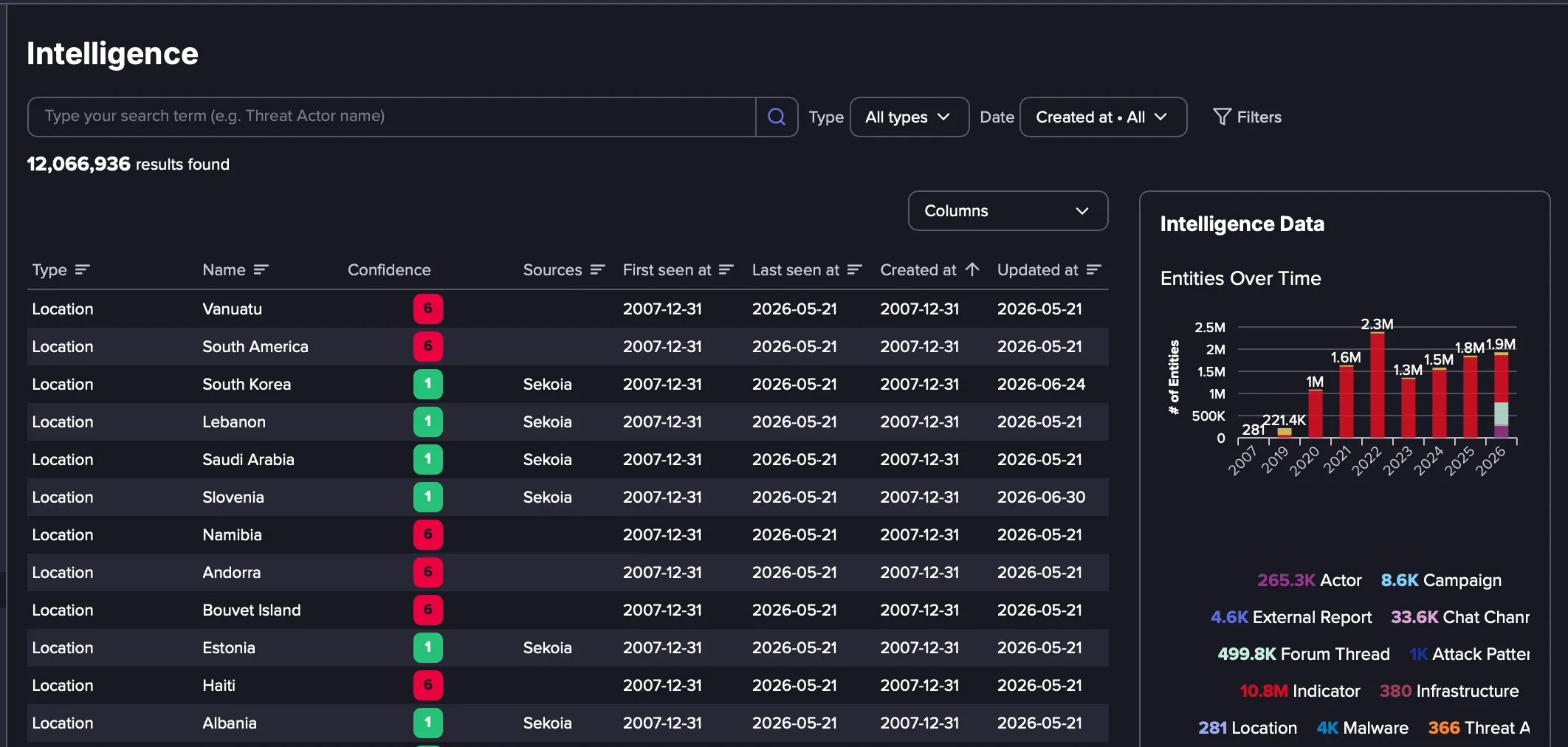
Each Intelligence Object in the Intelligence Browser now carries a Confidence Score reflecting how strongly the intelligence is supported by evidence.
- Add Confidence as a column in the Intelligence Browser to see each object's score at a glance.
- Use Filters to narrow results to objects at or above a chosen score, making it easier to focus on high-confidence indicators.
- Confidence Scores are also available via the API for automated workflows.
Learn moreLearn more
Domain Matching Policy for Past Events
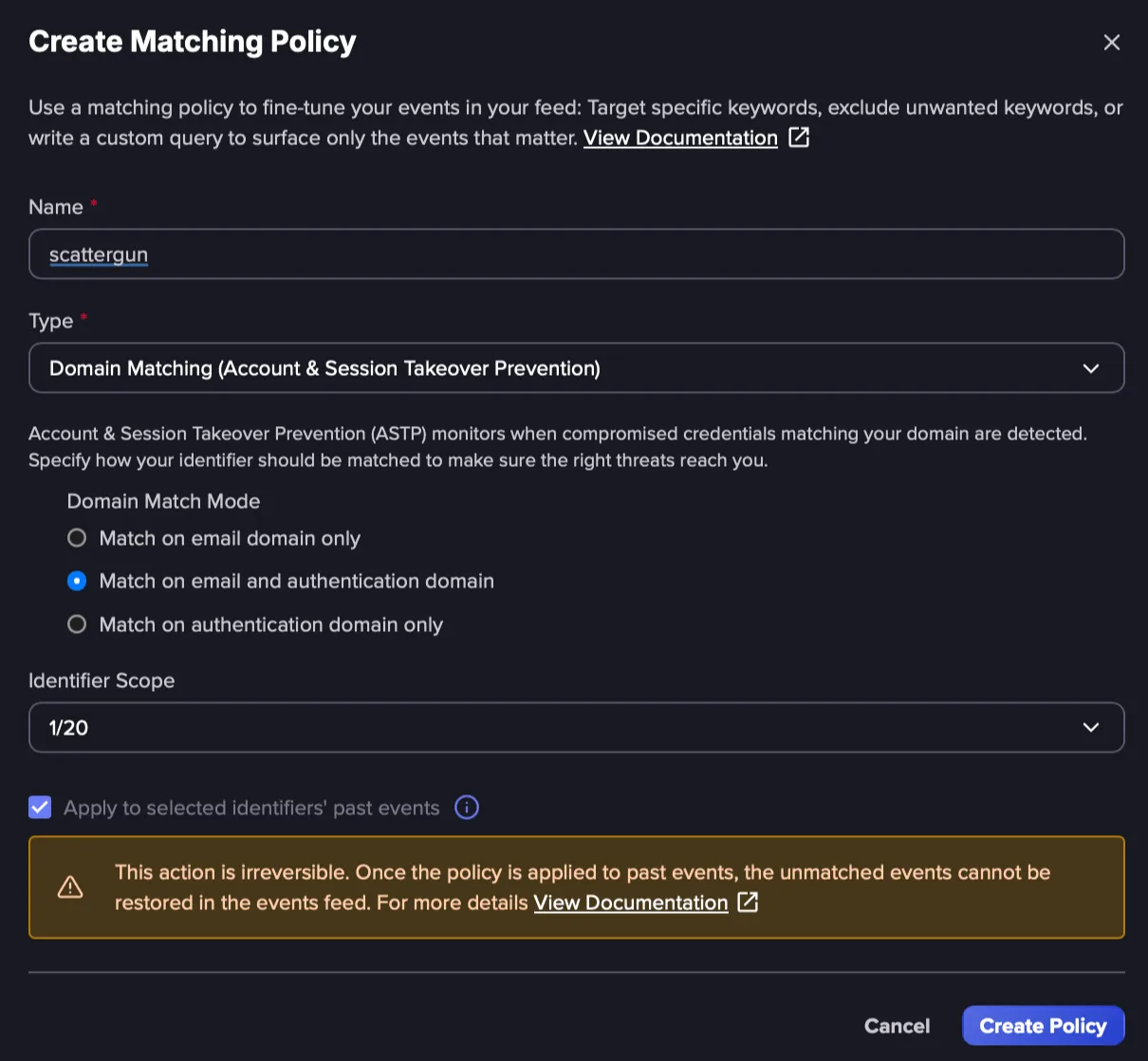
Release date: August 21, 2026 Domain Matching Policies can now be applied to past Events. An Apply to Past Events checkbox is available when creating a policy, giving you more control over how it behaves. Selecting it applies the policy to Events already in your feed, not just Events that arrive after the policy is created.
Learn moreLearn more
New Emerging Data Source
Release date: August 21, 2026
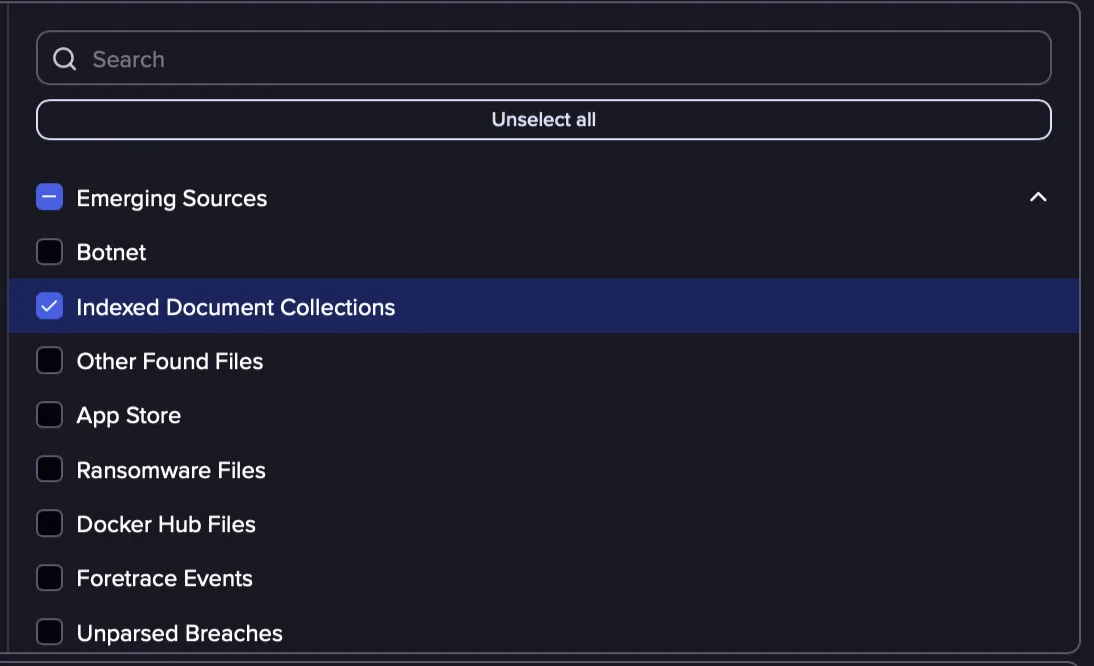
Indexed Document Collections is a new emerging data source that holds documents recovered from breaches carrying sensitive material, such as large volumes of live credentials. The first collection comes from the LiteLLM supply-chain breach, in which malicious PyPI releases harvested secrets from affected environments. Select this data source category when creating or editing Identifiers to see relevant events.
Learn moreLearn more
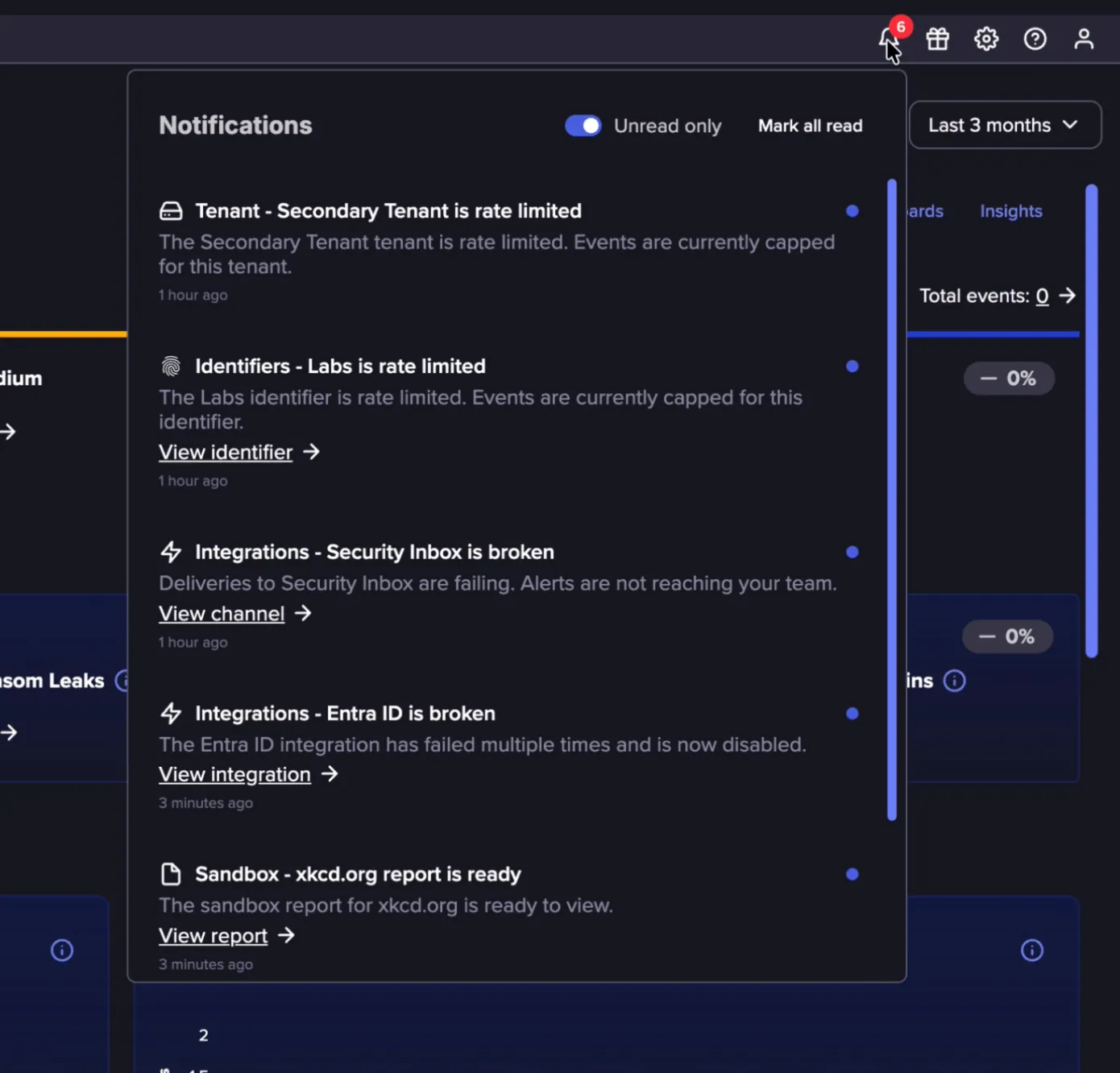
In-App Notifications in the Notification Center
Release date: August 19, 2026
In-App Notifications are automated messages that appear in the top navigation bar. Each notification points to an operational activity that needs attention and is displayed only for the users who need to act on it. Initial coverage includes:
- Tenant Events are rate-limited
- Identifier Events are rate-limited
- IdP integration is broken
- Alert Channel is broken
- Sandbox submission report is ready
- A Flare Report is ready
More use cases will be added over time.
Learn moreLearn more
Improved Lookalike Domain Events
Release date: August 18, 2026
Ahead of the upcoming Extended Lookalike Domain MonitoringLookalike Domain updates, we’ve expanded the coverage of lookalike detection through certificate transparency logs.
Certificate transparency logs are monitored in real time, surfacing domains as soon as new TLS certificates are issued for them. By extending the performance and coverage of this source, we can surface new events in the Events feed that identify newly registered lookalike domains sooner and widen the set of domains we catch, so more potential threats are surfaced earlier and with fewer gaps in coverage.
As a result, you may see an increase in lookalike domain events in your Events feed as this broader coverage takes effect. These improvements lay the groundwork for the broader lookalike updates coming soonlookalike updates coming soon, including the new Lookalike Domains browser and richer enrichment such as MX records and WHOIS data.
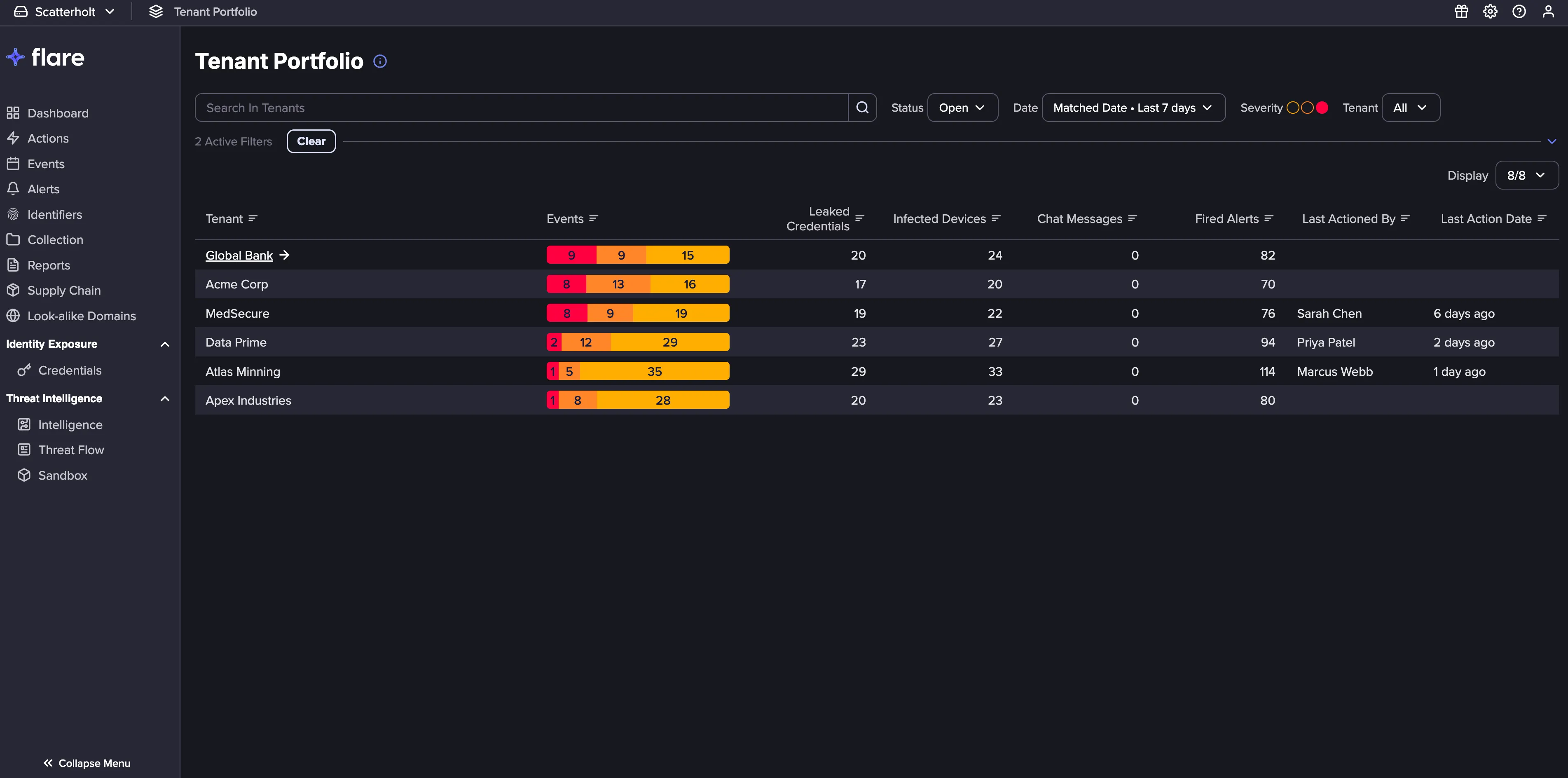
Tenant Portfolio
Release date: August 12. 2026
The Tenant Portfolio provides a single view of all your Tenants, whether they are clients or your own segmented business units.
- Consolidated Tenants View: Every Tenant you have access to appears in a paginated view, with Leaked Credentials, Infected Devices, Chat Messages, Fired Alerts, and Last Activity Date/User shown on each row.
- Tenant Detail View: Select any Tenant to view its key metrics, a preview of its most recent Events, and supporting graphs.
- Assigned Tenants: Organization Admins can switch between viewing every Tenant in the organization or only the Tenants assigned to them. Members see only the Tenants assigned to them.
- Search and Filtering: Easily search or filter the Tenant list by status, severity, or date range.
Learn moreLearn more
Dashboard Enhancements
Release date: August 12. 2026
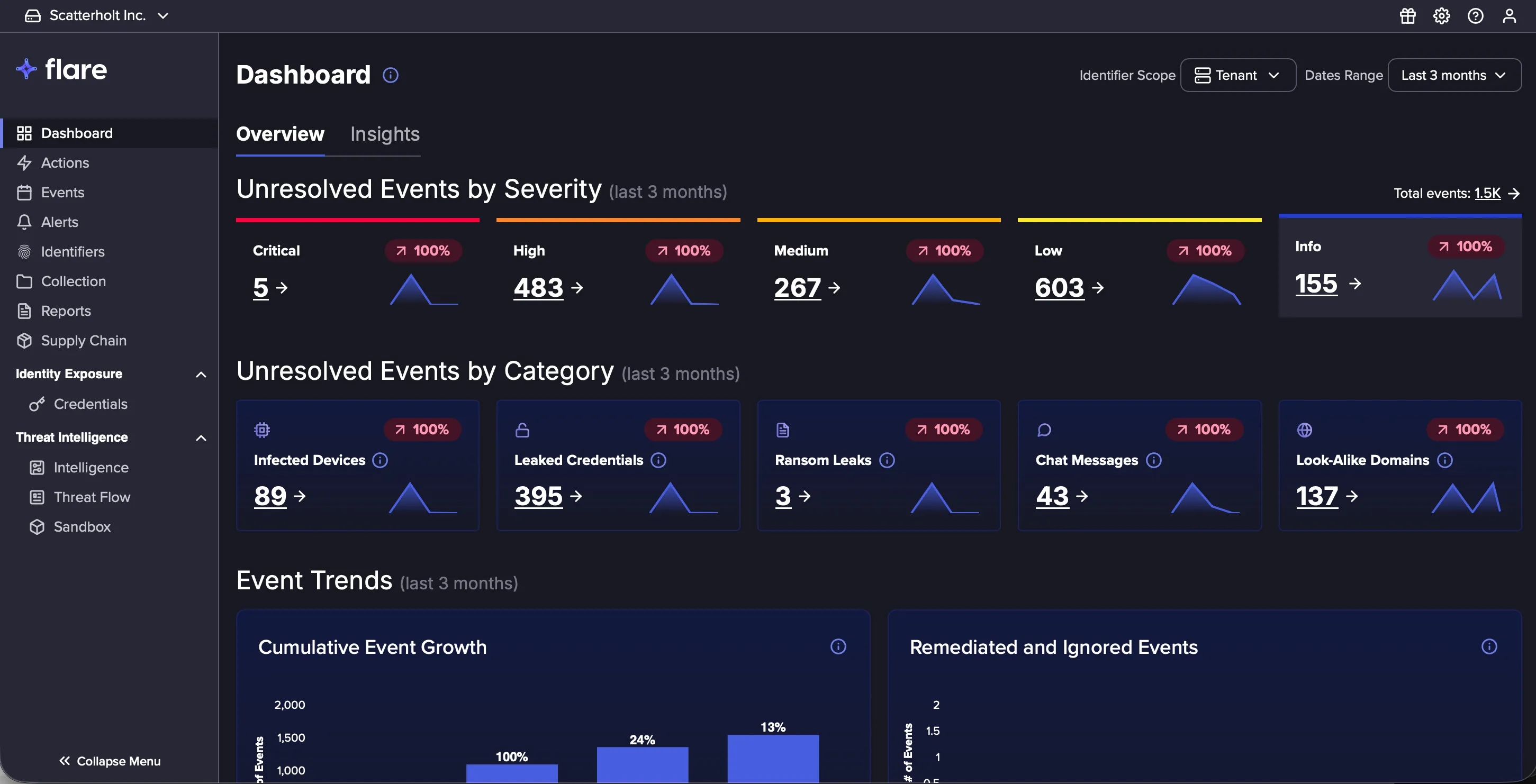
The Flare Dashboard has a fresh new look. Key metrics now include trend visualizations, making it easier to scan and interpret Events. This is a visual update only, and all your existing features and data work exactly as before.
- Trend Visualization: Each metric card for Unresolved Events by Severity and Unresolved Events by Category now includes an inline trend sparkline, showing how your unresolved Events are trending over the selected date range without opening a report.
- Compact Card Layout: Cards use a more compact layout, fitting more of your metrics on screen at once.
Learn moreLearn more
Sandbox Enhancements
Release date: August 11. 2026
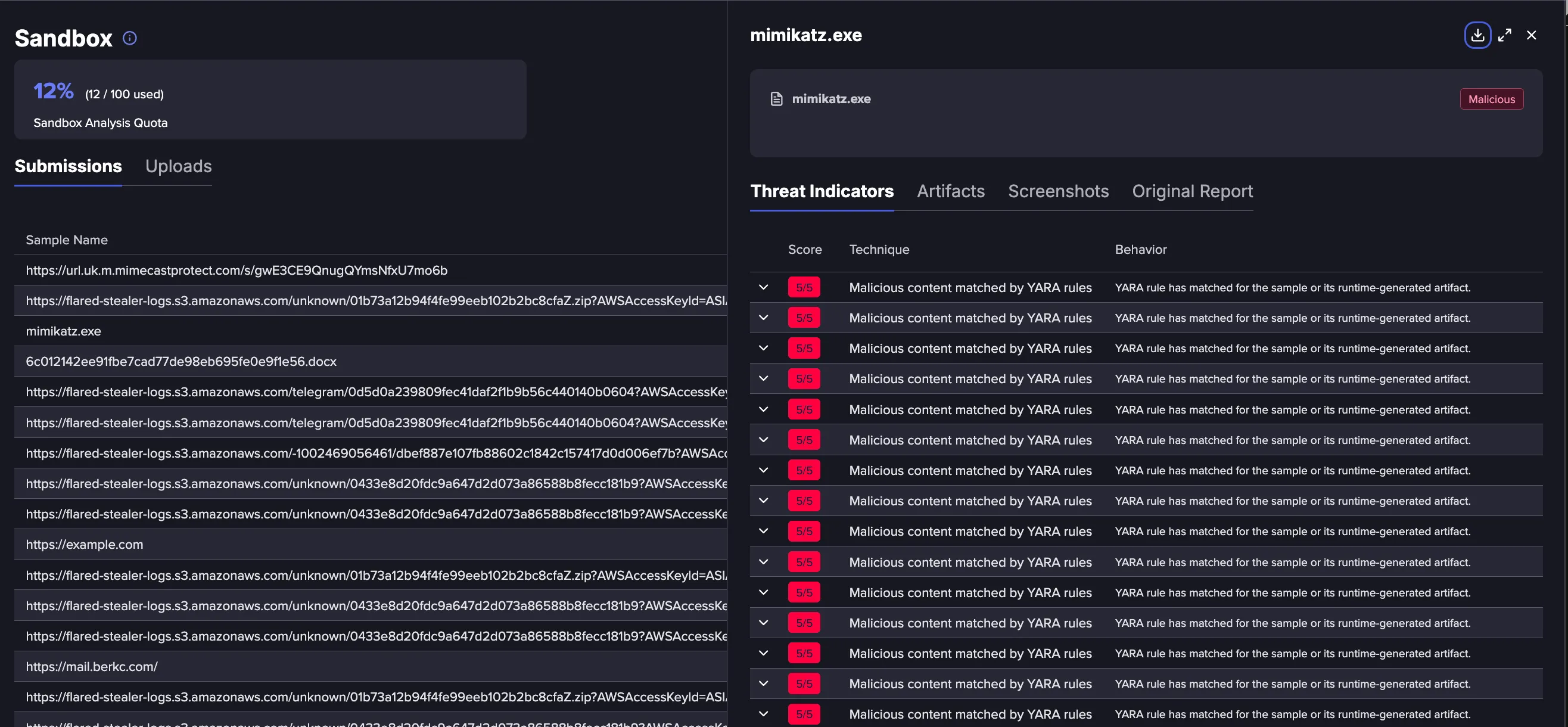
The following updates have been made to enhance the user experience for the Sandbox:
- Improved Analysis: Richer analysis details are now displayed in-app, including Threat Indicators, Artifacts, MITRE techniques, and Screenshots, alongside the PDF report.
- API Driven File Uploads: API support is being introduced for the Sandbox, making it possible to upload files programmatically as part of existing workflows. Files uploaded through the API appear in the Uploads tab, from where they can be submitted manually through the Flare UI to begin analysis.
- Custom Sample Names: Submissions can be assigned a custom name for easier identification and tracking.
- Support for Password Protected Documents: Password protected files can now be submitted for analysis.
Learn moreLearn more
New Splunk App
Release date: August 7, 2026
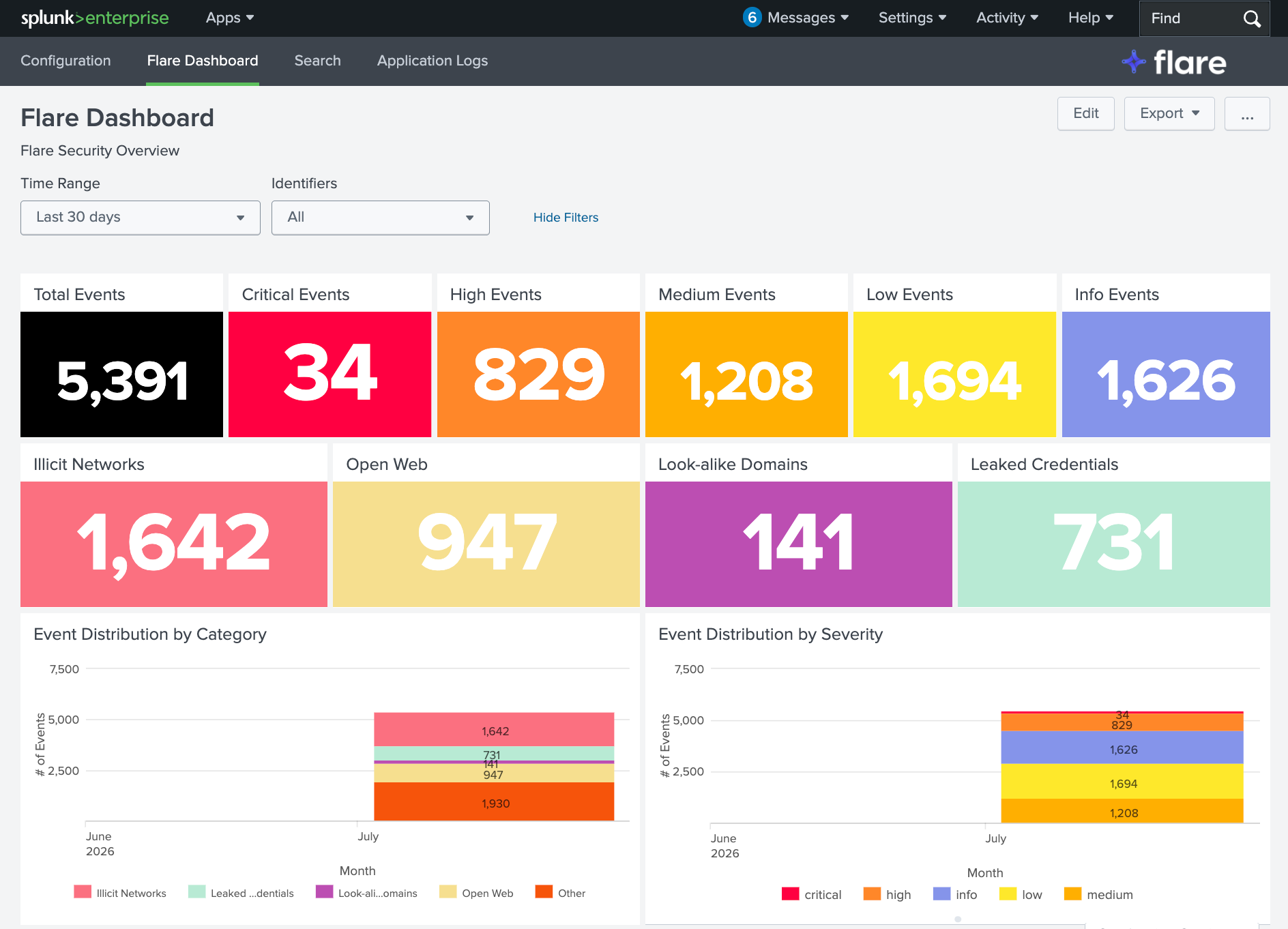
A new Flare Splunk App is now available in Splunkbase, offering significant improvements to stability and observability. This release introduces prebuilt dashboards, an improved configuration interface, a dedicated tab for reviewing application logs, and support for proxied requests and TLS verification.
Note for existing users: The new app is distributed separately and is not backwards compatible with the legacy Flare Splunk App. The legacy app remains functional, but migrating to the new app is strongly recommended in order to take advantage of the new features and improvements. Avoid running both apps at the same time, as this will result in duplicate Events in Splunk. Follow the migration guidelinesmigration guidelines to transition to the new app.
Learn moreLearn more
Severity Rules
Release date: August 3, 2026
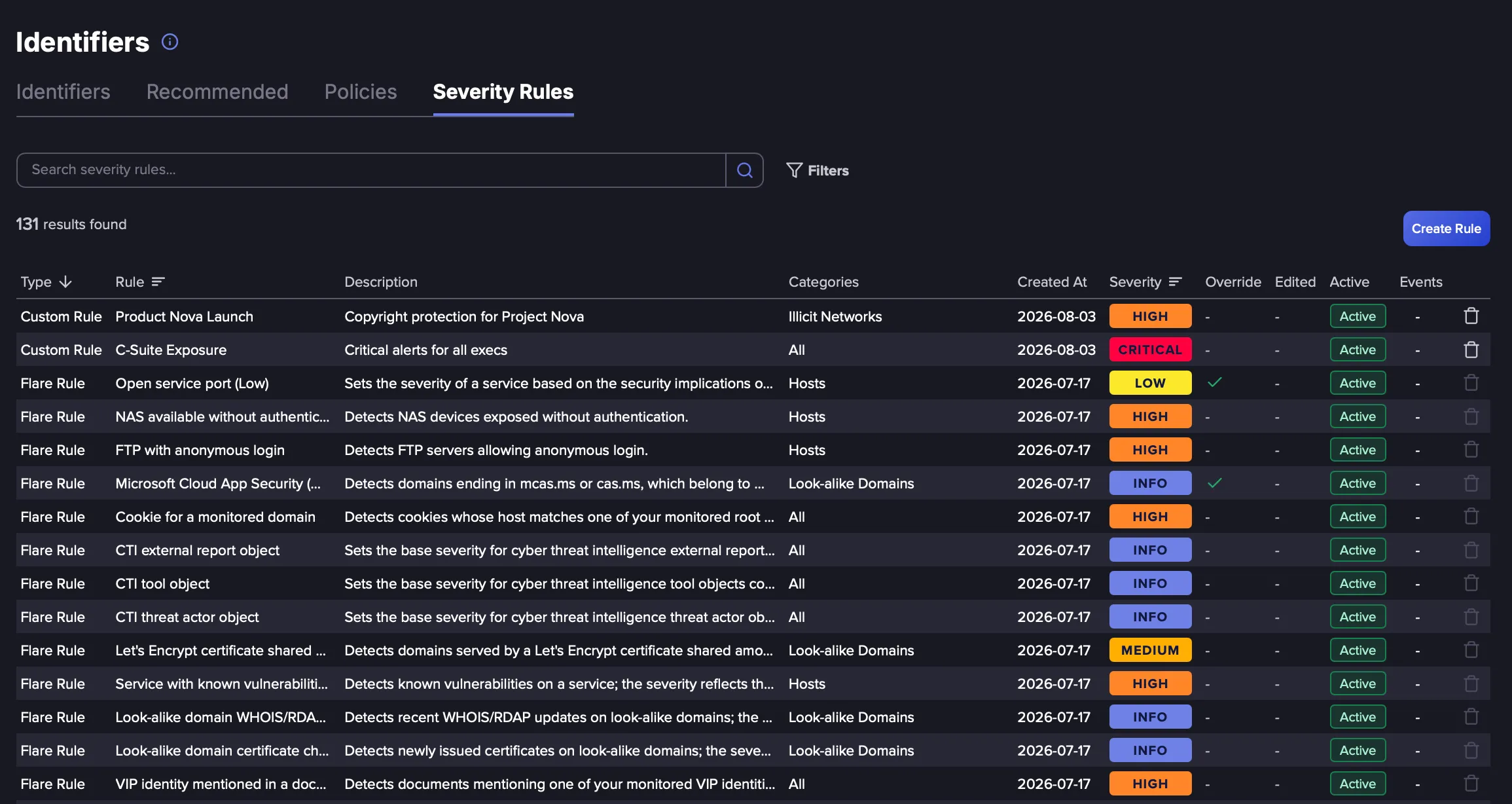
Severity Rules determine how severity is assigned to Events in your Tenant. Each rule pairs a query with a severity level, and when an Event matches a rule, it contributes to the Event's final severity.
Two types of rules are available:
- Flare Rules: These are maintained centrally by Flare and are available on all Tenants out of the box. Flare Rules can be enabled or disabled per Tenant, and their severity level can be adjusted to reflect your organization's priorities.
- Custom Rules: These are created and maintained by individual organizations at the Tenant level, allowing severity to be set for specific Event types so your feed reflects your organization's actual threat priorities rather than a generic baseline.
Severity Rules can also be configured as override rules, which force a specific severity over any other matching rules, giving you precise control when needed. MCP tooling to manage Severity Rules is also included.
Learn moreLearn more