Threat Flow
Threat Flow is an AI-assisted reporting engine that generates structured threat intelligence reports scoped to your organization's context, focused on the cybercriminal activity most relevant to you. Reports are sourced from Flare's Data Collection, external entity library, and open web research, cross-checked for consistency. The output is formatted for both technical analysts and executive stakeholders.
Drawing on data such as breaches, combo lists, threat actor conversations, and dark web monitoring, Threat Flow helps you effectively detect, analyze, and respond to emerging threats.
Key features
- Context-scoped reporting: You define what the report should cover. It can be a specific threat actor, a campaign, a question about your industry's threat landscape, or a combination. The report is scoped to match your requirements, not a generic brief pulled from a template.
- Risk-scored findings with recommendations: Every report organizes findings by severity. Each finding includes specific recommendations for remediation, detection, or further investigation. The reader knows what matters most and what to do next with no additional interpretation required.
- Cross-checked against open web sources: In addition to Flare and external intelligence, Threat Flow cross-checks findings against open web sources. This reduces single-source claims and produces more complete, defensible reporting.
- Extracted IOCs and MITRE ATT&CK mapping: Reports automatically extract IOCs and map observed TTPs to MITRE ATT&CK. Your team can move directly from reading to blocking without a separate research step.
- Executive-ready format: Reports use consistent structure and stakeholder-friendly language. A completed report can be forwarded to a CISO, security leadership, or board without reformatting or additional editing.
Using Threat Flow
Click through the following product tour to learn how to use Threat Flow.
Define your context
Describe what you want the report to cover. This can be:
- A specific actor or campaign you are tracking
- A question scoped to your industry or geography (e.g., "What are the active phishing campaigns targeting financial services organizations in North America?")
- A follow-up from something surfaced in the Intelligence Browser
Be specific. The more precise your context, the more relevant the output.
Review the report
Within minutes, a structured report is generated with an executive summary, risk-scored findings, extracted IOCs, MITRE ATT&CK-mapped TTPs, and recommended actions.
Research entities
If the report surfaces an actor, malware family, or domain you want to verify before acting on, you can pivot directly to the Intelligence Browser from within the report.
Example: A report mentions a phishing kit. You can go to the Intelligence Browser, find the malware description, identify the threat actor behind it, open their profile to review behavioral history and Telegram channel activity, and return to the report with confirmed context. All without leaving Flare.
Operationalize extracted IOCs
Once you have verified the findings, the report's extracted IOCs and MITRE ATT&CK mappings are ready to be pushed into detection and blocking rules via Feeds. No manual copy-paste required.
Threat Flow and the Intelligence Browser
These two capabilities are designed to be used together in a bidirectional loop. Threat Flow surfaces what matters, the Intelligence Browser tells you who's behind it.
- Threat Flow → Intelligence Browser: A report surfaces an entity you want to investigate further. One click takes you to the entity's full profile in the Intelligence Browser.
- Intelligence Browser → Threat Flow: Research you have conducted in the Intelligence Browser becomes the basis for a Threat Flow report, packaged for stakeholders.
Every report can become the starting point for the next research task, and every research session can be packaged into a report.
Features in Threat Flow

IntelIntel
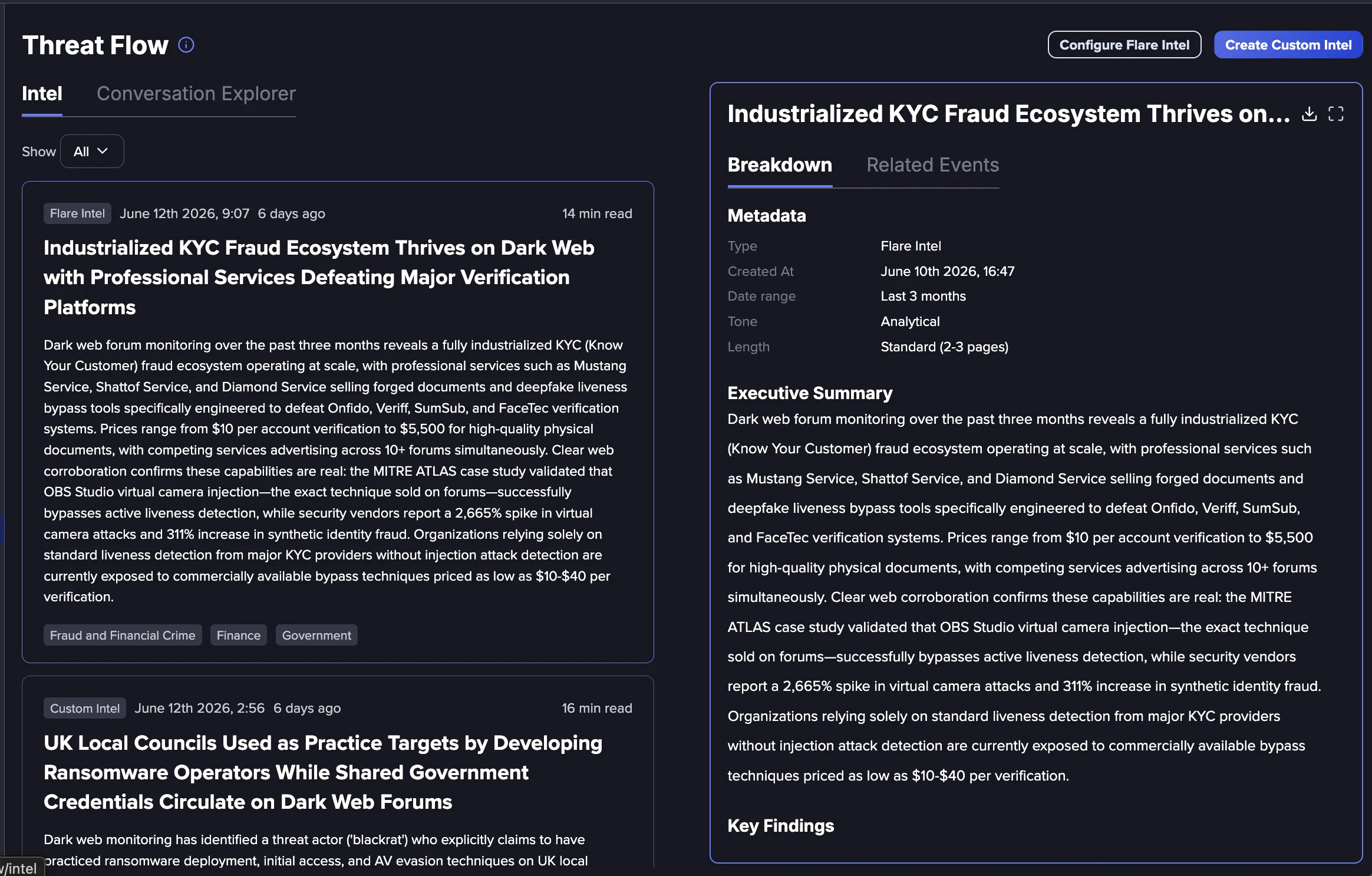
Create your own custom threat Intelligence using Flare's Data, or view our curated list of Flare Intel.

Conversation ExplorerConversation Explorer
Dig into Dark Web Conversations with the Conversation Explorer.

Saved QueriesSaved Queries
For routine threat monitoring, use Saved Queries to view the latest available information.