Lookalike Domains Event Category
Lookalike domains imitate your organization's real domains using tactics such as typosquatting, homoglyphs, and combosquatting. They are a primary vector for phishing and brand impersonation.
These domains are monitored continuously across several detection sources. Detection covers newly issued SSL certificates, domains that resolve in DNS, and domain intelligence from DataPulse, with URLScan visual similarity detection added in the extended tier. Because DNS-based detection evaluates all currently registered domains rather than only new ones, lookalike domains that were registered long before you added your Domain Identifier are surfaced.
The Lookalike Domains event category covers every event generated for a domain imitating one of your Domain Identifiers. These events appear in your Tenant Feed under the Lookalike Domains category.
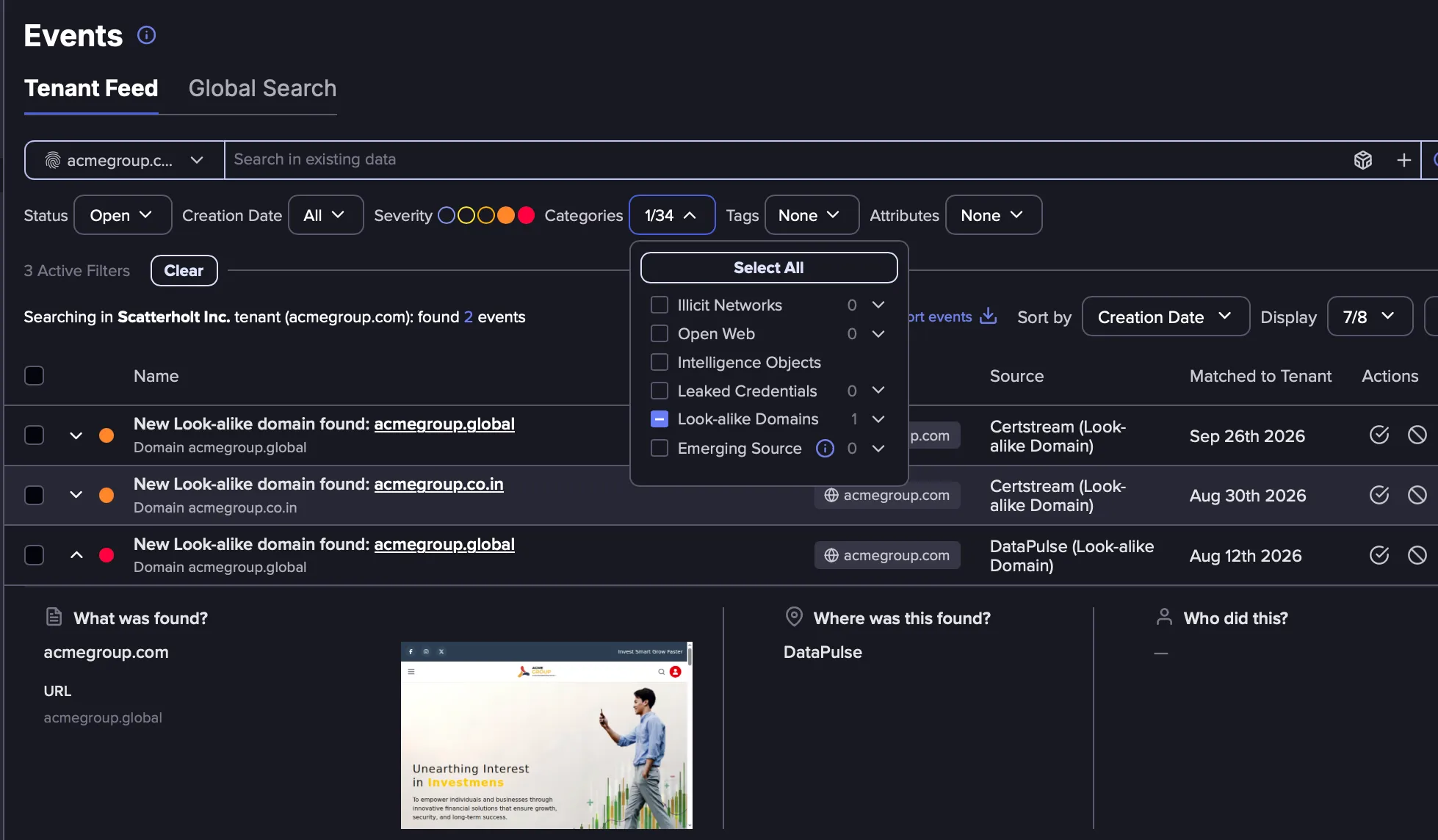
Lookalike Domains in the Tenant Feed
A lookalike domain typically moves through two stages. It is first registered, and often sits dormant on a parking page. It later becomes active, and its content and hosting infrastructure begin to change. Both stages are represented as separate events in the Tenant Feed.
Discovery Events
A Discovery Event is generated the first time a lookalike domain is identified for one of your Domain Identifiers. These events state that a new lookalike domain was found and include the details detected for it.
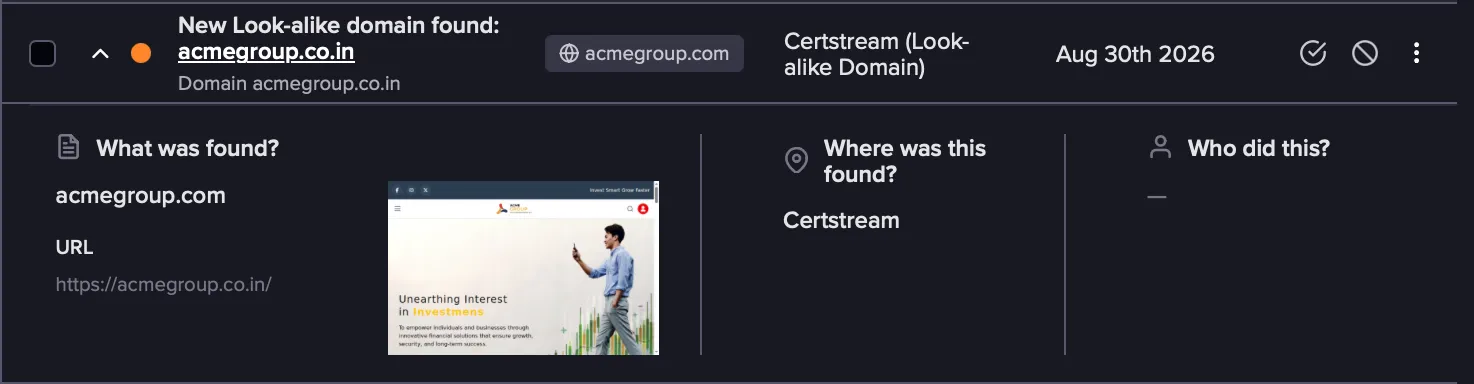
Discovery Events come from the following detection sources:
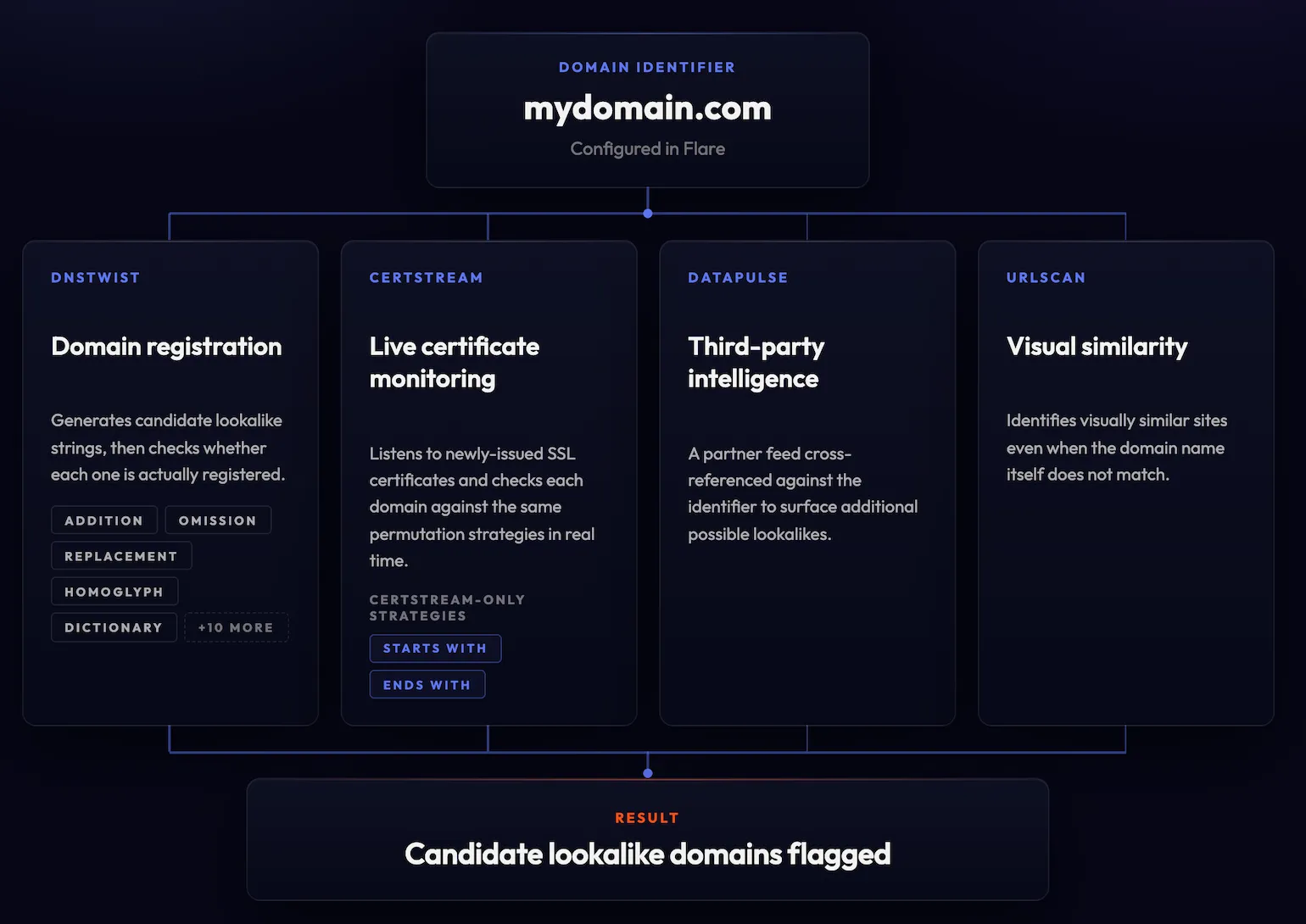
- Certstream: Monitors certificate transparency logs in real time and flags newly issued SSL certificates whose subject resembles one of your Domain Identifiers. Because this is a live stream, it does not return certificates issued before your Identifier was created.
- DNSTwist: Generates permutations of your Domain Identifier and checks each one for active DNS records. It detects domains regardless of how long ago they were registered.
- DataPulse: Domain Identifiers are also matched against intelligence from DataPulse to surface domains it observes as possible lookalikes, extending coverage beyond permutation-based and certificate-based detection.
- URLScan: Visual similarity detection from URLScan surfaces sites resembling your own, even when the domain name itself is not similar.
Ignore a Lookalike Domain
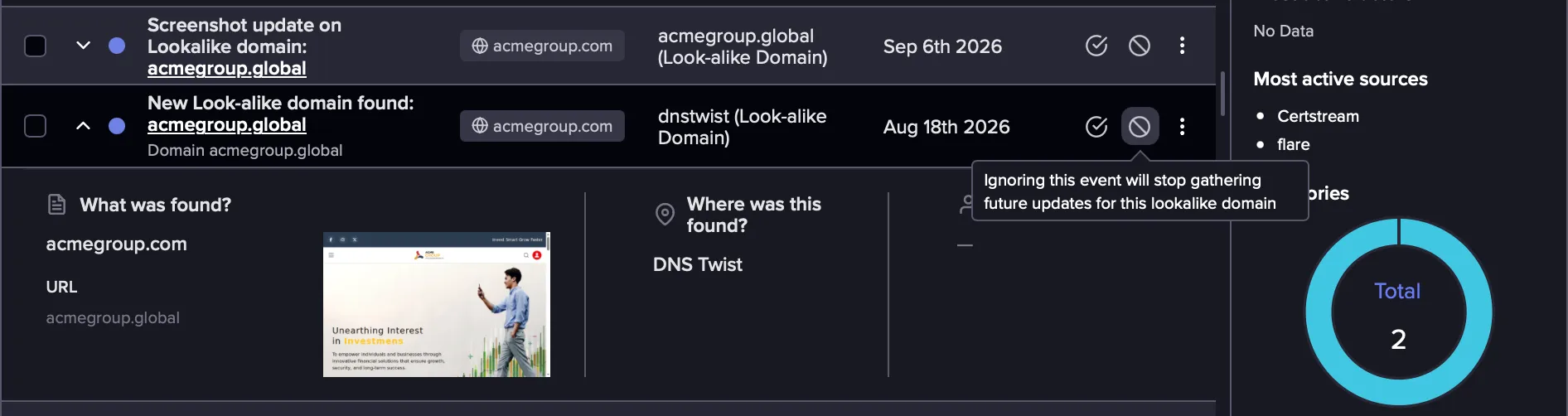
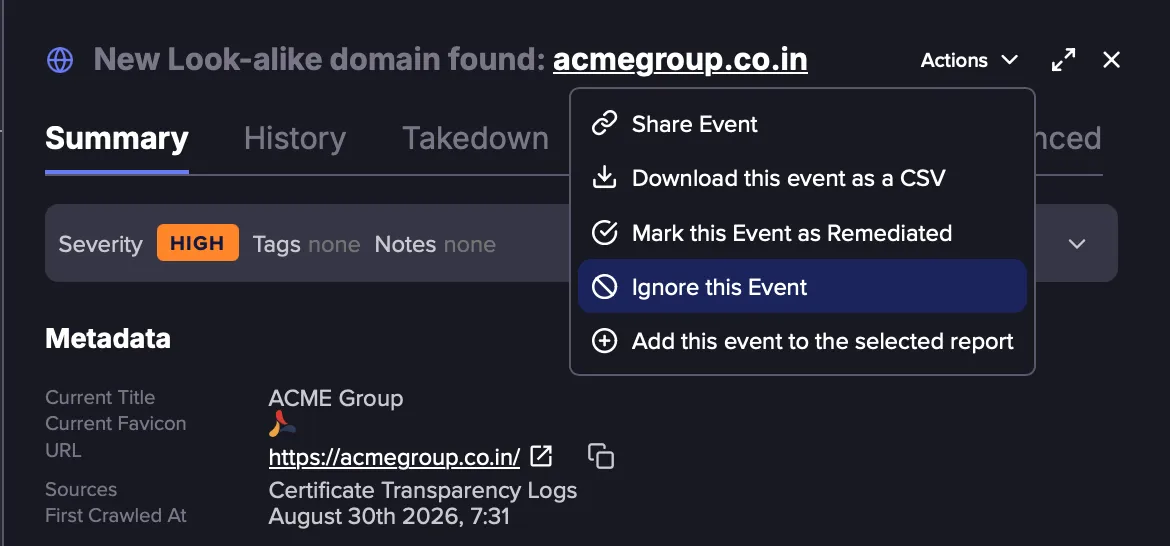
If a detected domain is legitimate or is not considered a threat, you can stop receiving future updates for it by ignoring its Discovery Event. This can be done either from the Tenant Feed or the details of the event.
- In the Tenant Feed, find the Discovery Event and click the Ignore this event icon.
- View details of an event and select Ignore this Event from the Actions menu.
Update Events
An Update Event is generated when a tracked attribute of a known lookalike domain changes. Each change generates a new event with its own severity assessment, so a domain that was low priority as a parked page is re-evaluated as soon as it begins to resemble your own. Because each change is a separate event, you can get AlertsAlerts on changes as they happen..
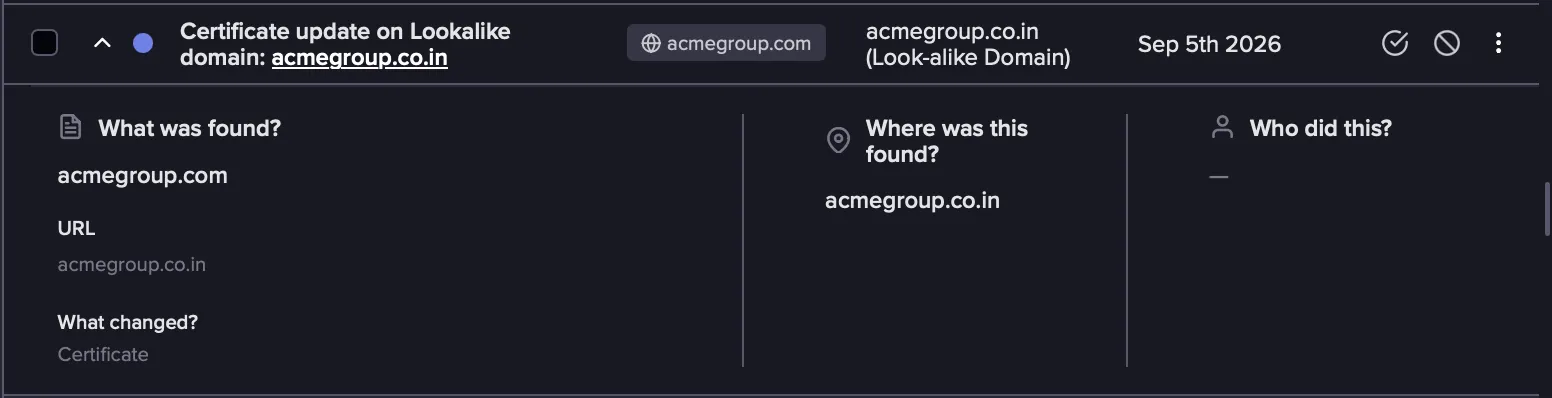
Follow these steps to view Update Events for lookalike domains:
- In your Tenant Feed, click the Categories filter.
- Expand the Lookalike Domains category and select the required Update Events.
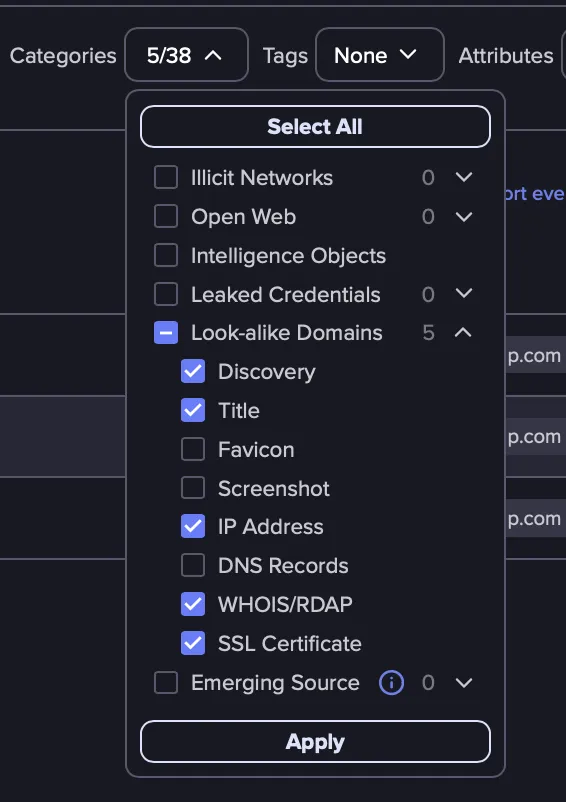
What's Included in Update Events
Update Events are generated for the following attributes:
- Standard Lookalike Domain Monitoring: Base tracking covers changes to a domain's title, favicon, screenshot, and IP address.
- Extended Lookalike Domain Monitoring: With the extended tier, additional fields are also tracked, including DNS records, WHOIS/RDAP data, and SSL certificates.
How Detection Works
Lookalike domains are detected using the following methodology. Each pipeline runs on its own cadence, daily or weekly by strategy complexity. Certstream is the exception, running continuously against the live certificate stream
For complete details on lookalike domain detection, including permutation strategies and scoring, see Lookalike Domains Data Sourced.