Audit Logs
The Audit Logs provide a complete record of activities performed by members of your organization across the Flare platform and through the API. Each log entry captures the date and time of the activity, who performed it, the type of resource affected, the action performed, and the Tenant where it occurred. Use the Audit Logs to:
- Investigate platform activity and trace specific activities back to individual users.
- Support compliance requirements by maintaining a tamper-evident record of platform activities.
- Maintain accountability across your organization by monitoring how members interact with sensitive data and platform resources.
Viewing the Audit Logs
Audit Logs are accessible to Organization Admins only. To access the Audit Logs, click the Settings menu in the top-right corner, and then click Audit Logs.
The Audit Logs display the following information:
- Date: The date and time the activity was performed.
- Performed By: The user who performed the activity.
- Type: The kind of resource affected, such as User, Identifier, Tenant, or Global Search.
- Action: The action that was performed on a resource.
- Tenant: The Tenant where the activity was performed.
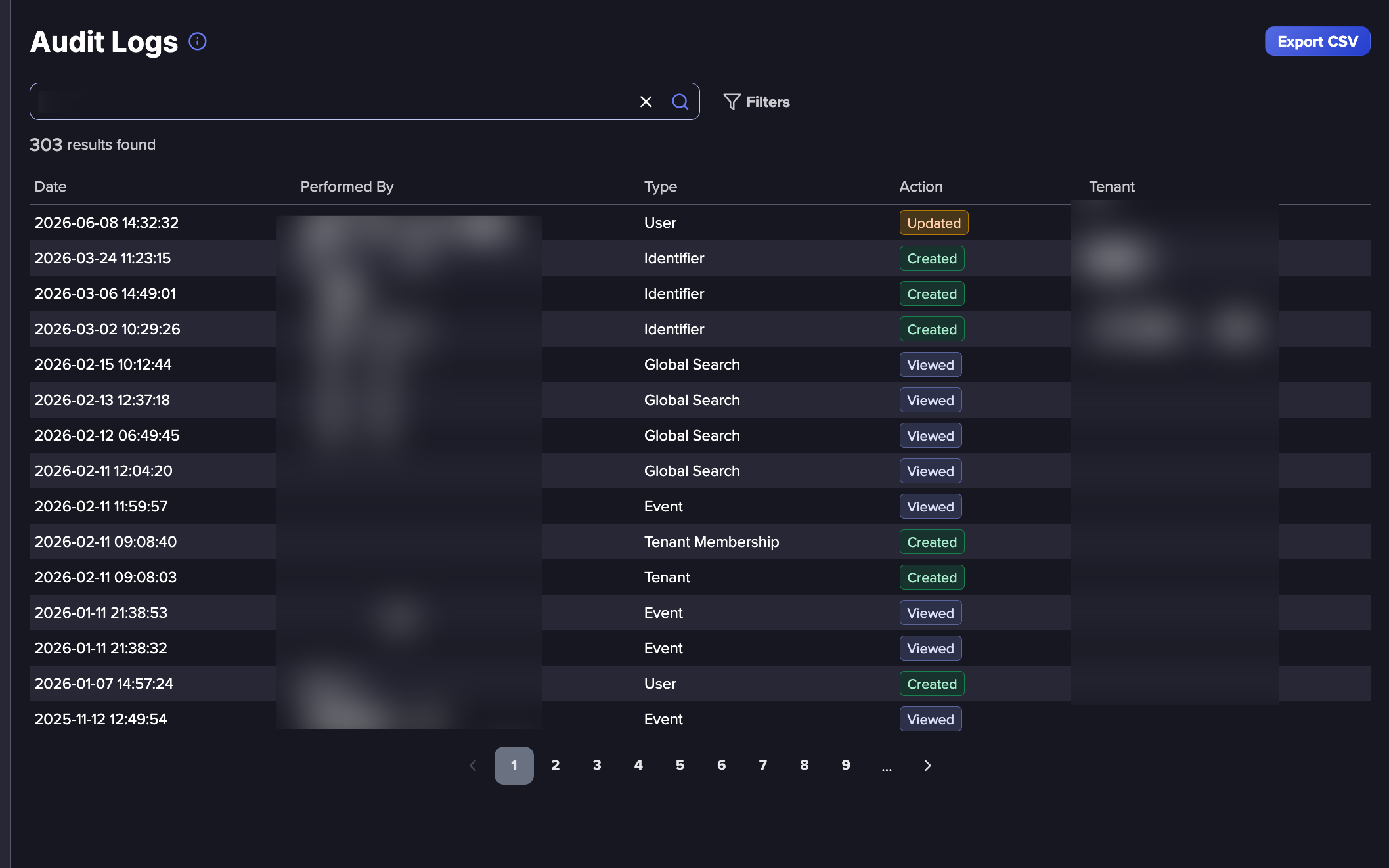
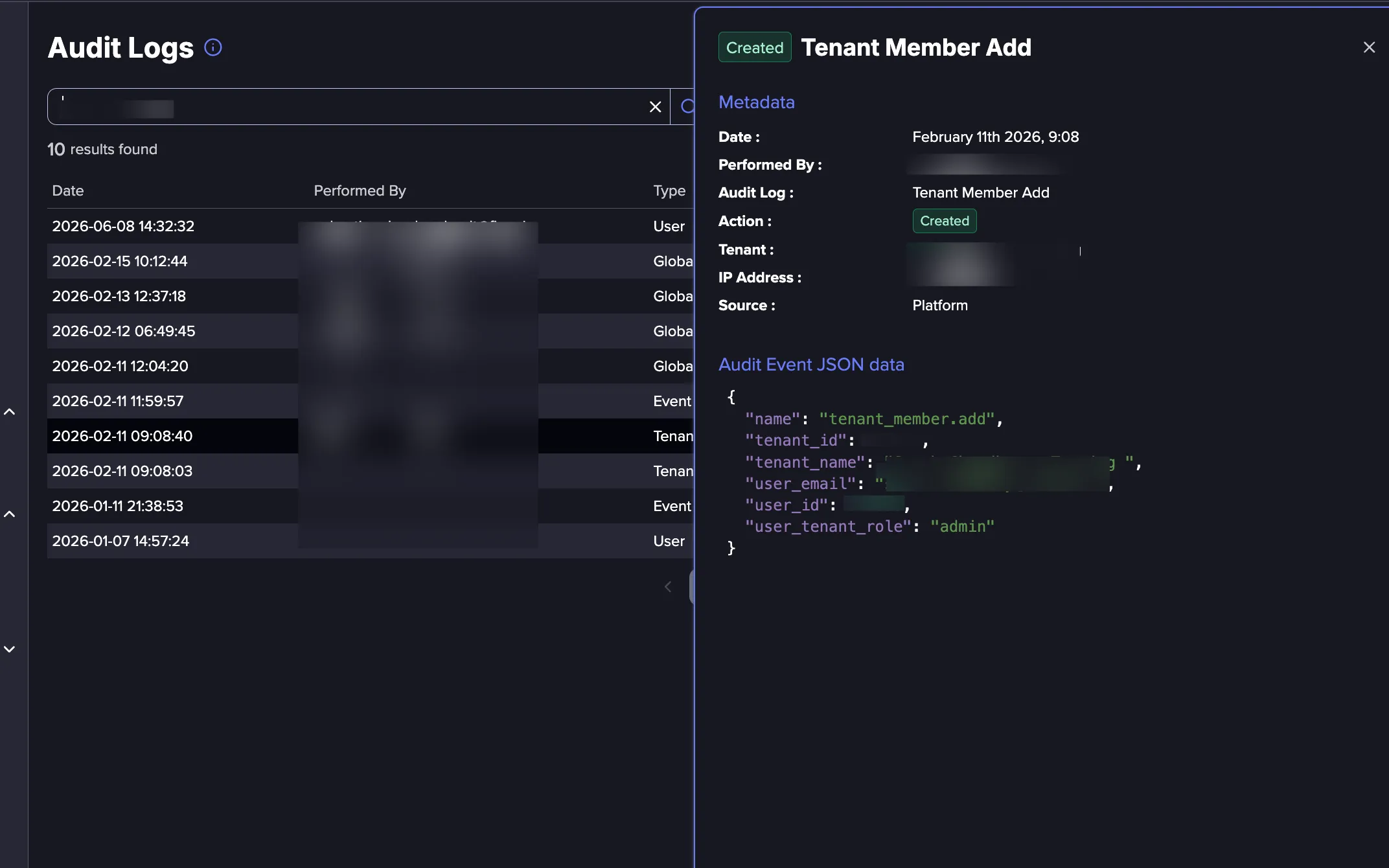
Click any log entry to open the details panel showing a full breakdown of the activity. The panel is divided into two sections.
- Metadata: Displays the core details, including the date and time, the user who performed the activity, the type, the action taken, the Tenant, the originating IP address, and whether the activity came from the platform interface or the API.
- Audit Event JSON Data: Displays the raw payload, providing additional context about the specific resource affected. The fields vary depending on the type of activity.
Data Retention
Audit Log entries are retained for one year only. To keep historical records, export Audit Logsexport Audit logs regularly.
Searching and Filtering
Use the search bar to find keywords within the logs. You can also filter activities by the following fields:
- Type: The kind of resource being affected, such as an Alert, Credential, Identifier, User, Organization, or Tenant.
- Action: What happened to the resource:
- Created: A new resource was added to the platform, such as a new Alert, Identifier, or Tenant.
- Updated: An existing resource was modified, such as a change to organization settings or an Identifier.
- Deleted: A resource was permanently removed from the platform.
- Viewed: A resource was accessed or opened without any changes being made.
- Source: Whether the activity was performed through the Flare platform interface or via the API.
- Date: A start and end range, including time, limited to the past year.
- Performed By: The user who performed the activity. Select any organization member, or System for activities triggered by Flare's automated processes.
- Tenant: The Tenant where the activity was performed.
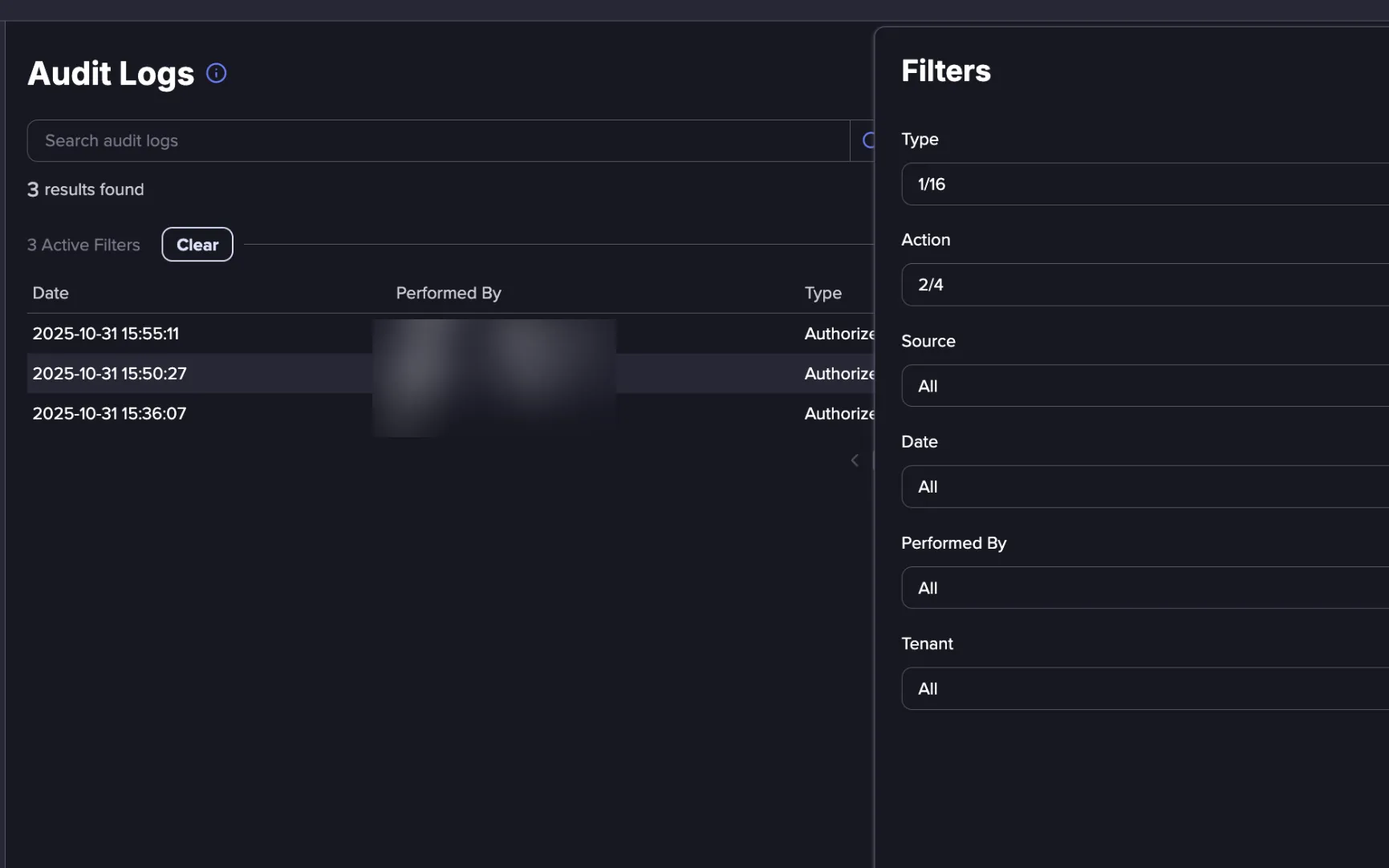
Click Clear to remove all applied filters and restore the default view of the Audit Logs.
Sharing Audit Logs
When you apply search terms or filters, the URL in your browser updates to reflect the current view. Copy and share this URL to give others a direct link to the same results.
Exporting Audit Logs
Audit Logs can be exported as a CSV file. Any filters applied to the current view are reflected in the export, so scope your results first if you need a specific subset of the logs.
Follow these steps to export the Audit Logs:
- Apply any filters or search terms to narrow the results if needed.
- Click the Export CSV button in the top-right corner.
- Review the number of logs shown in the confirmation dialog.
- Click Ok to download the file, or click Cancel to go back.
Tracked Activities
The Audit Logs track activities across all major areas of the platform. Each activity is categorized by type, so you can filter by a specific area when investigating changes or reviewing platform usage.
- Alerts: Tracks when Alerts are created, edited, deleted, or sent across the platform.
- Alert Channels: Tracks when Alert Channels are created, edited, deleted, or viewed. Useful for auditing changes to your notification configuration.
- Credentials: Tracks searches performed in the Credentials Browser and credential validation actions for an identity provider. Useful for monitoring who is querying credential data and when.
- Events: Tracks when events are viewed, remediated, or ignored. Useful for auditing how your team is responding to alerts and managing their workload.
- Identifiers: Tracks the full lifecycle of Identifiers, including creation, edits, deletion, merging, and grouping, as well as any alerts or recommendations associated with them.
- Integrations: Tracks activities performed for an integrated identity provider, including disabling accounts, marking accounts as compromised, revoking sessions, and validating credentials. Also tracks changes to integrations configured on a Tenant.
- Organization: Tracks changes to organization settings and member management, including permission edits, member creation, and enabling or disabling accounts.
- Global Search: Tracks Global Search activity across the platform.
- Reports: Tracks when Reports are created, edited, deleted, or viewed.
- Tenants: Tracks the creation and deletion of Tenants, changes to Tenant settings, and member management within each Tenant.
- Other: Covers additional platform activity, including asset authorization requests and Sandbox submissions.