Usage
The Usage dashboard helps you monitor Global Search quota consumption and usage of other key resources across your organization.
It helps you understand how platform usage is distributed across product modules, so you can anticipate limits and manage consumption proactively across both the Flare Platform and your API.
Overall Organization Usage
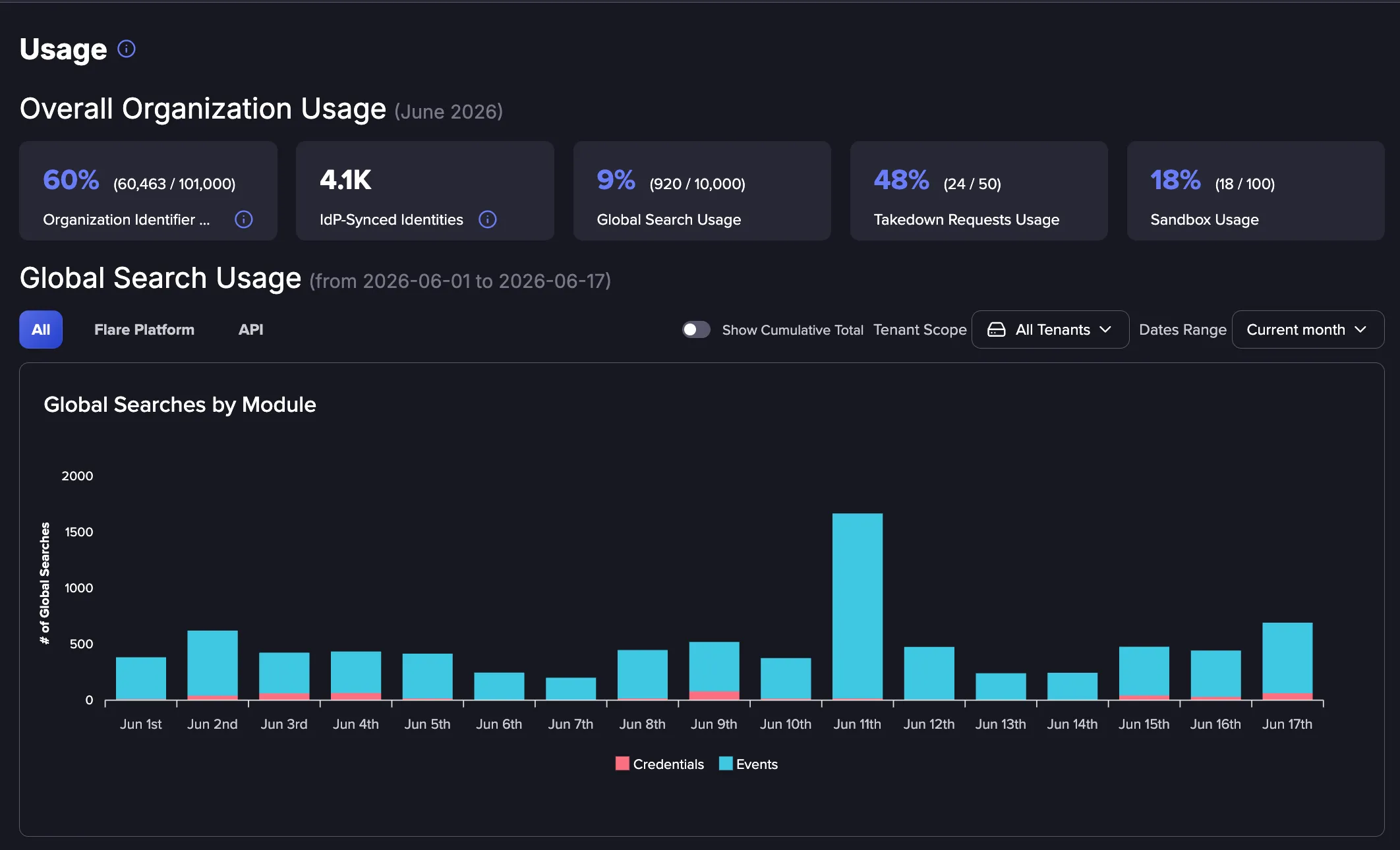
The Overall Organization Usage section sits at the top of the Usage dashboard and gives you an at-a-glance view of how your organization is consuming key Flare resources for the current month. Each summary card shows your current usage so you can track consumption.

- Organization Identifier Usage shows the number of Identifiers in use across your organization against your total allotment, displayed as both a percentage and a count. To learn more about Identifiers, see Identifiers.
- IdP-Synced Identities shows the total number of identities synced to Flare from your connected identity provider. For more information and setup details, see Identity Exposure Management Overviewsds.
- Global Search Usage shows how many Global Searches your organization has run against its quota, displayed as a percentage and a count. For a breakdown by module, member, and Tenant, see the views below. To learn more about Global Search, see Global SearchGl.
- Takedowns shows your Takedown usage when the service is enabled. To learn how to submit a Takedown Request, see Takedown Services. To enable this service, please reach out to your Customer Success Manager.
- Sandbox Usage shows how much of your Sandbox quota you have used, displayed as a percentage and a count. To learn more, see Sandbox.
Global Search Usage
The Global Search Usage section shows Global Search quota consumption across your organization. It helps you understand who is using Global Searches and how usage is distributed across Tenants and product modules.
What counts as a Global Search?
A Global Search credit is used each time a user runs a search with Flare's Global Search functionality, whether in the platform or through the API. Each search covers up to 100 results, and retrieving more counts as an additional credit.
For full details on how Global Search credits are counted and how your quota works, see Global Search Quota.
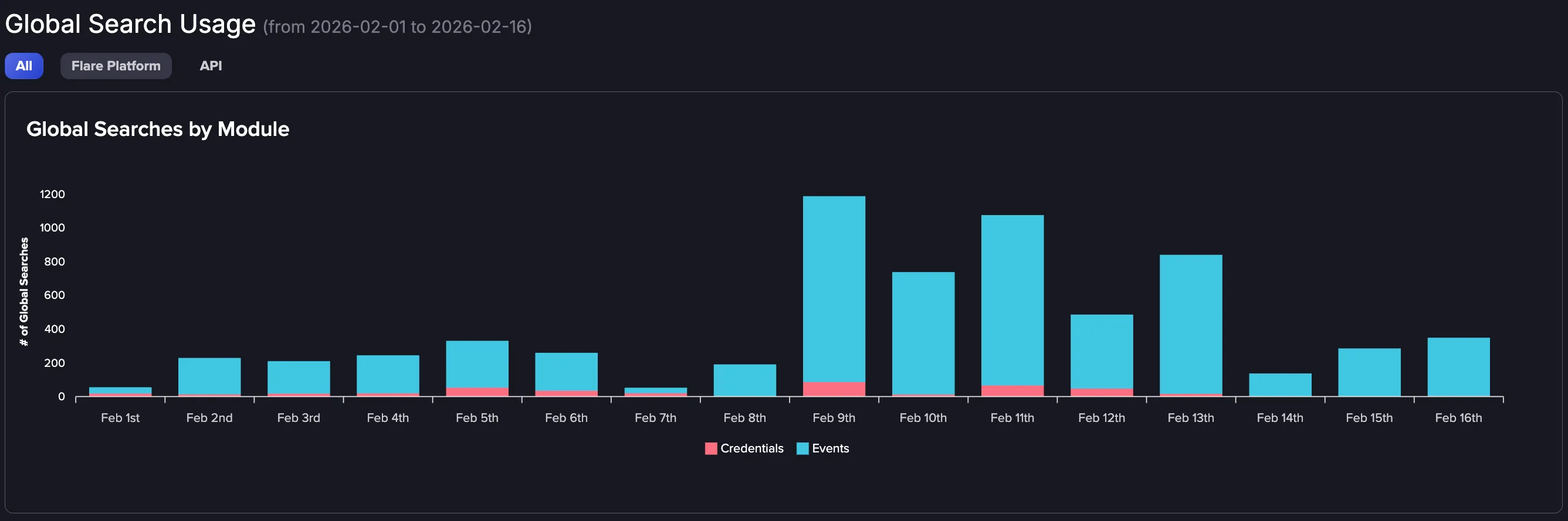
Global Searches by Module
This section of the dashboard breaks down Global Search usage by product module. It shows:
- How many Global Searches are generated by each module.
- Which features contribute most to overall usage.
- Trends in how Global Search is used across different workflows.
Global Searches by Member
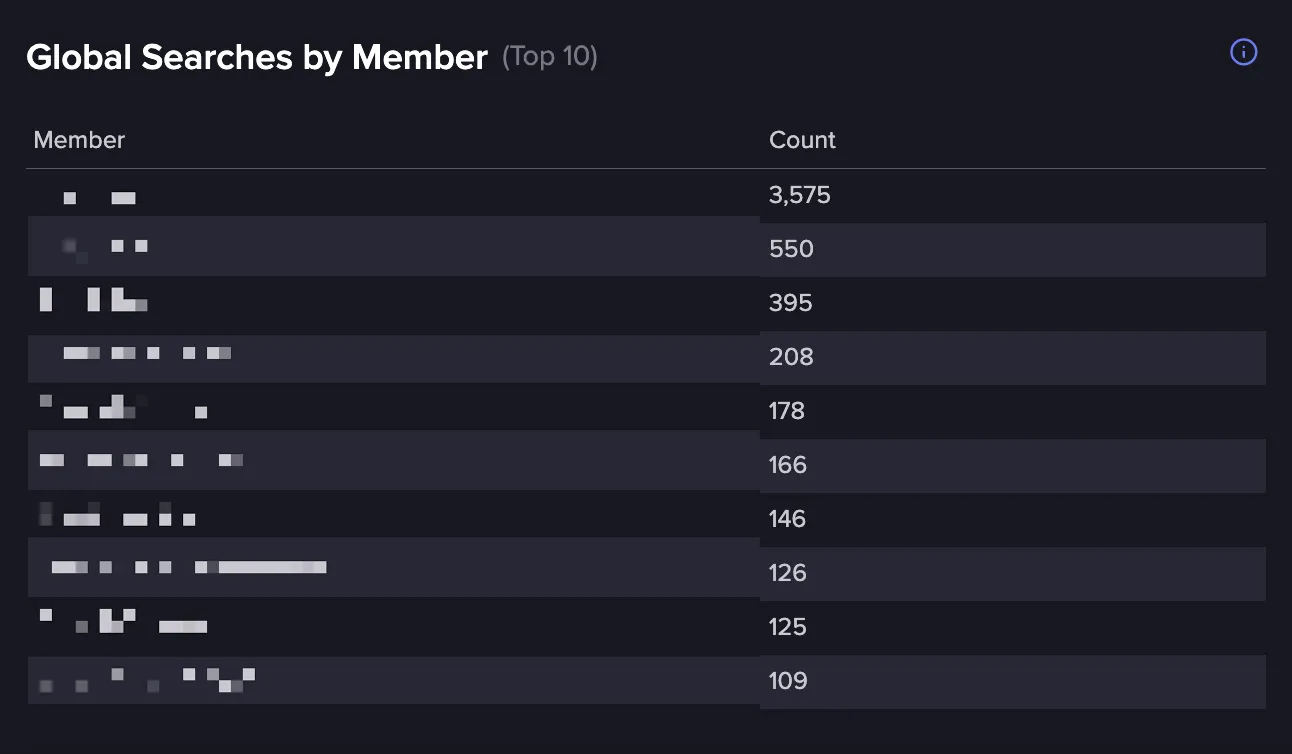
Here you can see how many Global Searches each user has performed within your organization. It shows:
- Total number of Global Searches per member.
- How usage is distributed across users.
- Which users contribute most to overall consumption.
Global Searches by Tenant
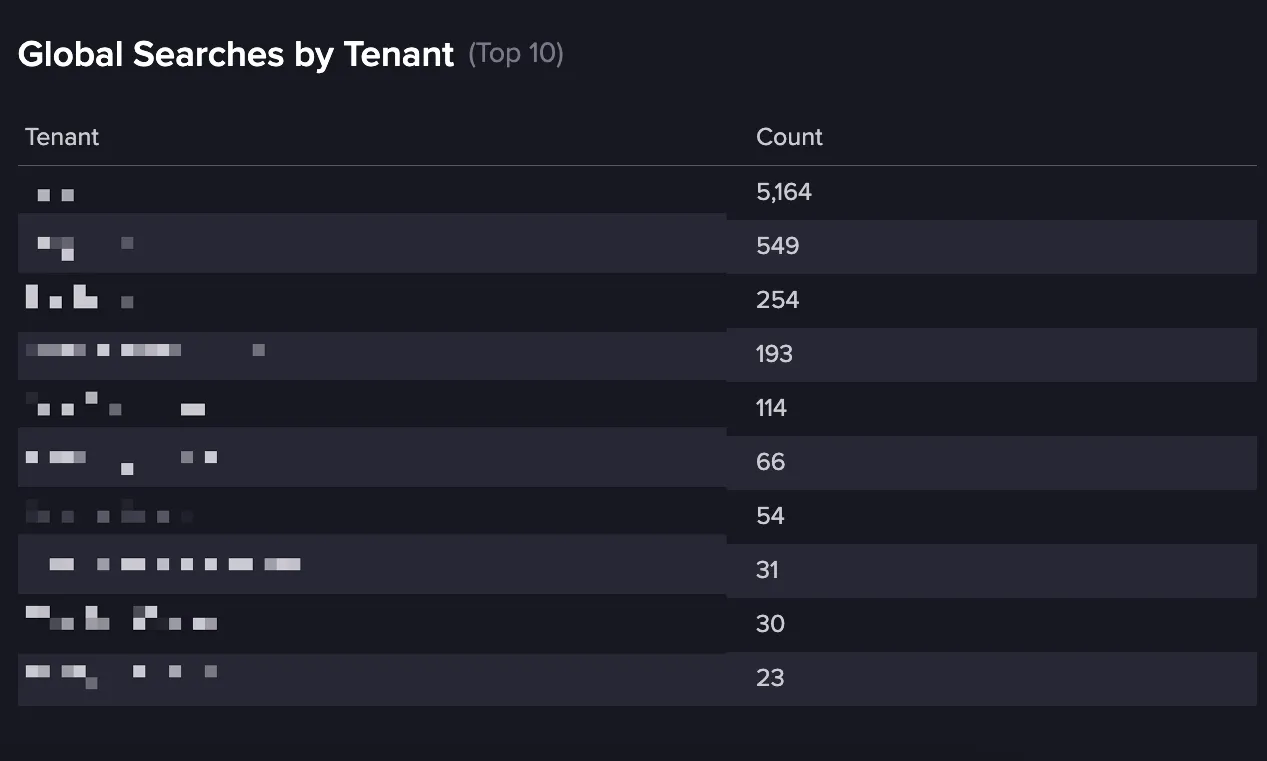
This view shows how Global Search usage is distributed across Tenants within your organization. Here you can see:
- Total Global Searches per Tenant.
- Usage patterns across different Tenants.
- Which Tenants consume the most search capacity.Identity Exposure Management Overview
Upgrading Global Search Quota
You may want to upgrade your Global Search quota if:
- You regularly approach or reach your Global Search limit.
- Your organization is expanding to new Tenants or teams.
- Increased investigation or monitoring activity drives higher usage.
Upgrades take effect immediately and apply across your entire organization.
Reach out to your Customer Success Manager for more information.