Splunk Cloud (Legacy)
Configuration
In Flare
In order to configure the integration in Flare, you simply need the netloc or your Splunk instance, the Index under which you want Flare alerts to be indexed under, as well as an API Token you will create in Splunk. We have outlined below the process to get all these in Splunk!
Go to Team
Click on Edit
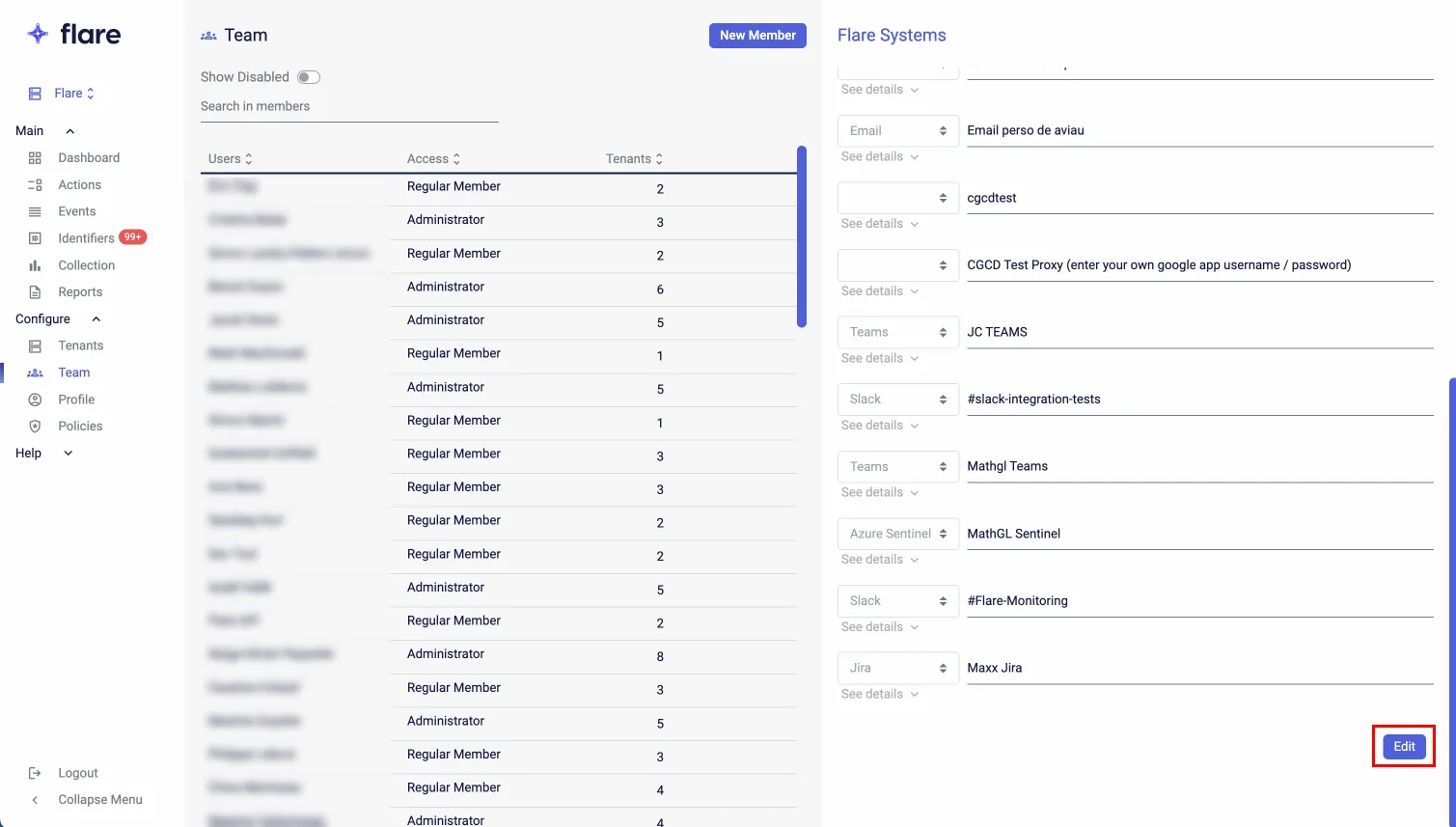
Click on Create a new Alert Channel
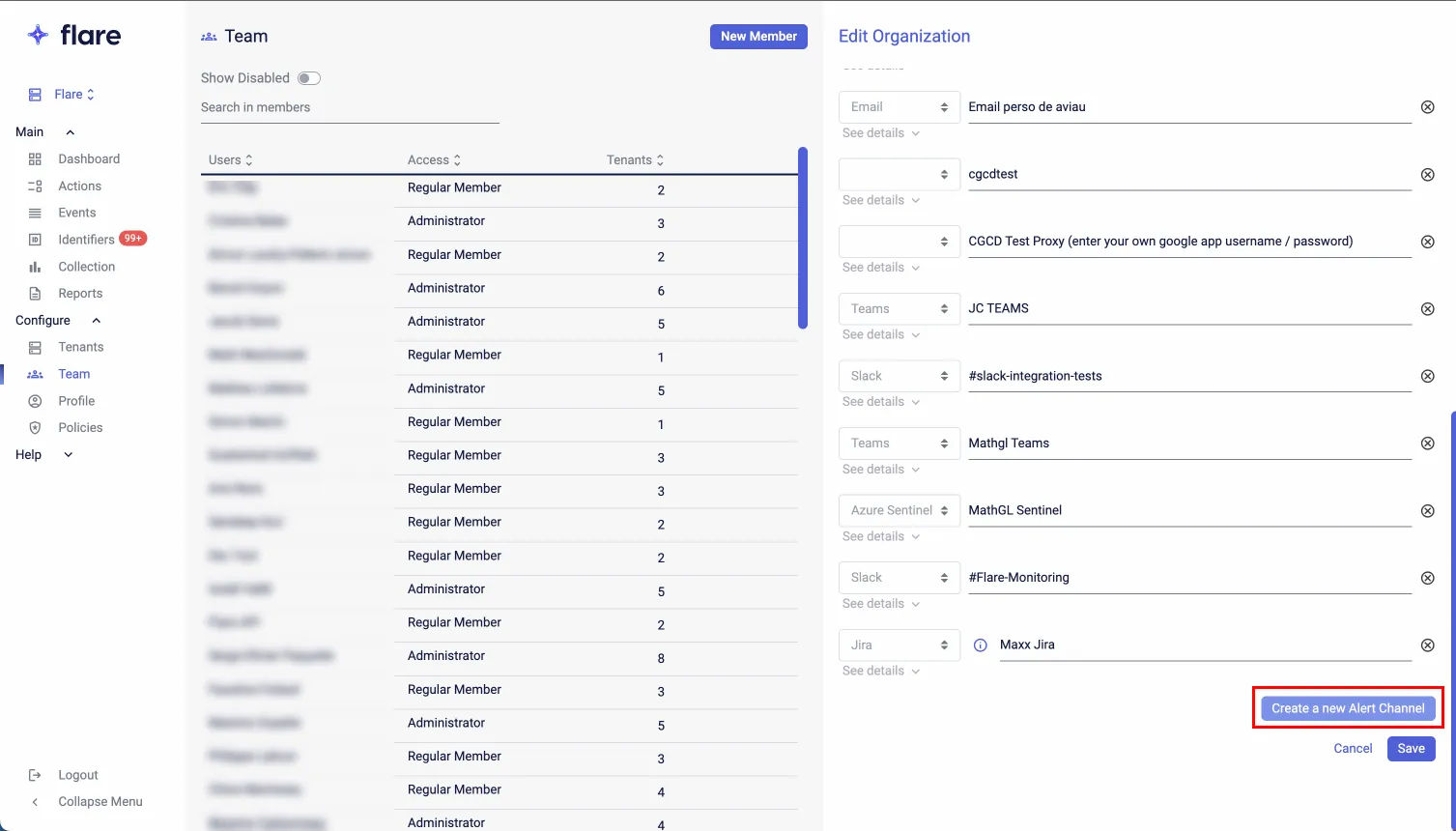
Select option Splunk

Click on See details

Add the netloc or your Splunk instance, the Index under which you want Flare alerts to be indexed under, as well as an API Token you will create in Splunk.
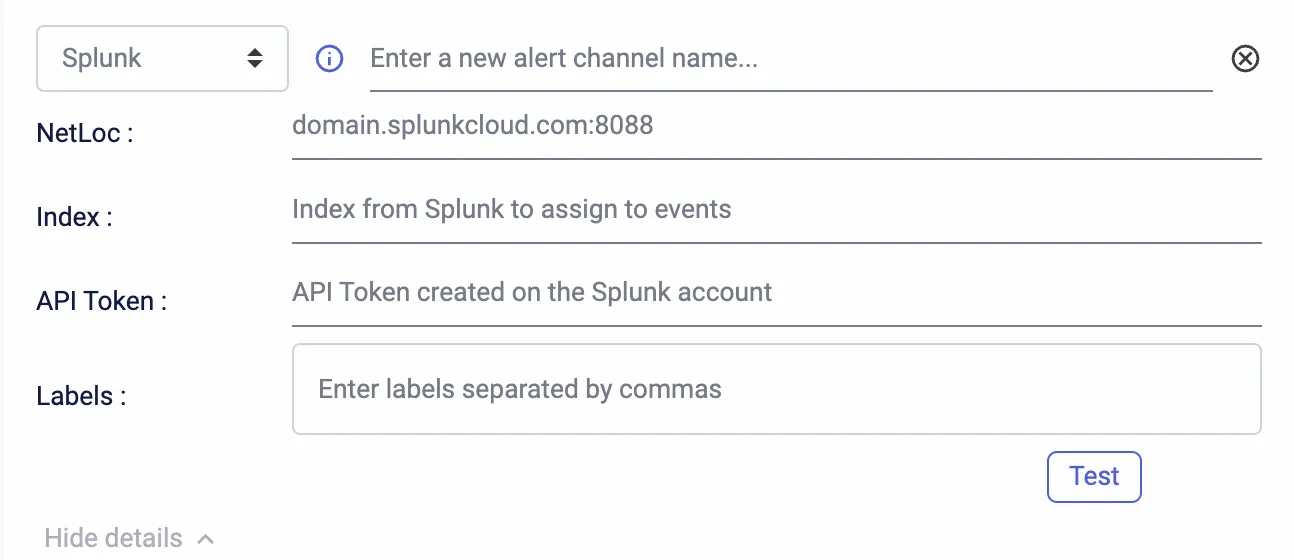
You can also add Labels. These can be useful to filter the data once in Splunk.
In Splunk
As for the configuration in Splunk, you first need to Add a new Data source in order to create an API Token:
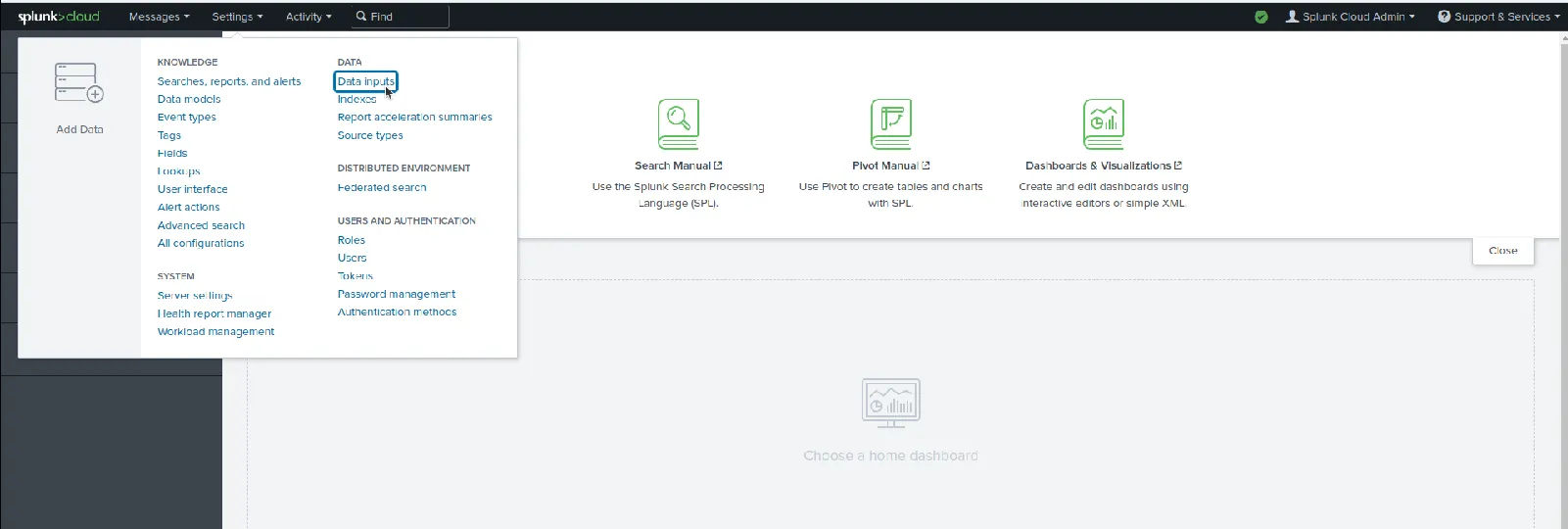
From there you will need to choose HTTP Event Collector as a type of Data source.
You can then click the green button: New Token on the top right of the screen. You will get to this:
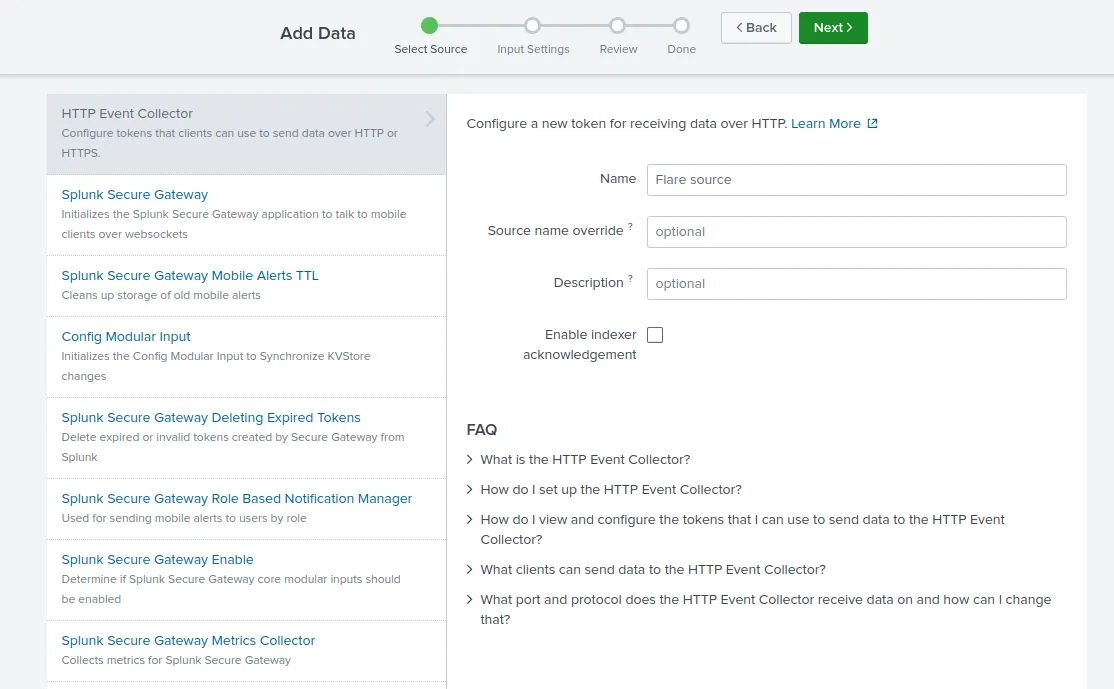
Here you should enter a arbitrary name for the source. Make sure not to check the Enable indexer acknowledgement option. Press Next!
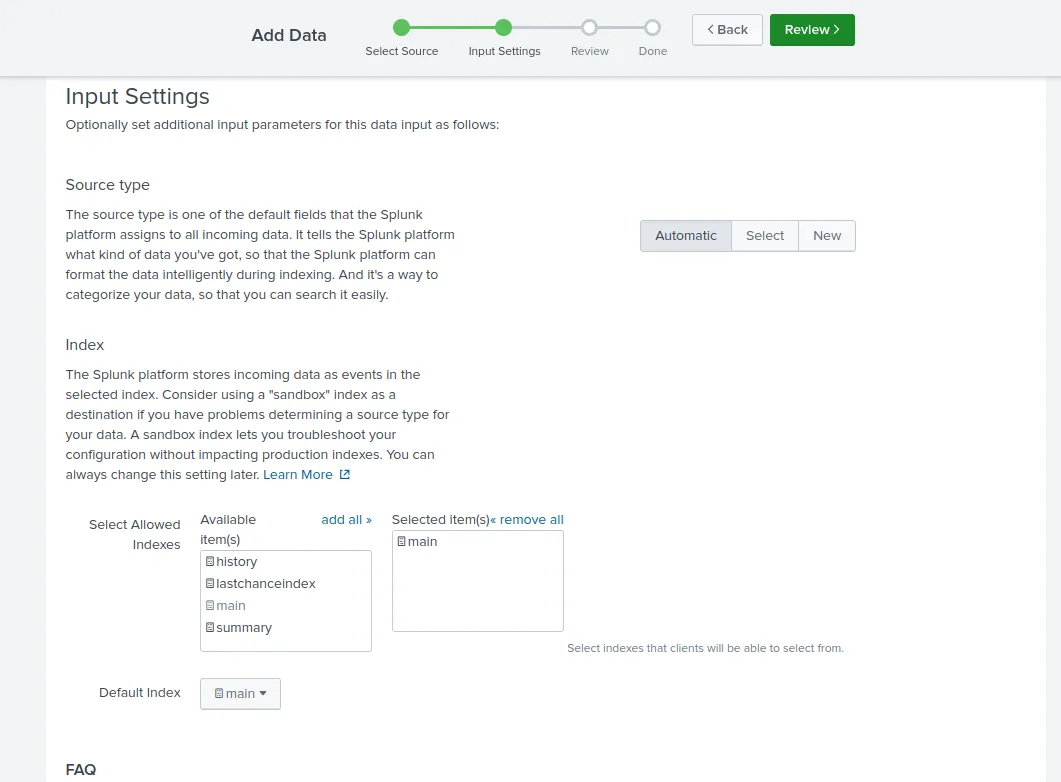
This part is important; You choose the Splunk index under which you want Flare data to be indexed. Remember this choice has to then be used in the Index field when configuring in Flare.
Press Next!
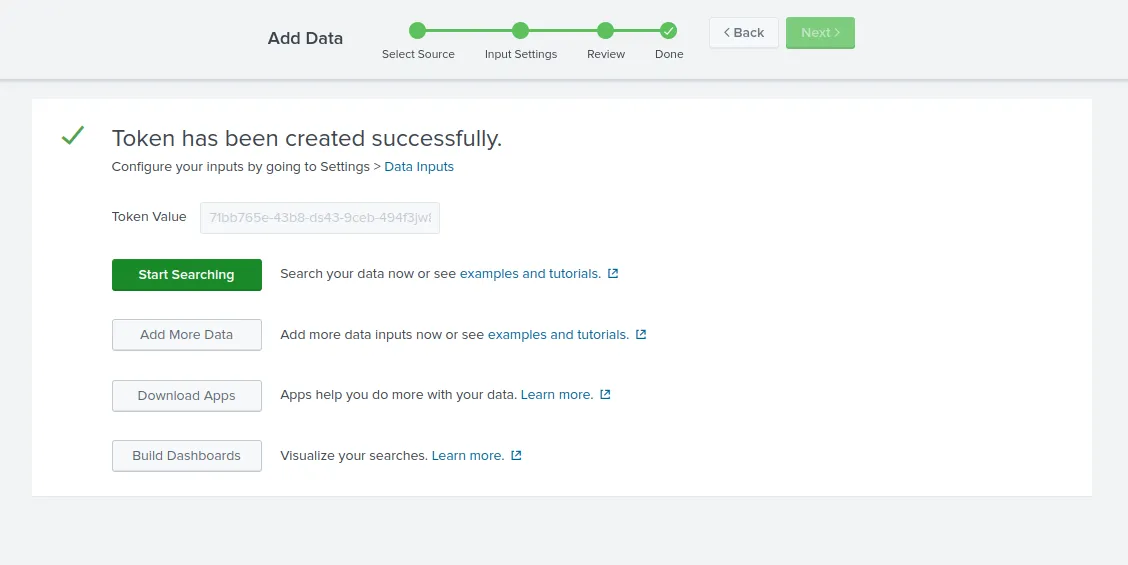
That's it, you now have your API Token that you can use to configure your alert in Flare!