Azure Sentinel IOC Feed Setup
2 min
Note: This requires a licensed Sekoia IOC Feed add-on and is not included in the Sentinel integration by default. Reach out to your CSM for more information.
How to setup an IOC feed in Azure Sentinel
- Go to the Microsoft Sentinel interface in Microsoft Azure.
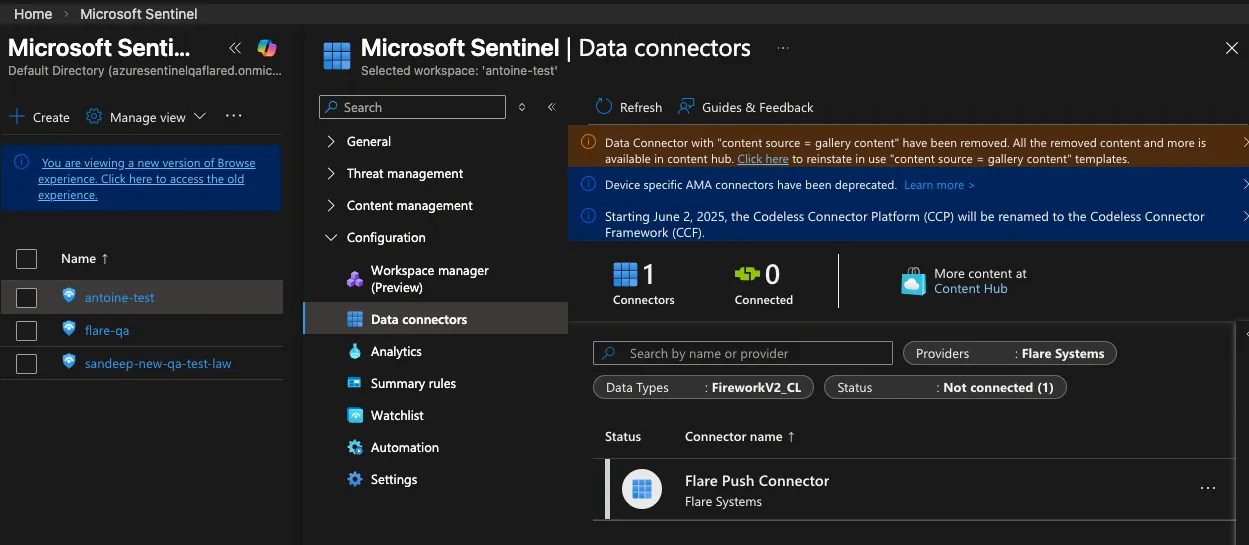
- In the “Configuration” menu, click on “Data connectors”.
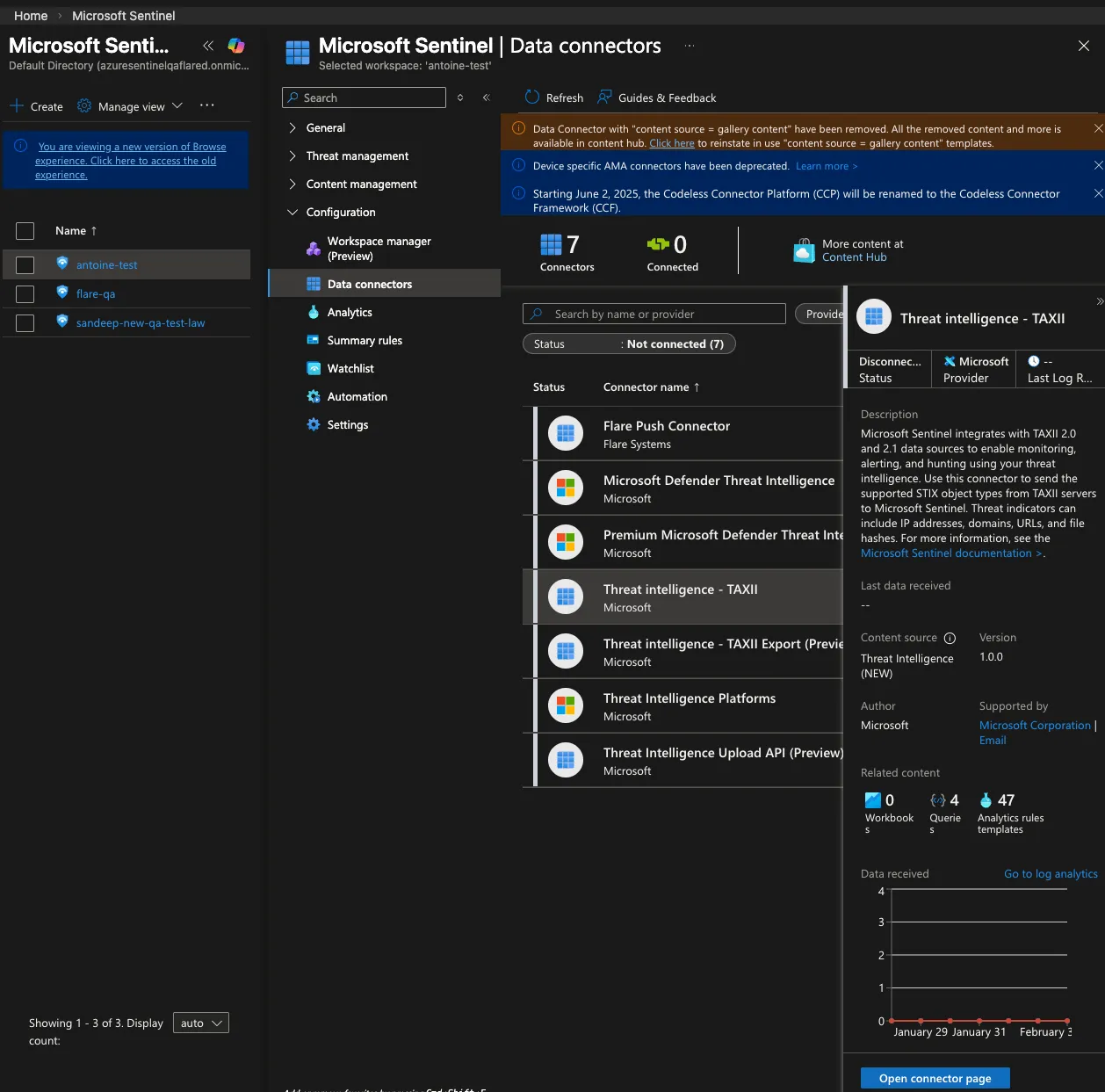
- Search for “TAXII” and select “Threat intelligence - TAXII” connector. If the search is disabled, click on the content hub and search for “TAXII”. Install it.
- On the “Data Connections” page, select “Threat intelligence - TAXII” and click on “Open connector page”
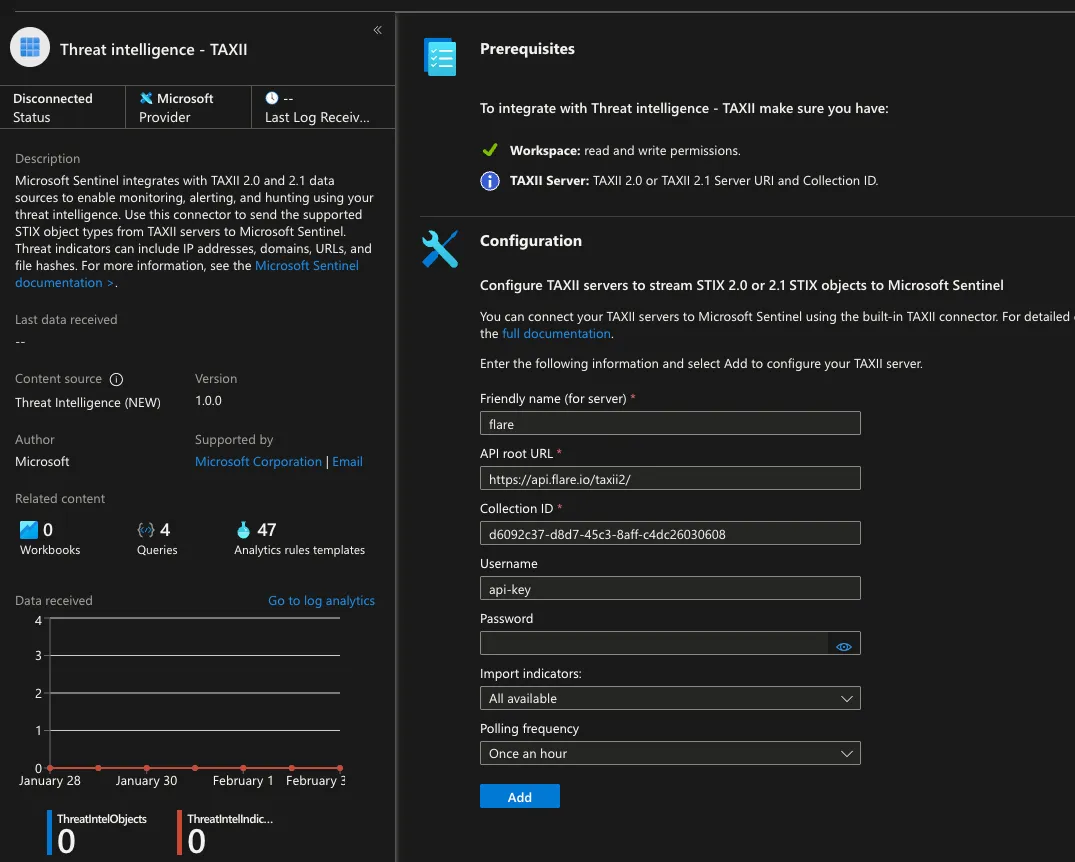
In the “Threat intelligence - TAXII” connector page, fill the form with the following information:
- Friendly name (for server): flare
- API Root URL: https://api.flare.io/taxii2
- Collection ID: paste here your feed identifier
- Username: api-key
- Password: paste here the API key that was created in the first step
- Import indicators: “All available”
- Polling Frequency: “Once an hour”