SSO SAML Configuration
Flare Supports the following SAML configurations:
- Microsoft Azure Entra IDMicrosoft Azure Entra ID
- OKTAOKTA
- JumpCloudJumpCloud
Configuring Microsoft Azure Entra ID
Navigate to Enterprise Apps in your Entra ID tenant and click on New Application.
You should now be in the Entra App Gallery, click on Create your own application. This should open a drawer similar to the screenshot below.
Give the application a representative name like Flare SSO, leave Integrate any other application you don't find in the gallery (Non-gallery) selected in the What are you looking to do with your application? section.
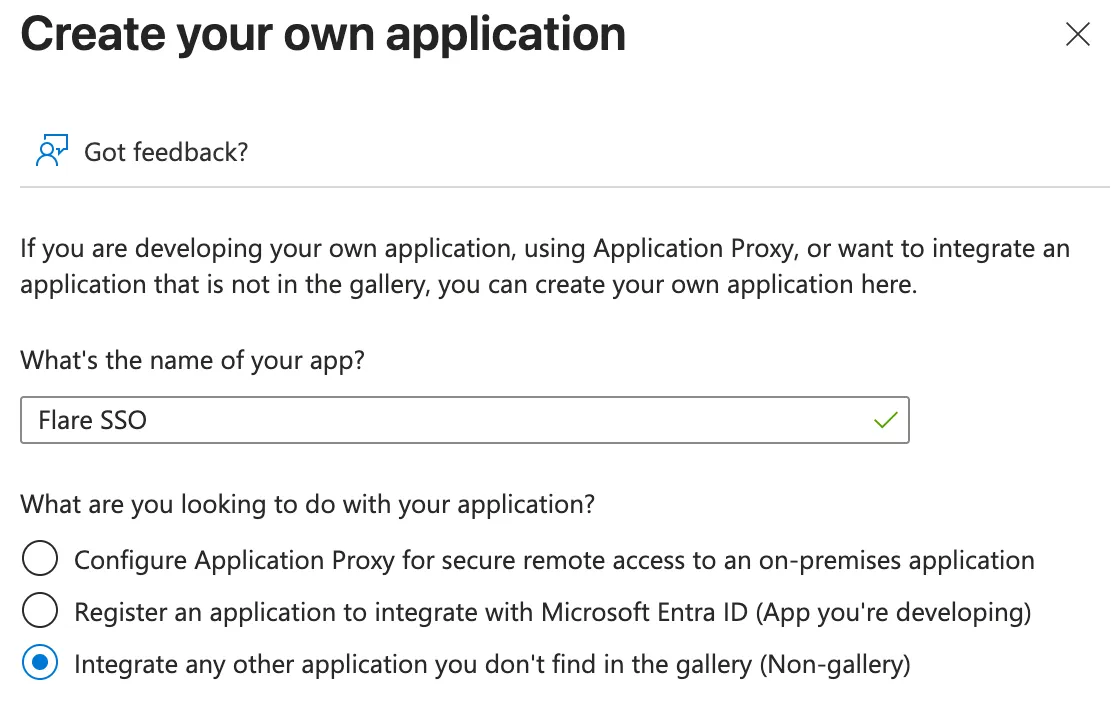
Click Create Application and wait for Entra to create it.
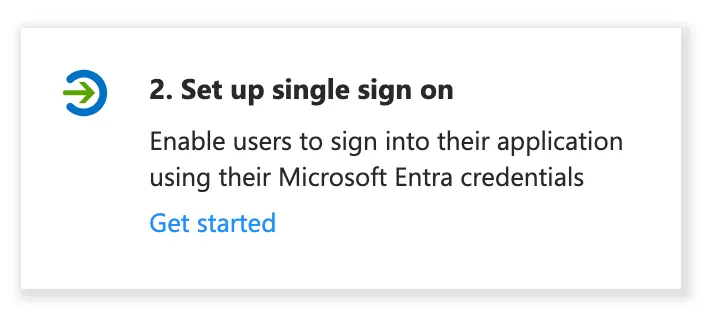
Click on Set up single sign on.
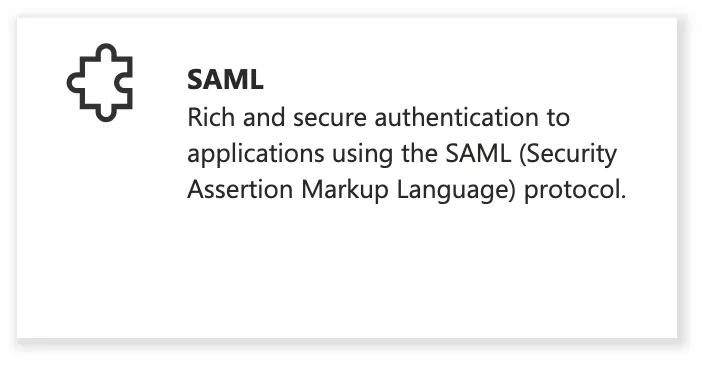
Click on SAML.
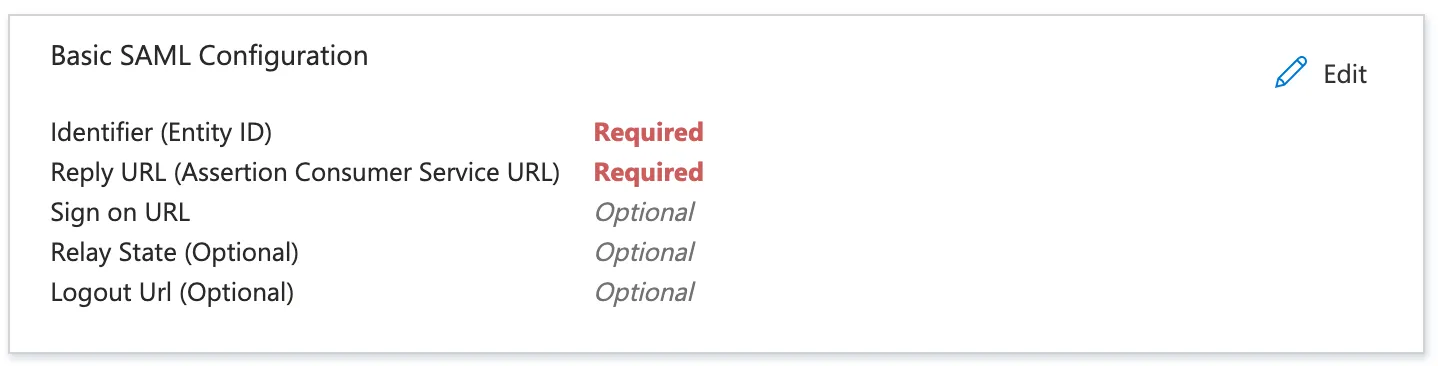
Edit the Basic SAML Configuration
- Set the Identifier to urn:amazon:cognito:sp:us-east-1_EdS7l4VuU.
- Set the Reply URL to https://sso.firework.flared.io.
- Click Save at the top of the drawer.
You should now be able to fill out the required fields in the SSO configuration screen in Flare.
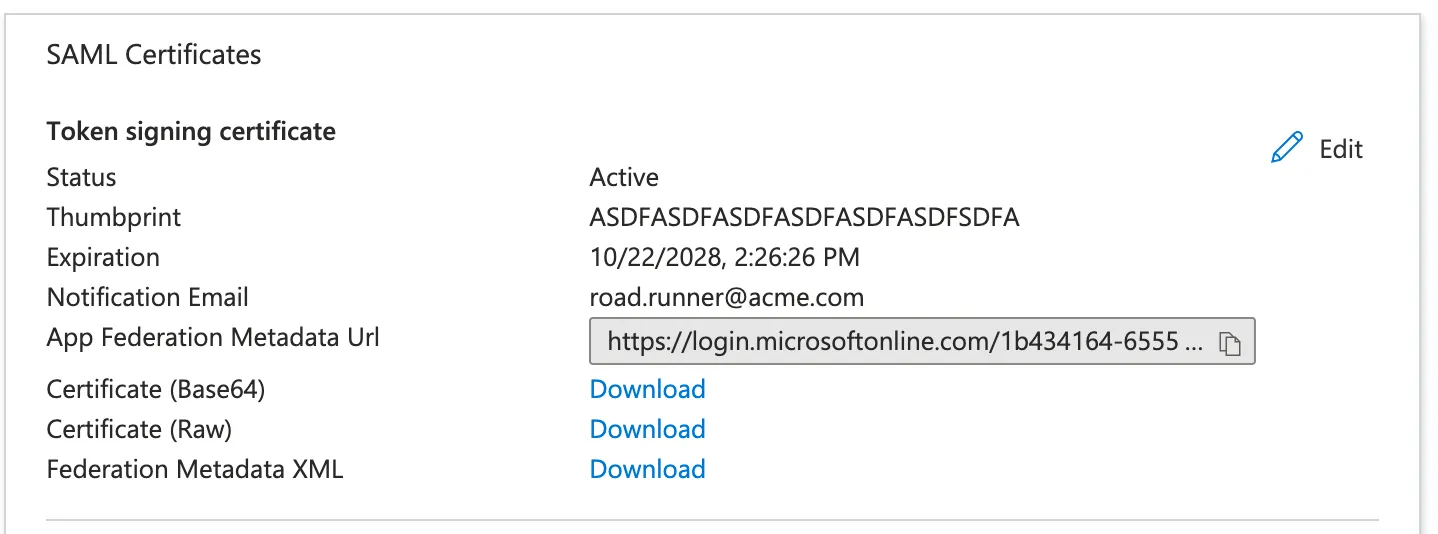
- Paste the App Federation Metadata Url from the SAML Certificates section to the Metadata (URL) field in Flare.
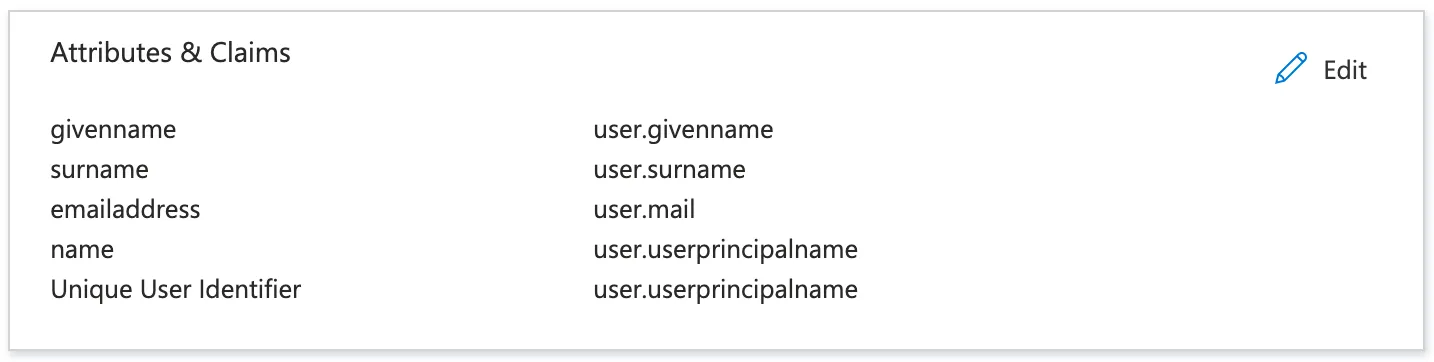
- Paste the corresponding claim from the Attributes & Claims section to the Mapping Email field in Flare. The format of this field is http://schemas.xmlsoap.org/ws/2005/05/identity/claims/$claim_name where $claim_name corresponds to email attribute in Entra. In the example screenshot, this could either be http://schemas.xmlsoap.org/ws/2005/05/identity/claims/name or http://schemas.xmlsoap.org/ws/2005/05/identity/claims/emailaddress depending on your Entra user distribution.
If you have customized claims, you might need to use a different Metadata URL. You can find it by:
- Navigating to the app registration you just created.
- Click on the Managed application in local directory link.
- In the left sidebar, under Manage, Select Single sign-on.
- If a new custom signing has been used, you should see a section called Certificates.
- Copy the value from Federation metadata document.
- Set the value Metadata URL in Flare to the value you just copied.
Azure Entra ID should now be correctly configured.
Configuring Okta
Flare Settings
- Metadata URL: Taken from Okta in the "Sign On" subtab of the application
- Mapping Email: http://schemas.xmlsoap.org/ws/2005/05/identity/claims/emailaddress
Okta Settings
- Single sign-on URL: https://sso.firework.flared.io/saml2/idpresponse
- Audience URI: urn:amazon:cognito:sp:us-east-1_EdS7l4VuU
- Application Username: email
Attribute Statement Create an attribute statement as follows:
- Name: http://schemas.xmlsoap.org/ws/2005/05/identity/claims/emailaddress
- Format: Basic
- Value: user.email
Configuring JumpCloud
App Creation
- User Authentification -> Add New Application -> Custom Application
- Custom Application Features:
- Manage Single Sign-On (SAML)
- Save Application
App Config
- SP entity ID: urn:amazon:cognito:sp:us-east-1_EdS7l4VuU
- ACS URL: https://sso.firework.flared.io/saml2/idpresponse
- SAMLSubject NameID: email
- SAMLSubject NameID Format: urn:oasis:names:SAML:1.1:nameid-format:unspecified
- Declare Redirect Endpoint: Yes
Creating a user attribute
- Service Provider Attribute Name: http://schemas.xmlsoap.org/ws/2005/05/identity/claims/emailaddress
- JC Attribute Name: email
Flare Config
- Metadata URL: Obtain from Copy Metadata URL in JumpCloud.
- Mapping Email: http://schemas.xmlsoap.org/ws/2005/05/identity/claims/emailaddress