CORE FEATURES
Identifiers
Matching Policies for Identifiers
13 min
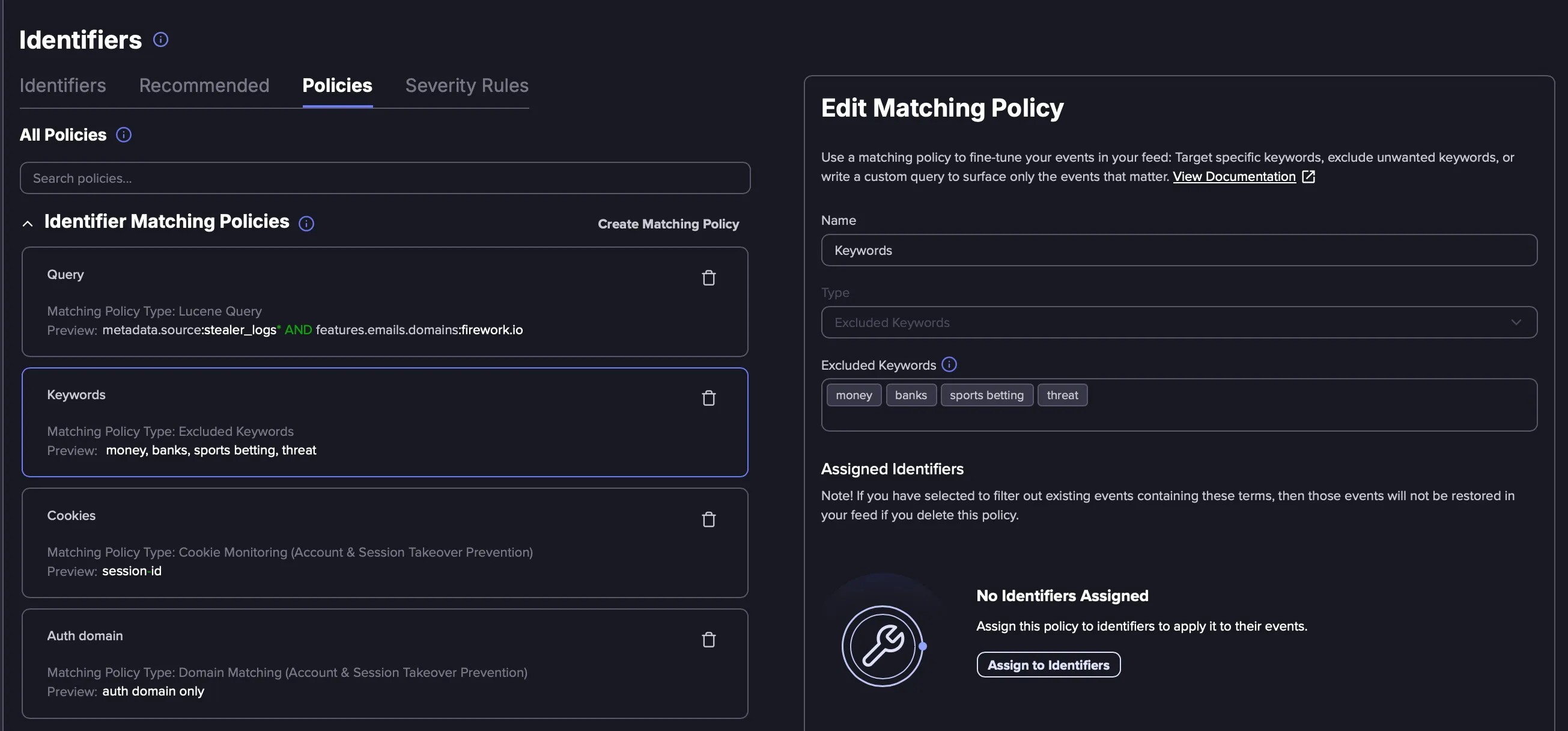
what are matching policies? matching policies are a per identifier filtering system that gives you precise control over which events appear in an identifier's feed with matching policies, you can include or exclude events based on keywords, or refine results using a full lucene search query matching policies vs ignored terms previously, identifier level filtering relied on ignore terms, which allowed users to exclude events containing specific terms from an identifier's feed matching policies replace ignore terms, and introduce greater flexibility through three distinct policy types excluded keywords, included keywords, and lucene queries where ignore terms applied a simple exclusion filter, matching policies support exclusion, inclusion, and full query based filtering, giving you more control over what appears in your identifier's feed types of matching policies there are three types of matching policies, each designed for a different level of filtering precision an included keyword policy ensures that only events containing at least one of the specified keywords appear in the identifier's feed how it works when you use an included keyword policy with keywords like product x and product y , the identifier's feed will only return events that mention at least one of those terms everything else is filtered out in lucene query terms, this is equivalent to and (product x or product y) configuration details each policy supports multiple comma separated keywords, up to a maximum of 50 when to use you monitor a broad domain identifier but only care about events that mention a specific product name, geography, or business unit your identifier for a company name matches many unrelated mentions; adding included keywords like a product name or executive name narrows the results to what is relevant important an included keyword policy is restrictive by design if none of the specified keywords appear in an event, that event will not show in the feed be deliberate about which keywords you include to avoid filtering out legitimate results an excluded keyword policy removes events from the identifier's feed when they contain at least one of the specified keywords how it works when you use an excluded keyword policy with keywords like keyword1 and keyword2 , any event mentioning either of those terms will be excluded from the identifier's feed in lucene query terms, this is equivalent to and not (keyword1 or keyword2) configuration details each policy supports multiple comma separated keywords, up to a maximum of 50 use case examples your domain identifier surfaces events from internal test environments or staging domains that are not actual threats known false positives keep appearing in the feed for a specific identifier, such as events referencing an internal company name that matches a common word relationship to legacy ignore terms if you previously used identifier level ignore terms, they have been automatically migrated to excluded keyword policies the behavior is identical only events that match a configured search query will appear in the identifier's feed this policy type uses flare's lucene query syntax, giving you the a lucene query policy applies a full search query as a filter only events matching the query will appear in the identifier's feed how it works you write a lucene syntax search query, and the identifier feed is filtered to show only events matching that query this gives you the full power of query based filtering for complex or highly specific scenarios, with faster results than a query identifier the search query assistant is available to help write the query query complexity limits align with existing query identifier limits when to use you need to combine multiple conditions that cannot be expressed with simple keyword inclusion or exclusion you want to filter by specific metadata fields, such as source type or severity attributes, in addition to content keywords your filtering requirements involve complex boolean logic (e g , events that mention "acme" and are from a specific source, but not from a specific actor) example 1 a domain identifier for example com should only show leaked credential events that include a url the lucene query policy would be and exists urls example 2 you want to exclude all events before a specific date the policy query would be metadata estimated created at \[2026 01 01 to ] if you are already familiar with flare's search syntax, writing lucene query policies will feel natural the same operators, field names, and syntax rules apply for additional guidance regarding building matching policies with queries, see docid\ zg1zxobulcijhudrj hkg up to 10 matching policies can be added to a single identifier, and different policy types can be used on the same identifier all existing identifier level ignore terms will be automatically migrated to excluded keyword matching policies on their respective identifiers create a matching policy there are two ways to create a matching policy for an identifier create the policy from the policies menu create the matching policy from an identifier's configuration create a matching policy from the policies menu click through the following product demo to learn how to create a matching policy from the policies menu create a matching policy within an identifier click through the following product demo to learn how to create a matching policy from an identifier's configuration modify a matching policy when you change the content of an existing matching policy existing events are re evaluated only events that still match the updated policy are kept in the feed events that no longer match are discarded future events are evaluated against the updated policy new events collected going forward will be filtered according to the modified rules this means changes take effect both retroactively (for events already in the feed) and prospectively (for new events) matching policies and subdomain identifiers matching policies assigned to a domain identifier do not inherit down to its subdomain identifiers each subdomain identifier must have its own policies configured individually you can create and apply a matching policy when editing a subdomain identifier you can also select and apply a matching policy to multiple subdomain identifiers from the matching policies list view building lucene query policies the lucene query policy type unlocks the full power of flare's search syntax for identifier level filtering here are some examples showing how to construct queries for common filtering scenarios scope to a specific source show only events from a particular source, such as a specific ransomware leak site metadata source "ransomhub" you can combine this with other terms for example, to find mentions of your organization specifically on a ransomware leak site metadata source "ransomhub" and (yourcompanyname or yourcompanydomain) filter by date range show only events estimated to have been created after a specific date metadata estimated created at \[2026 01 01 to ] filter by credential fields show only events mentioning a specific credential username credentials username\ admin or combine with a time window to focus on recent results credentials username\ admin and metadata estimated created at >now 30d exclude irrelevant mentions if your monitored term overlaps with an unrelated entity, use the not operator to exclude it flarewidget and not glowwidget require a specific field to be present show only events where a url field exists and exists \ urls this is useful for leaked credential identifiers where you only want results that include a source url use proximity search find events where your brand name appears within five words of threat related terms ("yourbrand exploit" 5 or "yourbrand hack" 5 or "yourbrand database" 5) best practices for building lucene query policies start broad, then refine begin with basic terms and add filters (date ranges, excluded terms, field specific searches) incrementally to narrow results use parentheses to group related terms and operators clearly leverage date filters such as metadata estimated created at and metadata first crawled at to focus on relevant time windows escape special characters if searching for symbols like + , , ( , ) , { , } , \[ , ] , ^ , " , , , ? , , or \ , remember to escape them with \ be cautious with wildcards broad wildcards ( ) can return very large result sets combine them with other terms to keep results manageable test queries in the search bar first before applying a query as a matching policy, run it in flare's tenant search to preview the results and confirm it returns the expected data