Scheduled Reports
Scheduled Reports
Flare's Scheduled Reports feature automates your reporting workflow, delivering insights on a recurring basis without manual intervention. Set it once, and reports will be automatically generated and distributed to your team.
Configuring Scheduled Reports
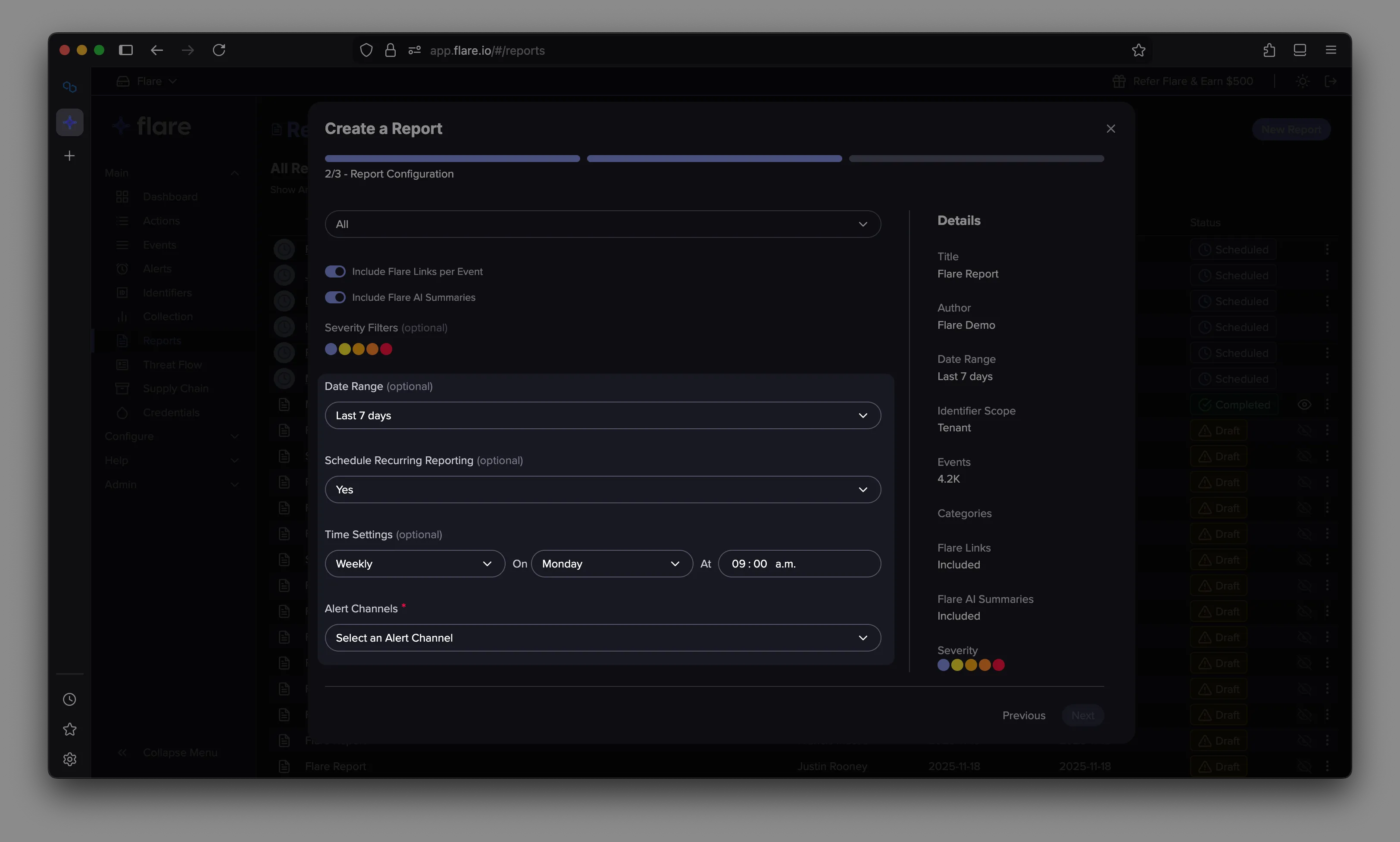
Scheduled Reports are configured in Step 2: Report Configuration of the Configuration Wizard.
To enable scheduling:
- Select "Yes" for Schedule Recurring Report
- Choose your frequency: Daily, Weekly, or Monthly
- Select a specific Day and Time for report generation
- Choose your Alert Channels for distribution (only email channels are currently supported)
Scheduled Reports leverage your existing Alert Channel configuration, making it easy to route reports to the right stakeholders across your organization.
Managing Scheduled Reports
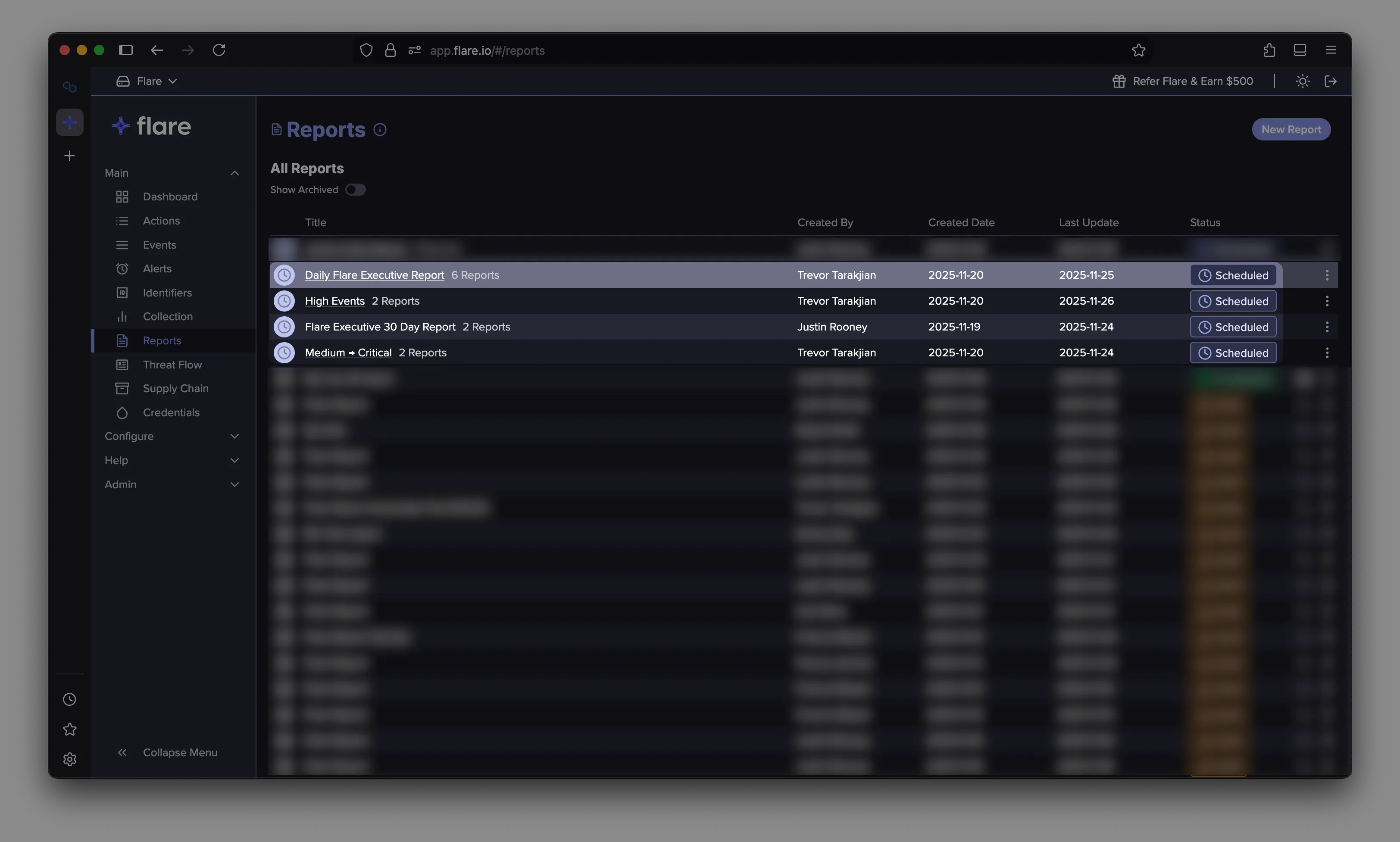
Once configured, scheduled reports appear in the Reports page with a "Scheduled" status badge, making them easy to identify at a glance.
To view the history of a scheduled report, click the Clock icon or the name of the report in the report's row. This displays all previously generated reports from that schedule, allowing you to access all previous versions of the scheduled report.