Remediation and Mitigation
When setting up an Identity Provider (IdP) integration in Flare, you can select the mitigation and remediation actions to apply when a leaked credential matches one of your Identity Identifiers. These options are available for Okta and Microsoft Entra ID, and require Identity Creation to be enabled.
- Mitigation acts on the account in your IdP to contain the exposure, such as revoking active sessions, disabling the account, or marking the identity as compromised.
- Remediation records that the exposure has been handled. It changes the status of the event in Flare only and makes no changes in your IdP.
Configure Remediation and Mitigation
Complete the following steps to enable mitigation and remediation settings for an IdP integration.
Prerequisites: Configure your IdP integration and grant the required permissions in your IdP. For instructions, see IEM Okta Setup IEM Okta Setup or IEM Entra ID SetupIEM Entra ID Setup.
Navigate to the Settings in the top right corner, then click Integrations.
Find your IdP integration and click Configure.
From the Identity Creation section, toggle the Automatically create Identity Identifiers for my synced identities option to automatically sync Identity Profiles. The mitigation and remediation options are available only when this option is enabled.
Enabling Identity Creation creates Identity Identifiers for your synced identities, pulls in additional data from your IdP, and provides enriched Identity Profiles. Syncing identities can take up to 24 hours.
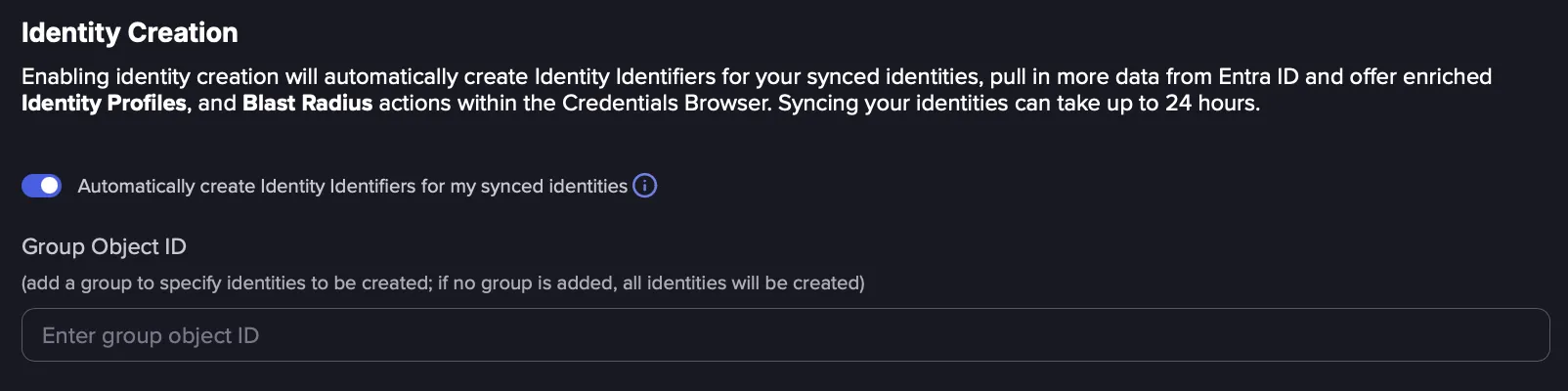
In the Group Object ID field, enter the ID of a group to create Identity Identifiers only for the identities in that group. Leave the field empty to create Identity Identifiers for all synced identities.
Enable one or more of mitigation and remediation actions.
Permissions for Entra ID
Capability | Permission |
|---|---|
Identity Profiles & directory reads | Directory.Read.All |
Revoke user sessions (invalidate refresh tokens) | User.RevokeSessions.All |
Disable user account | User.EnableDisableAccount.All |
Mark user as compromised | IdentityRiskyUser.ReadWrite.All |
Scope and Roles for Okta
Capability | OAuth 2.0 Scope | Okta Role |
|---|---|---|
Identity creation, automated validation | okta.users.read | Okta Admin role with the View users and their details permission |
Revoke sessions on valid credentials | okta.users.manage | Okta Admin role with the Clear users’ sessions permission |
Disable user account | okta.users.manage | Okta Admin role with the Suspend users and Clear users’ sessions permissions |
Automated Remediation
These settings mark leaked credentials as remediated in Flare once the exposure has been resolved, either because the credential is not valid or because a mitigation action was performed. Credentials that you manually un-remediate are not changed by these options.
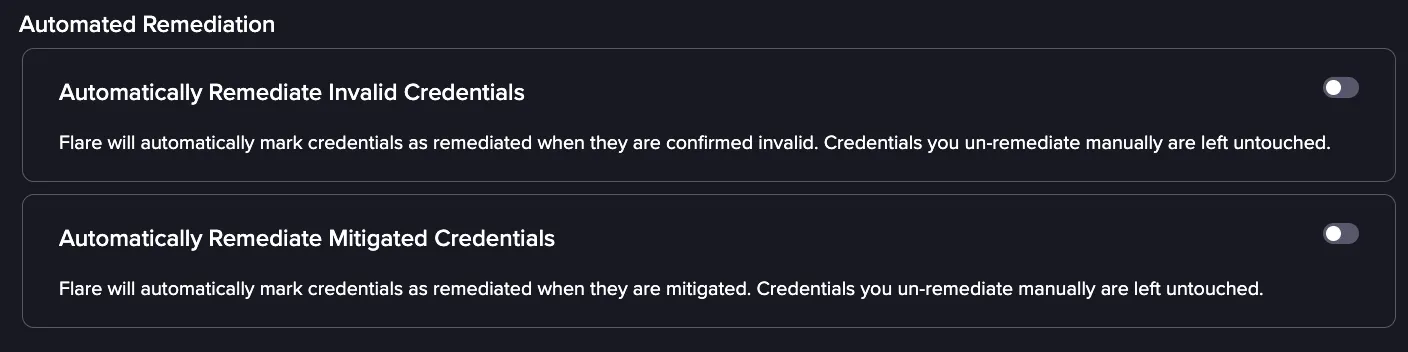
- Automatically Remediate Invalid Credentials: A credential is marked as remediated when validation confirms that the leaked password is no longer valid.
- Automatically Remediate Mitigated Credentials: A credential is marked as remediated after a mitigation action is performed on the account, such as, disabling the user, marking the identity as compromised, or revoking sessions.
Automated Validation and Mitigation
These settings validate new leaked credentials against your IdP and act on the account when a password is confirmed to be valid. The mitigation options depend on validation results, so Automated Validation must be enabled to use them.
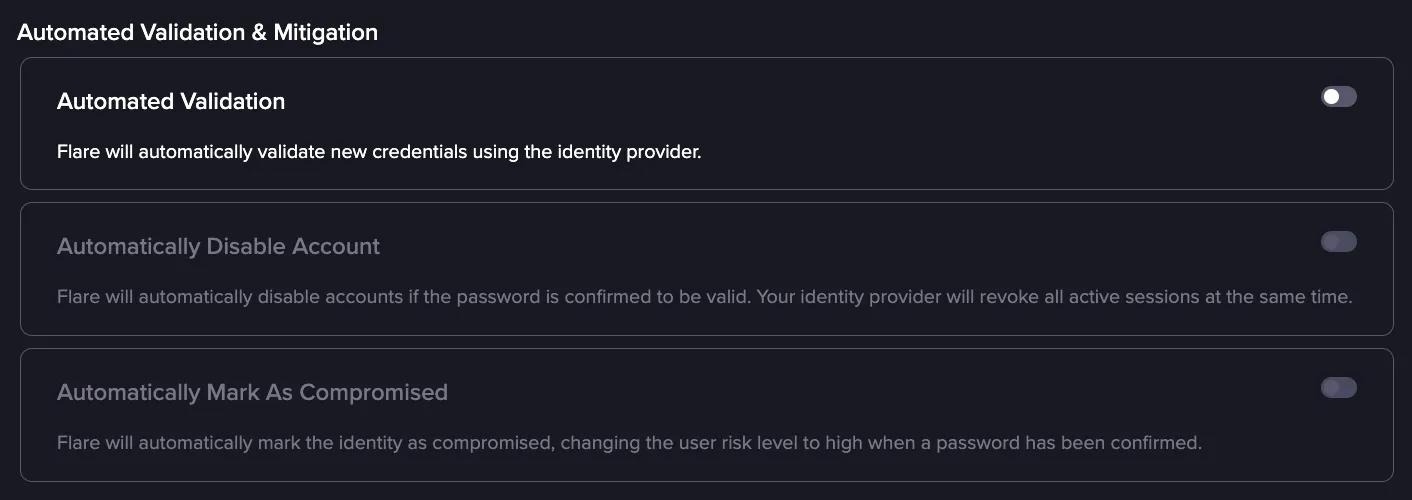
- Automated Validation: When a new leaked credential matches one of your Identity Identifiers, the password is tested against your IdP to determine whether it is still active.
- Automatically Disable Account: The account is disabled in your IdP as soon as the leaked password is confirmed to be valid, which blocks sign-in until the account is re-enabled.
- Automatically Mark As Compromised: When the leaked password is confirmed to be valid, the identity is flagged as compromised in your IdP and the user risk level is raised to high.
Automatic Session Revocation
This setting ends active sessions on an account when a leaked password is confirmed to be valid, without disabling the account. It is useful when you want to cut off an attacker's access but keep the account usable for the legitimate user.

- Automatically Revoke Sessions on Valid Credentials: When validation confirms that a leaked password is valid, the active sessions for the account are terminated. Tokens that were already issued are invalidated, so any session established with the leaked password ends and the user must authenticate again.
Manual Mitigation
These settings add mitigation actions to the Credentials Browser, so an analyst can act on an account after reviewing the exposure. The actions are available for accounts with valid credentials.
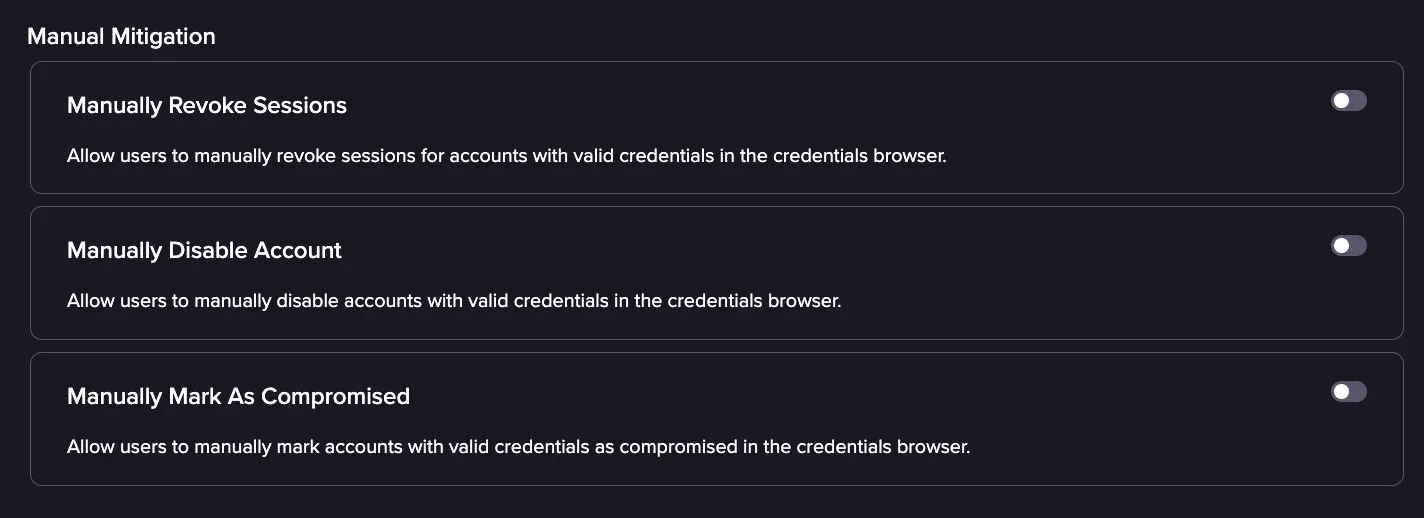
- Manually Revoke Sessions: Allows users to end any active sessions for an account while leaving the account enabled.
- Manually Disable Account: Allows users to disable the account in your IdP, which blocks sign-in until the account is re-enabled.
- Manually Mark As Compromised: Allows users to flags the identity as compromised.