Ransom Leaks
Ransomware groups regularly publish victim data on dedicated extortion sites to pressure organizations into paying a ransom. Publication typically follows a failed negotiation, meaning the data is already public when an event fires. This event category covers key scenarios such as direct targeting of your organization, breaches at third-party suppliers, and broader supply chain exposure.
Types of Ransom Leak Events
There are two types of Ransom Leak Events: Blog Posts and File Listings.
Blog Posts
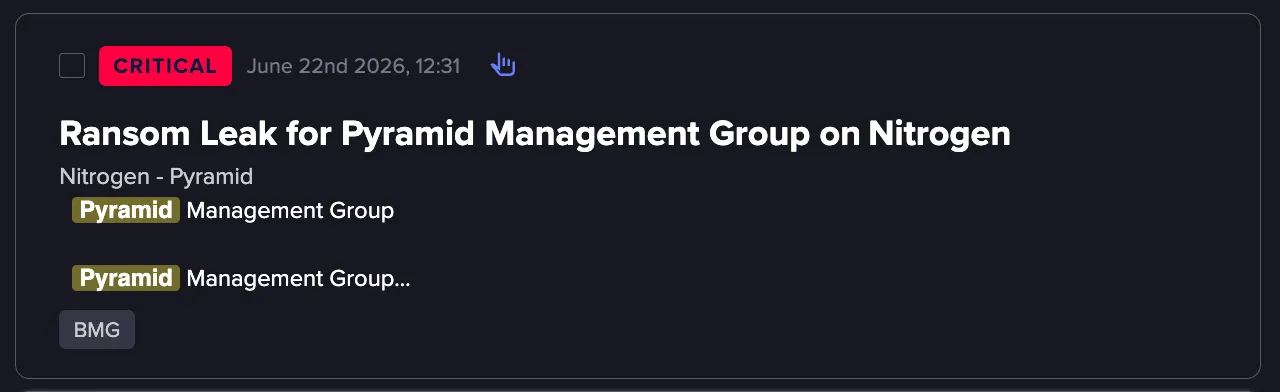
Blog post events capture the victim information published on a ransomware group's extortion site, including company details, proof screenshots, and other data. Ransomware groups often publish in stages, with full victim details added in subsequent edits. Flare monitors these posts for updates and generates a new event each time the content changes.
File Listings
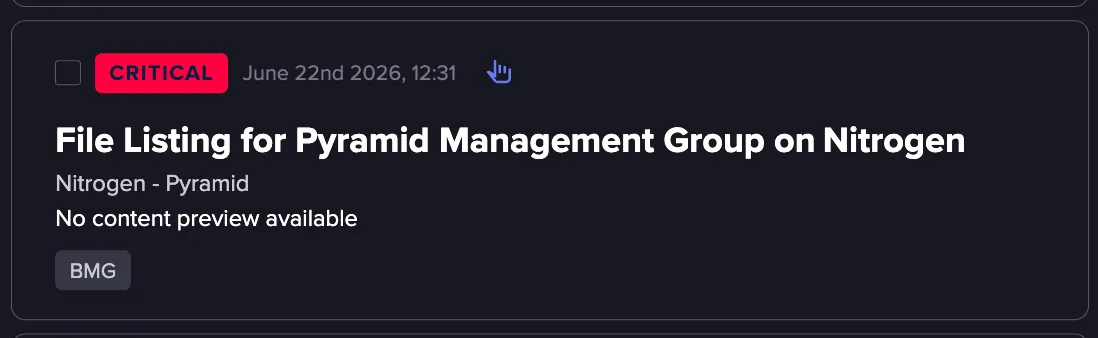
File listing events represent the actual files exfiltrated from a victim and published on a ransomware site. Unlike blog posts, which are text-based and surface quickly, ransomware groups vary in how, when, and where they make these files available. Exfiltrated data is often extremely large, which means file listings may take longer to surface than blog posts.
Understanding a Ransom Leak Event
Each Ransom Leak event includes the following data:
- Summary: Displays the event metadata including Source, Creation Date, First Seen, and Last Seen, as well as Ransom Victim Metadata such as the organization name, industry, country, and employee count. A content preview is also shown.
- Content: Shows the full body of the ransomware blog post, including any file paths, URLs, and threat statements published by the ransomware group.
- Severity: Explains why the event was assigned its severity level and contextual information about the ransomware group's activity.
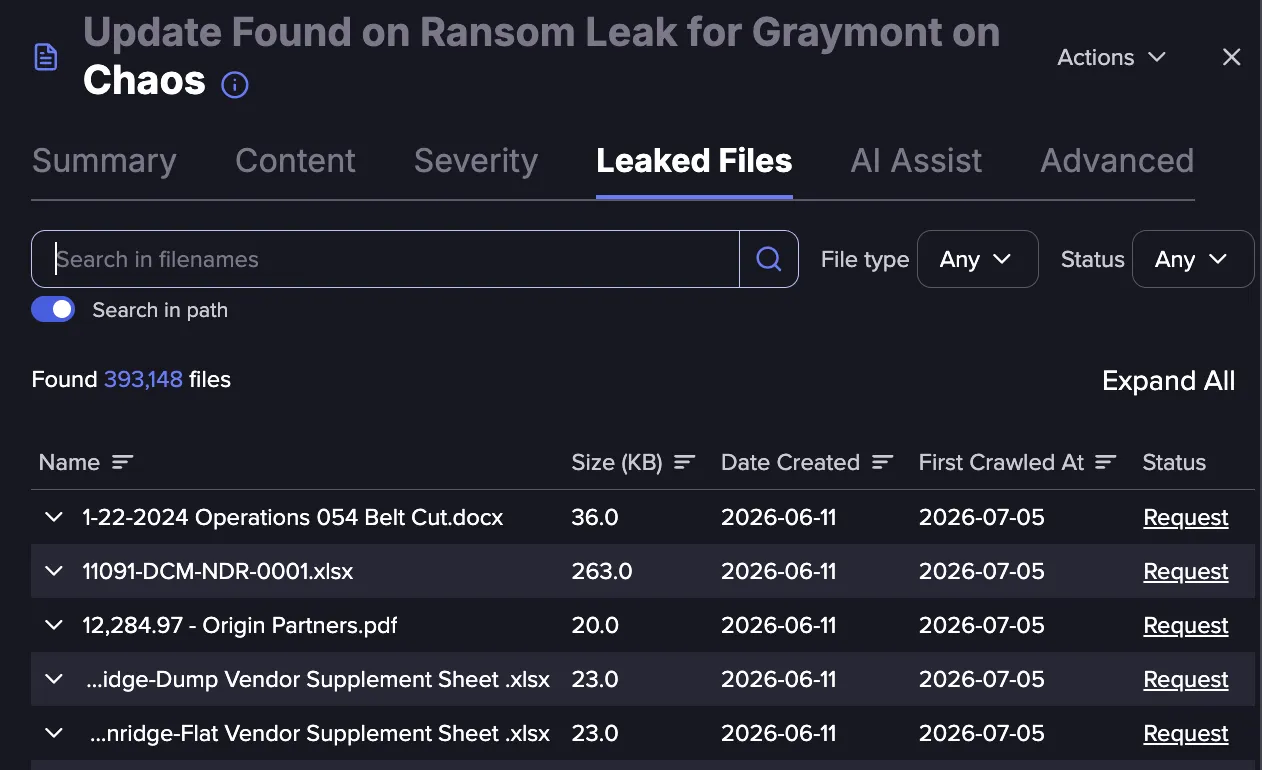
- Leaked Files: Lists files associated with the leak, searchable by name or path. Each file entry includes the file name, size, Date Created, First Crawled At, and status.
- Date Created reflects the date the file was posted on the ransomware website.
- First Crawled At reflects the date at which Flare managed to ingest it, and the date when an AlertAlert (if configured) was generated. These dates can differ significantly depending on the size of the files and the mechanism used to host them.
- AI Assist: Provides an AI-generated summary and contextual analysis of the event, including a description of the ransomware group's tactics and what the leak means for the victim organization.
- Advanced: Displays the raw event and header data for the Event.
How Flare Tracks Ransom Leak Updates
Ransomware groups often publish in stages. The first blog post is commonly a teaser with minimal information. Full victim details, file listings, and download links are added in subsequent edits.
Whenever a blog post is updated, a new, separate event is created to represent that update. Updates to file listings are grouped, so a single update event is created for each Ransom Leak every 24 hours, containing all files found during that period. Each update event has its own unique ID (uid) and appears independently in your Events feed.
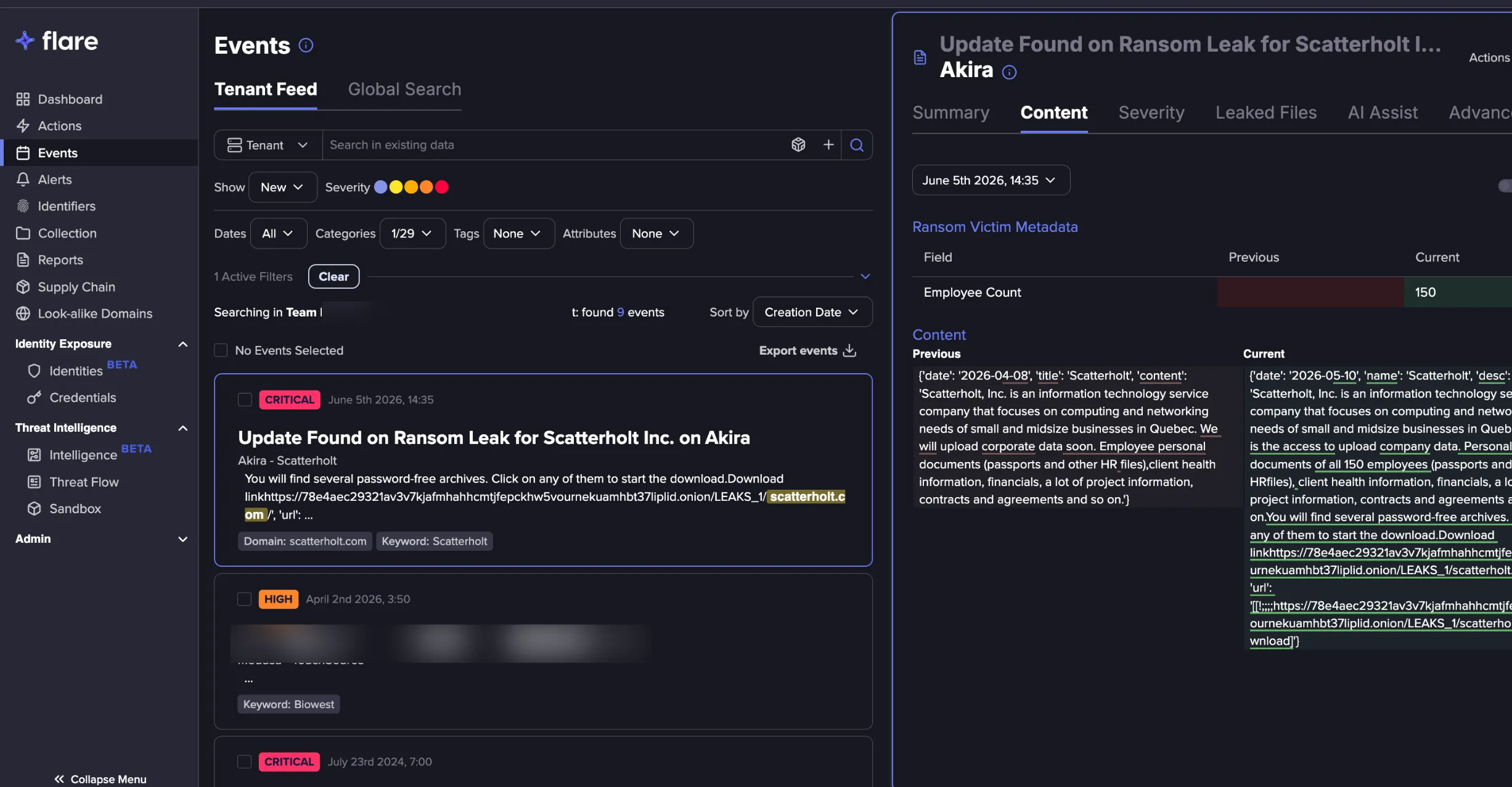
Each update Event includes a diff view that shows exactly what changed between the previous version of the post and the current state. This allows you to quickly identify what new information was added, such as a victim name being published, files being released, or a deadline being changed, without reading the full post each time.
Note: Collecting and processing updates to file listings takes longer than blog post events due to the structure and size of exfiltrated files, and the mechanism used to host them. Therefore, updates to file listings can take days or weeks to surface in Flare after they are first made available on the ransomware site.
An update Event appears independently in your Events feed, and includes the following information:
- Ransom Victim Metadata: Structured fields in a side-by-side table with changed values highlighted for quick scanning.
- Content: Full post text from the previous crawl alongside the updated version, making it easy to spot what was added or changed.
A drop-down menu provides quick access to all previous versions of the Event, so you can trace how the post evolved from initial publication to its current state. Watch the following demo for more information.
Accessing Events via API
Update Events for Ransom Leaks are new as of June 2026. If you were monitoring Ransom Leaks prior to June 2026, here are a few things to keep in mind for your integrations:
- A single ransomware post can now produce multiple Event IDs (uids). The original Event retains its uid (e.g., document/source/1) and a new uid is generated for each subsequent update Event (e.g., document/source/1/abc). The parent uid is no longer updated once an update Event has been created.
- If your integration queries the Tenant Events feed, no changes are required. Ransomware update Events will surface in your feed alongside original Events. You may notice an increase in ransomware-related Events. This is expected behavior and it reflects activity that was previously occurring but not being surfaced, specifically post-publication edits that are now generating their own Events.
- If your integration polls a specific ransomware uid directly, update your logic to also query child uid, or switch to querying the Tenant event feed, to avoid missing post-publication updates